





Description
What’s in your download
- Your blank spreadsheet – ready for your own details (Excel and Google Sheets)
- A filled-in EXAMPLE copy – the same sheet with sample data, so you can see every tab working
- A full PDF user guide – set-up, every tab explained, a simple routine, the HMRC and UK rules that apply, troubleshooting and FAQs
Stop being your own bookkeeper. This is the problem solver: one spreadsheet that runs the entire admin side of your trade business, so you save hours of time every month.
Sound Familiar?
- Quoted a job from memory because the paperwork was never in one place
- No real idea what a job actually made until weeks after it was finished
- Chasing an invoice you’re sure you sent, but can’t find anywhere
- Fuel, materials and van costs disappearing into a shoebox of receipts
- Mileage claims guessed at because you never wrote the trips down
- No idea what last month’s profit was until you add it all up
None of that is a “you” problem, it’s a missing system problem. This template fixes it.
One Trade Business Spreadsheet for Everything
The Trade Business Command Centre puts every job, invoice, customer, expense and mile all into one spreadsheet that does the maths for you. No formulas to write, no accounting background needed, just fill in the coloured cells.
Why You’ll Love It
- ✔ Enter a job once — your dashboard, invoice, charts and profit all update themselves
- ✔ See what every job made and who still owes you, the moment you open it
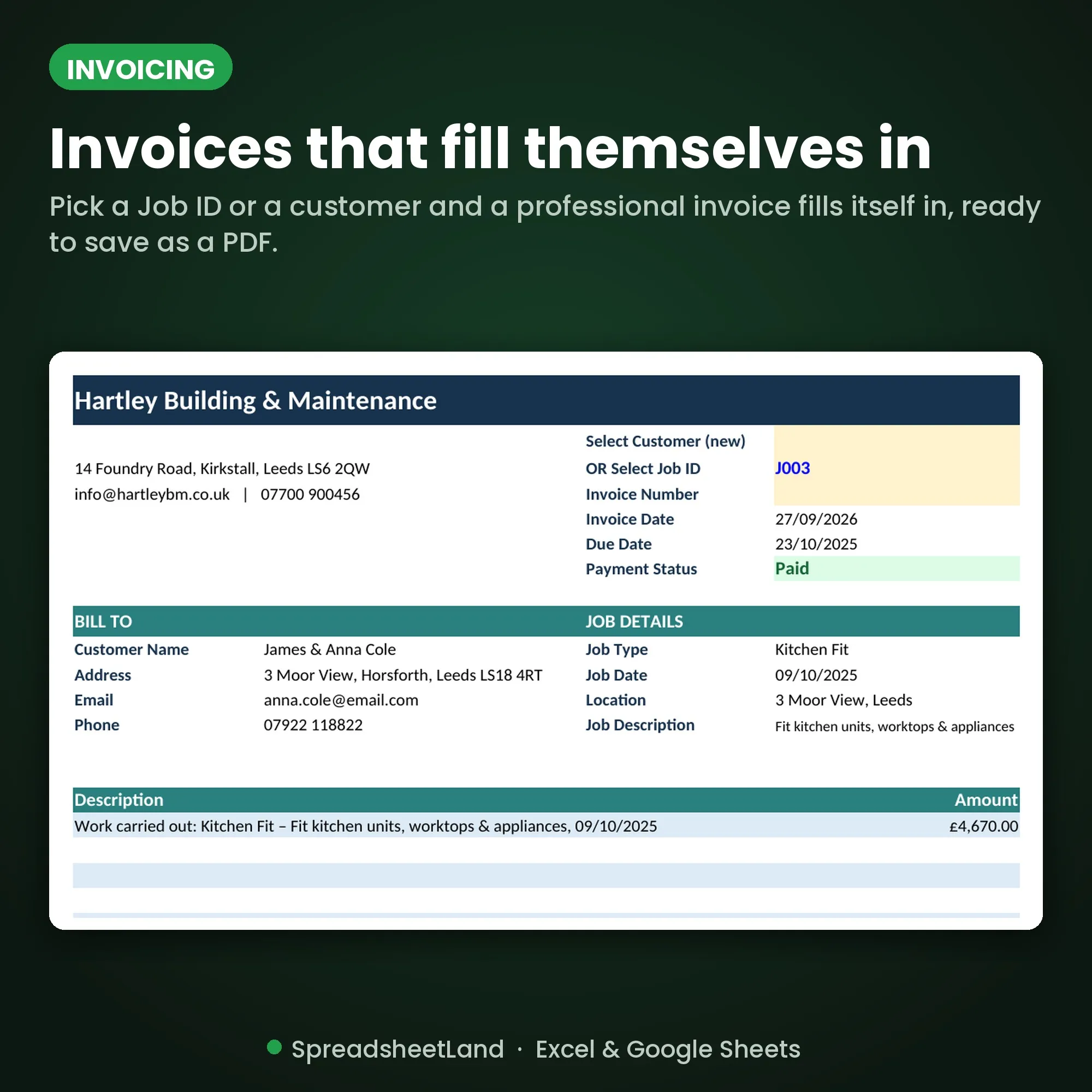
- ✔ Invoices fill themselves in — and every one is saved, so you can pull it back up in seconds
- ✔ Expenses and mileage added up for you — no more shoebox of receipts
- ✔ Works in Excel and Google Sheets — no macros, no add-ons, no monthly subscription
- ✔ Make it yours with 6 colour themes
- ✔ Comes with a fully filled-in example business, so you can see exactly how it all works before adding your own data
See It in Action
A quick tour of the Trade Business Command Centre.
What You Get
- Trade Business Command Centre (main file) — your blank, ready-to-use workbook
- Filled-in example file — sample jobs, customers and an invoice already entered, so you can see everything working before you add your own data
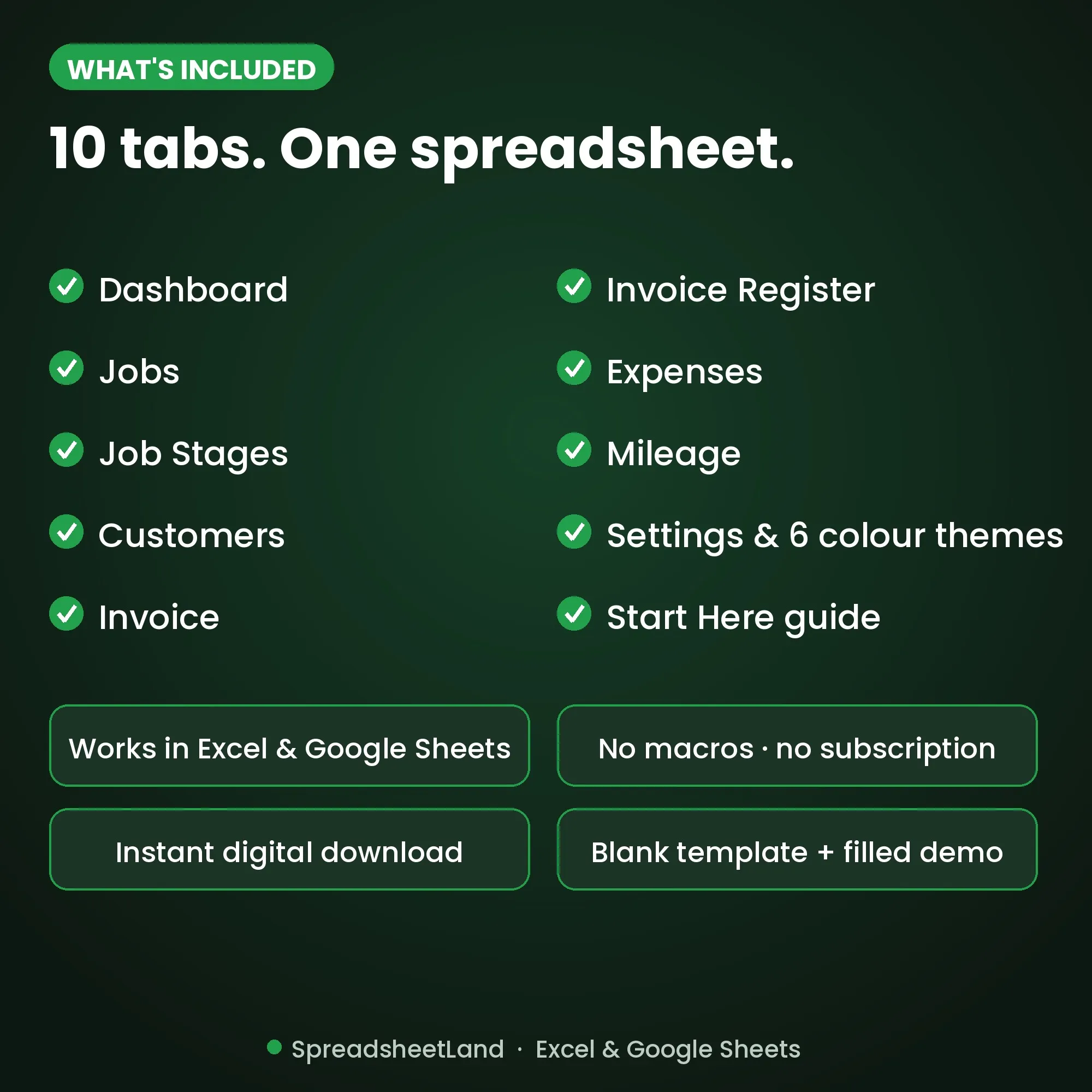
What’s Inside the Trade Business Spreadsheet — 10 Tabs
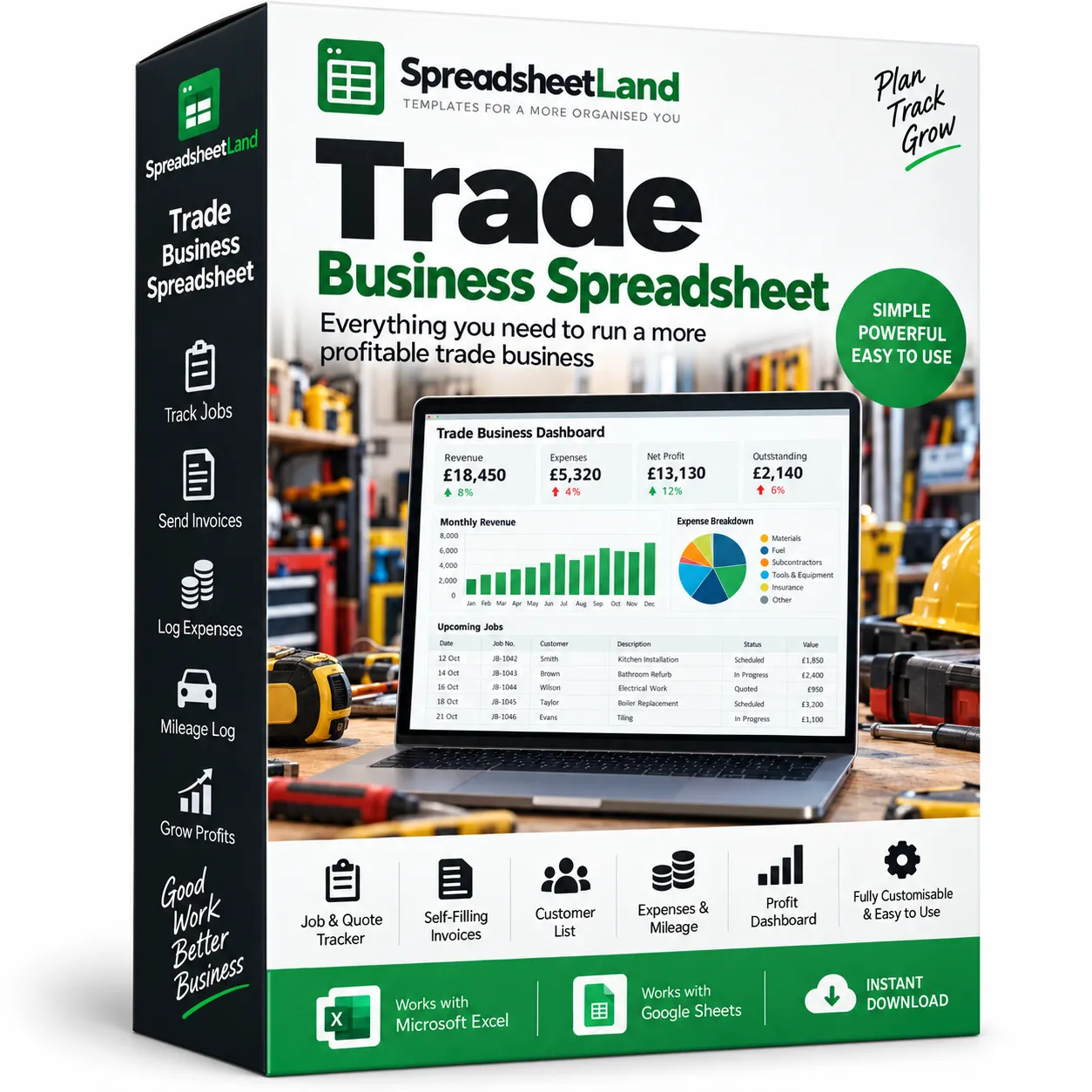
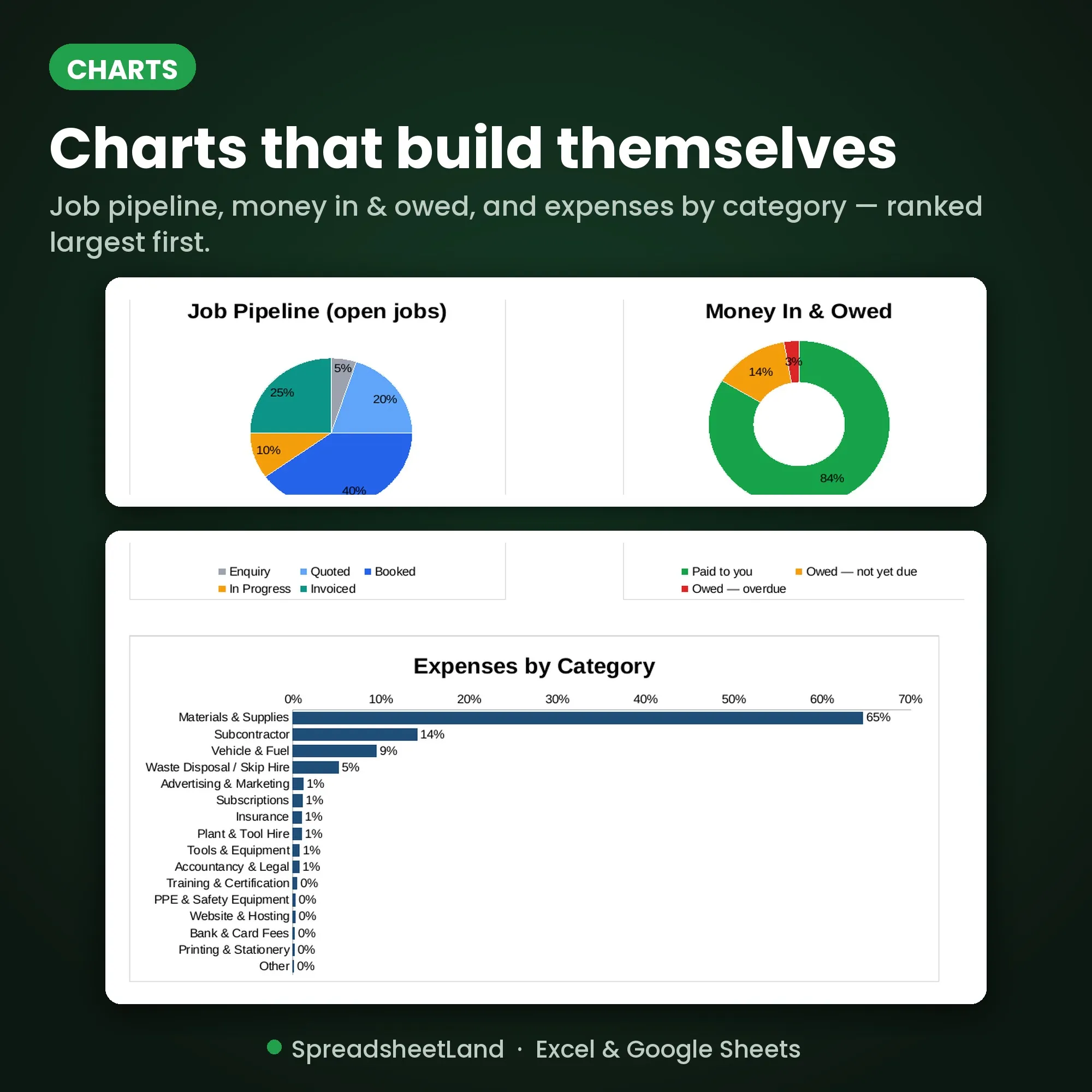
- Dashboard — revenue, expenses, profit and outstanding balances at a glance, plus jobs done, your next 10 jobs, colour-coded business health checks and a 12-month revenue/cost/profit chart with a 3-month forecast.
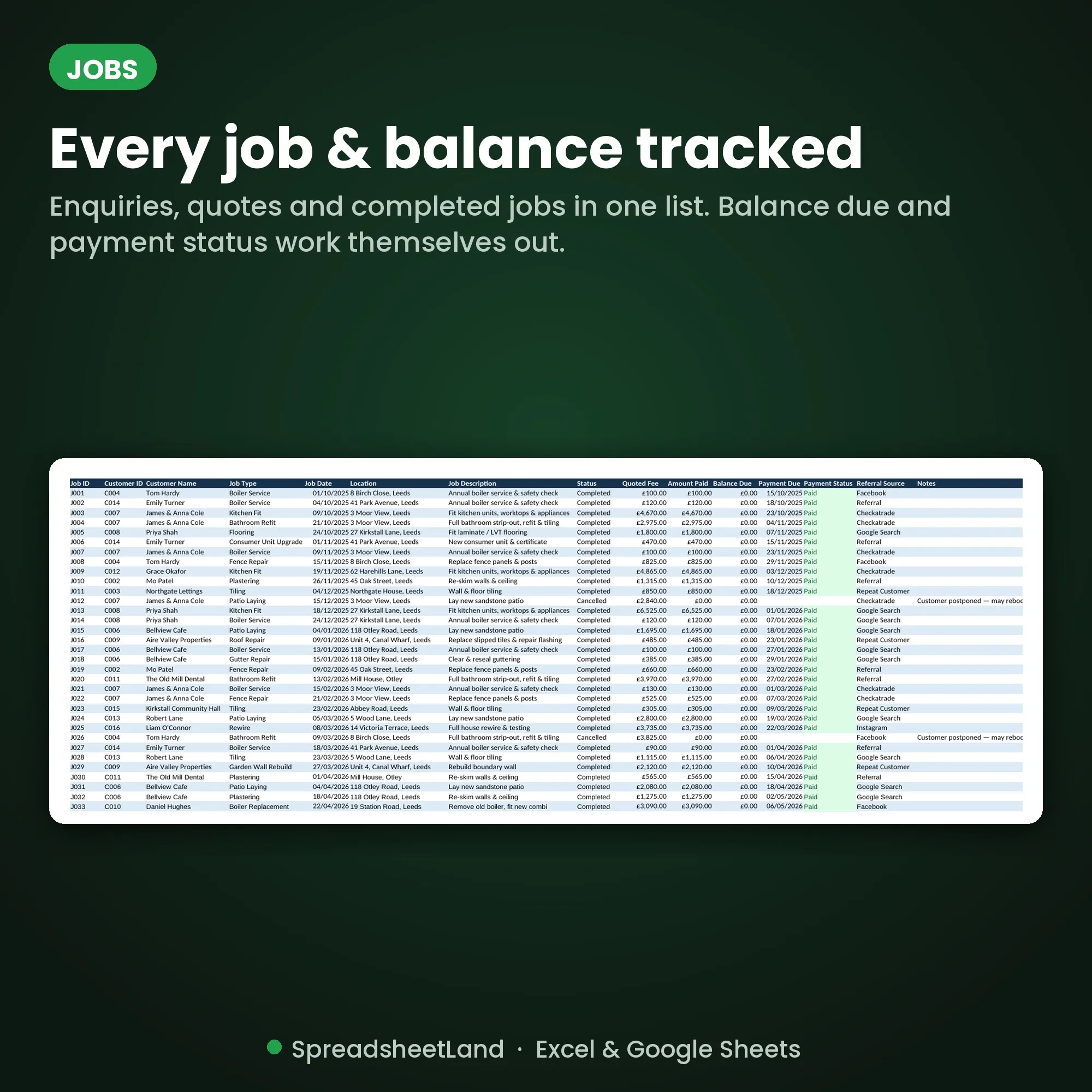
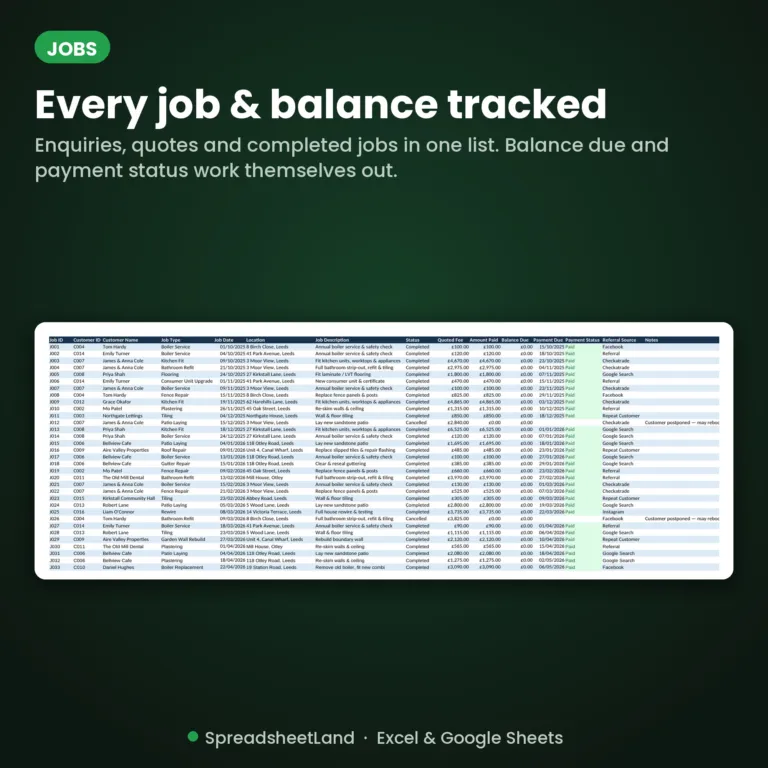
- Jobs — every enquiry, quote and completed job in one list, with automatic balance due and payment status (Paid / Outstanding / Overdue).
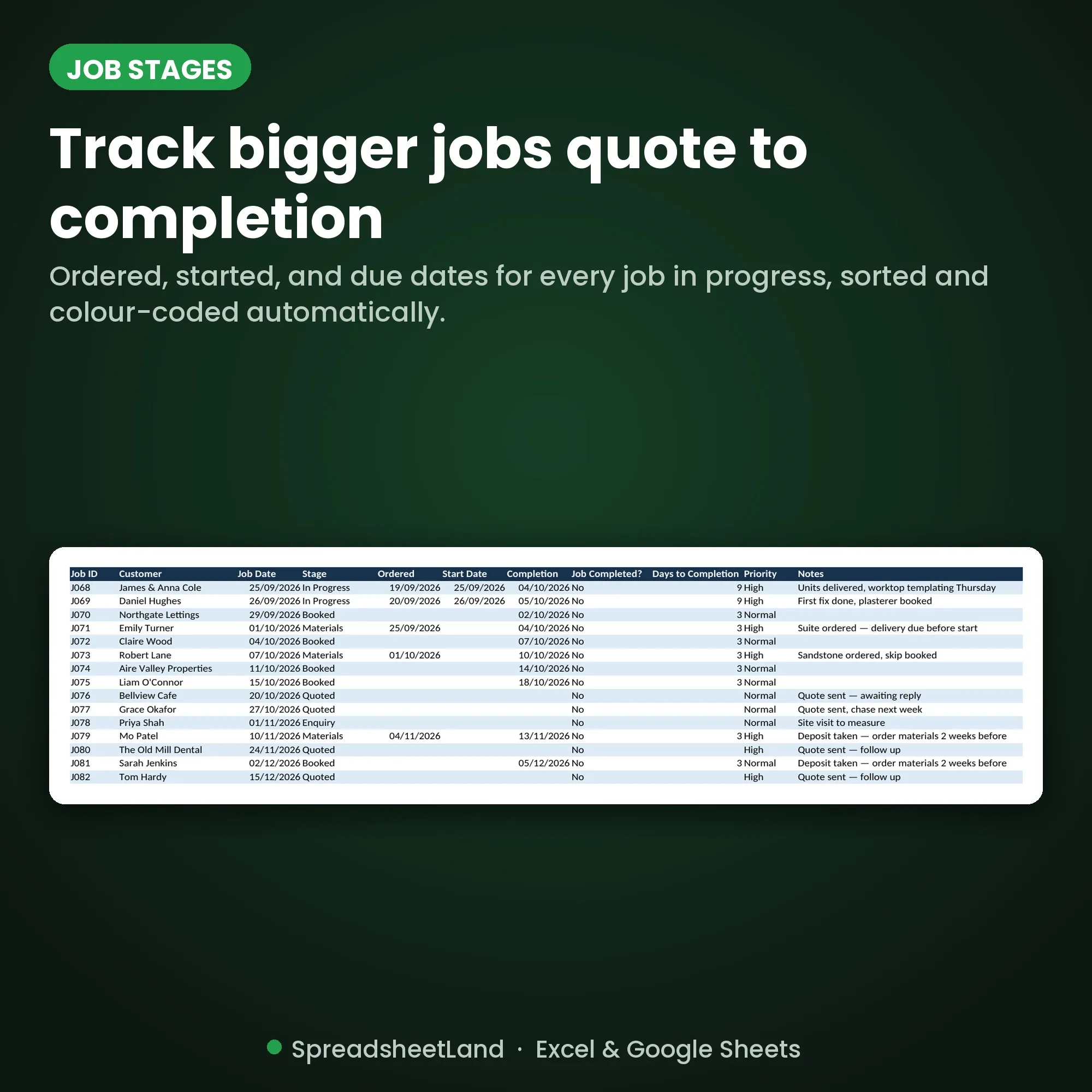
- Job Stages — track bigger jobs from Ordered through Started to Due, sorted and colour-coded automatically so nothing slips through the cracks.
- Customers — a simple customer database with contact details, total jobs, money paid and lifetime invoiced, all tracked automatically.
- Invoice — a proper letterhead invoice that fills itself in from a single Job ID or customer, ready to save as a PDF and send.
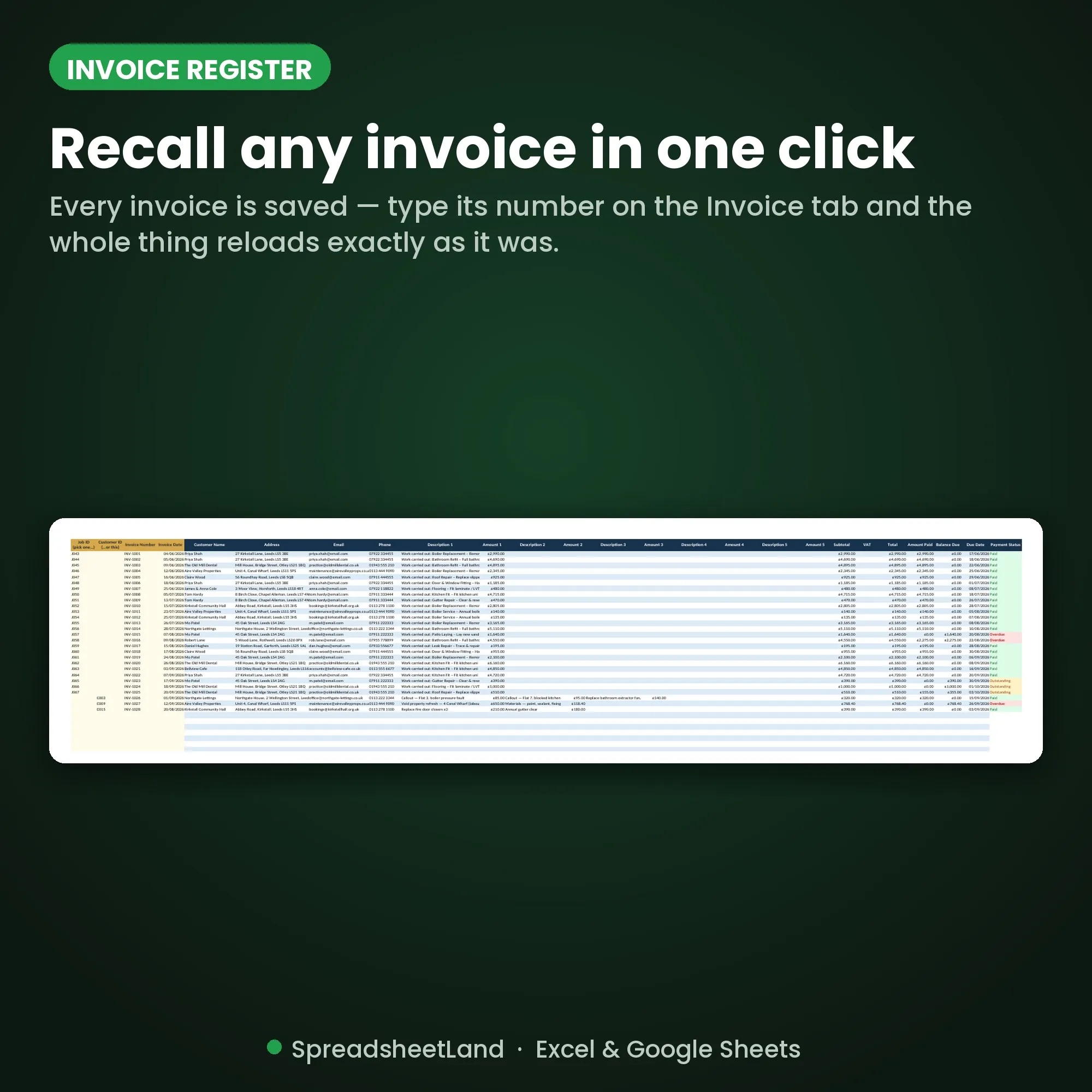
- Invoice Register — every invoice you’ve ever sent is saved; type its number on the Invoice tab and the whole thing reloads exactly as it was.
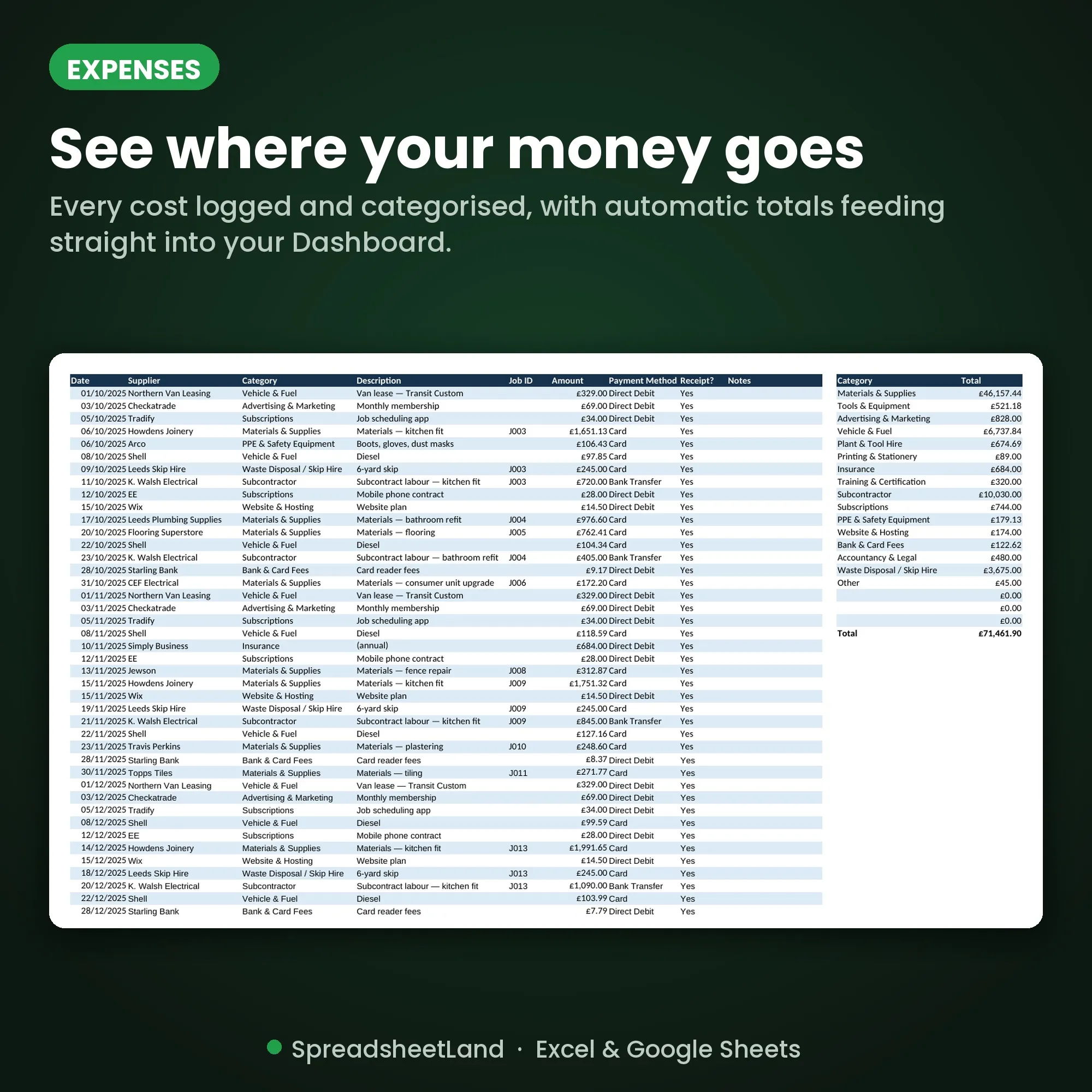
- Expenses — log every cost by category, with automatic totals feeding straight into your Dashboard.
- Mileage — log a trip and your claimable amount is worked out automatically at your own rate per mile.
- Settings — your business details plus 6 colour themes (Navy & Gold, Forest Green, Burgundy & Cream, Ocean Blue, Charcoal & Copper, Terracotta) that restyle every tab in one click.
- Start Here guide — a plain-English walkthrough of every tab, built into the workbook.
Every number flows automatically from your Jobs and Expenses tabs – enter a job once, and the Dashboard, invoice and charts all update themselves. No macros, no add-ons, no subscription.
Format
Instant digital download – works in Microsoft Excel, Google Sheets and LibreOffice, on Mac, PC, Chromebook or tablet. Nothing to install.
Current version: 3.5 (updated October 2026: mileage rate now 55p, changeable in Settings)
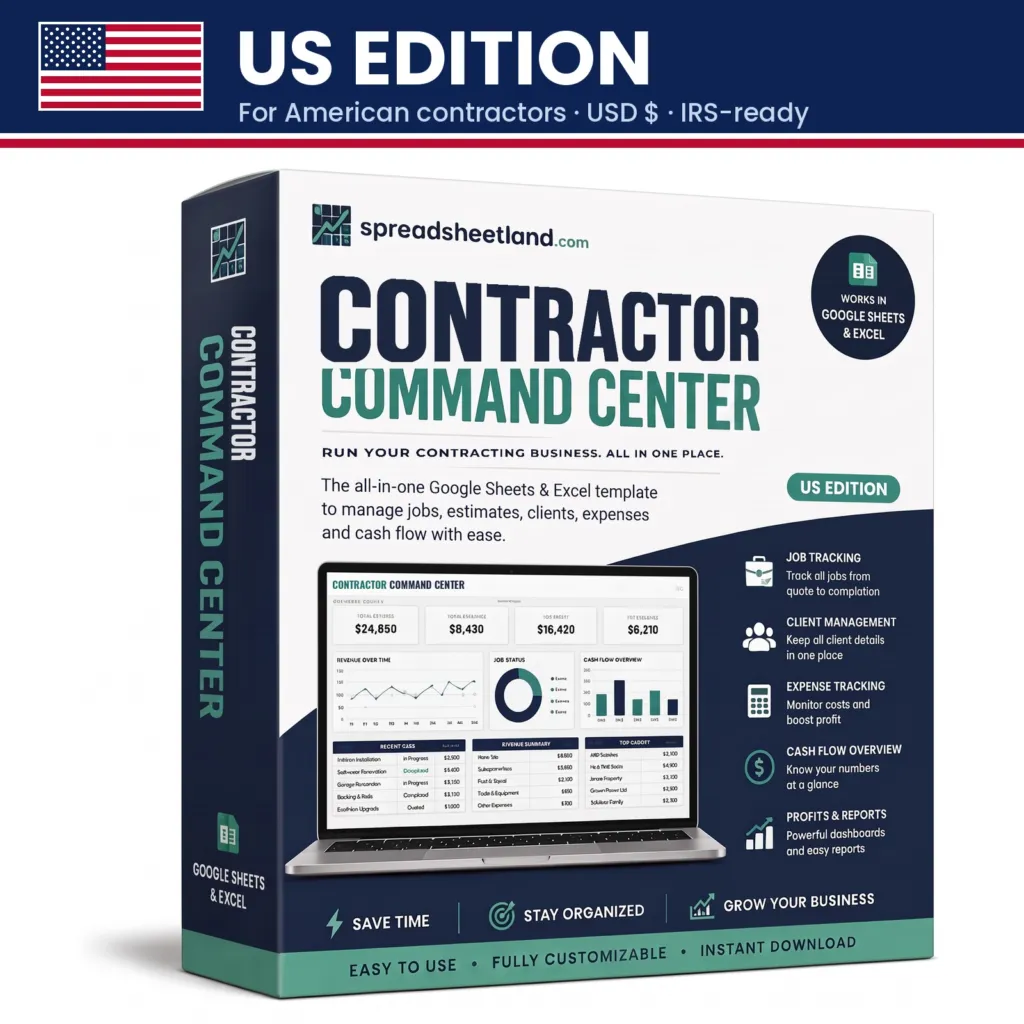
Based in the US? Get the US Edition, with dollars, US dates, the IRS mileage rate and Schedule C expense categories.
How It Works
- Purchase and download the file
- Open it in Excel or upload it to Google Sheets
- Follow the Start Here tab to add your business details
- Start logging jobs – everything else updates itself
Please Note
This is a digital product – no physical item will be shipped or posted. For personal/business use only, please don’t resell or share the file.
Questions before you buy? Message me any time, happy to help!
Trade Business Spreadsheet FAQ
Do I need Microsoft Excel?
No. It works in Microsoft Excel, or free in Google Sheets.
Is it a subscription?
No. It is a one-off payment and the file is yours to keep. There are no monthly fees.
I’m not good with spreadsheets. Is this for me?
Yes. You just type into the input cells and the totals, charts and dashboard update themselves. There are no formulas to write, and the instructions in the file walk you through it.
Can I see it before I buy?
Yes. Look through the screenshots above. Your download also includes a second copy filled in with example data, so you can see exactly how it works before adding your own.
Is it Making Tax Digital (MTD) software?
No. It is a record-keeping spreadsheet that keeps your figures organised. If Making Tax Digital for Income Tax applies to you, you will need MTD-compatible software to submit your returns to HMRC.
Does it work on a Mac, iPad or phone?
Yes on a Mac: use Excel for Mac, or open it free in Google Sheets in your web browser. On an iPad or phone you can open it in the free Excel or Google Sheets app to check and update it, but a computer is easier for setting it up.
Can I get a refund?
Because it is an instant digital download, I can’t offer a refund once the file has been downloaded. If the file is faulty and I can’t fix it, you were charged twice, or you received the wrong product, I will put it right or refund you. See the Refund Policy. This doesn’t affect your statutory rights.
How do I get my file?
It is an instant digital download. You will get a download link straight after checkout, and by email.
What if I get stuck?
Message me any time and I will help you get set up.