Beautician Studio Command Centre — All-in-One Booking, Invoicing & Accounts Spreadsheet

£29.99

A beautician business spreadsheet that keeps bookings, client and patch-test notes, invoices, expenses and mileage in one file, with a live dashboard and UK tax summary. Works in Excel and Google Sheets.

Digital download, available immediately. By buying, including with Google Pay or Amazon Pay, you agree to immediate access and that your 14-day right to cancel ends once your download is available. See our Terms and Refund Policy.

Beauty therapistsNail techsLash techsBrow artistsAestheticiansFacialistsWaxingMobile therapistsHome studiosSalon owners
Instant downloadLink straight after checkout and by email
Excel or Google SheetsMac, PC, Chromebook. No macros
Start Here guide built inPlain-English steps for every tab
Secure checkoutCard, Apple Pay and Google Pay

Sound familiar?

Fully booked all day. The admin waits until the evening.

  • Double-booked a treatment because the diary wasn’t in one place
  • Forgotten to chase a balance until weeks after it was due
  • No idea what you actually earned last month until you dig through your bank app
  • Patch-test dates and allergy notes scattered across sticky notes
  • A phone full of client numbers you can never find fast enough

That’s not a you problem. It’s a missing-system problem.

Why therapists love it

Book it once. Everything else follows.

  • Dashboard, invoice and charts update themselves from your bookings and expenses
  • Patch-test and allergy notes kept with every booking
  • Balances and payment status worked out for you
  • A client list with total bookings and lifetime spend
  • Mileage for mobile visits at your own rate per mile
  • A UK tax year summary with an estimated tax reserve

Where the money goes

A £55 treatment. Do you know how much you keep?

The Command Centre splits out your takings and costs, so you can check your prices are right.

£55.00Example: lash lift and tint
Products£6.50
Card fee (1.75%)£0.96
Room rent share£8.00
Set aside for tax (20%)£7.91
Yours to keep£31.63

Example figures for illustration. You choose your own tax set-aside rate. A record-keeping tool, not tax advice.

How it fits together

Book it once. Five tabs update themselves.

  1. BookingsYou type the treatment, price and deposit
  2. InvoiceFills itself in from one Booking ID
  3. Who owes youBalances and payment status, worked out
  4. DashboardRevenue, profit and a 3-month forecast
  5. Tax potAn estimate of what to put aside
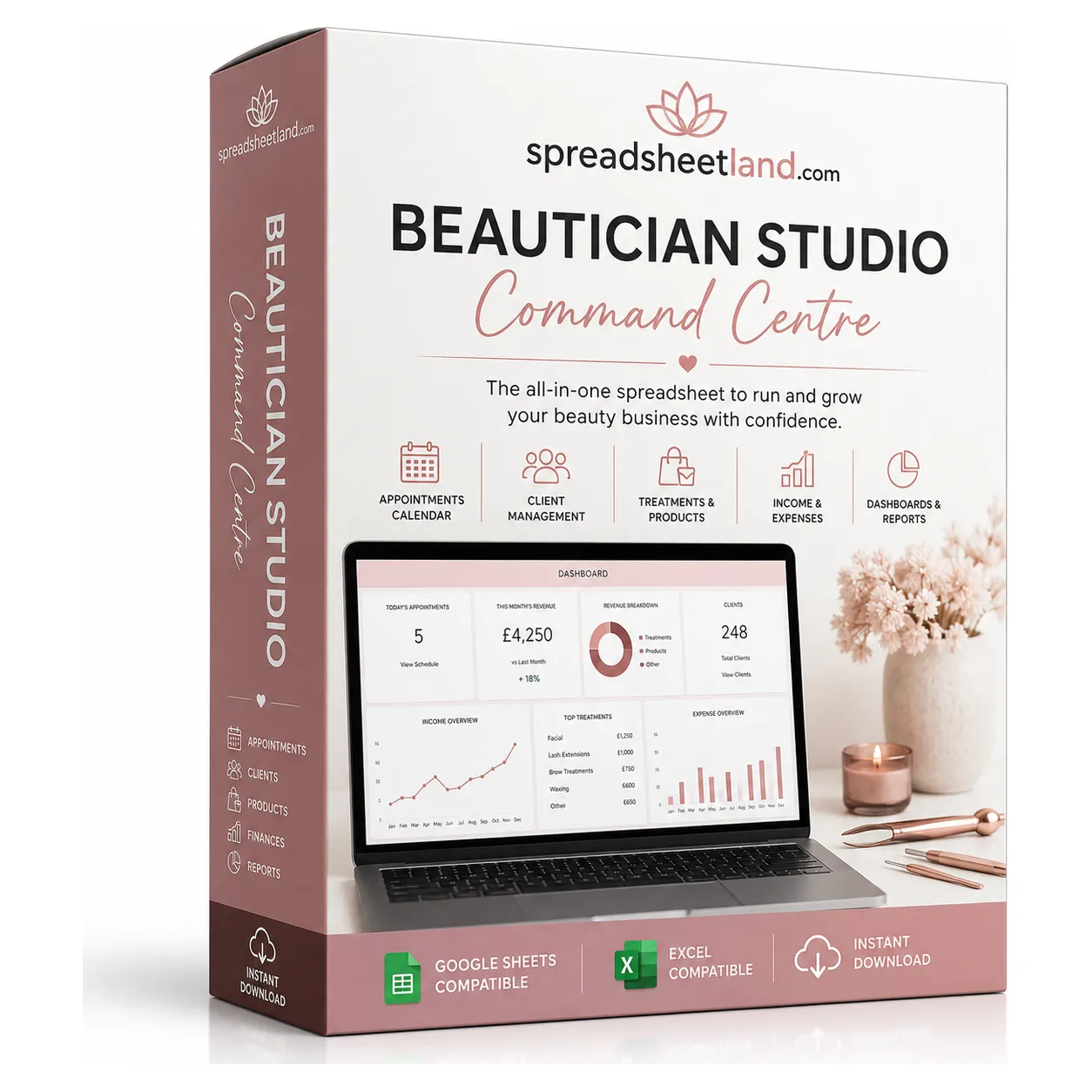
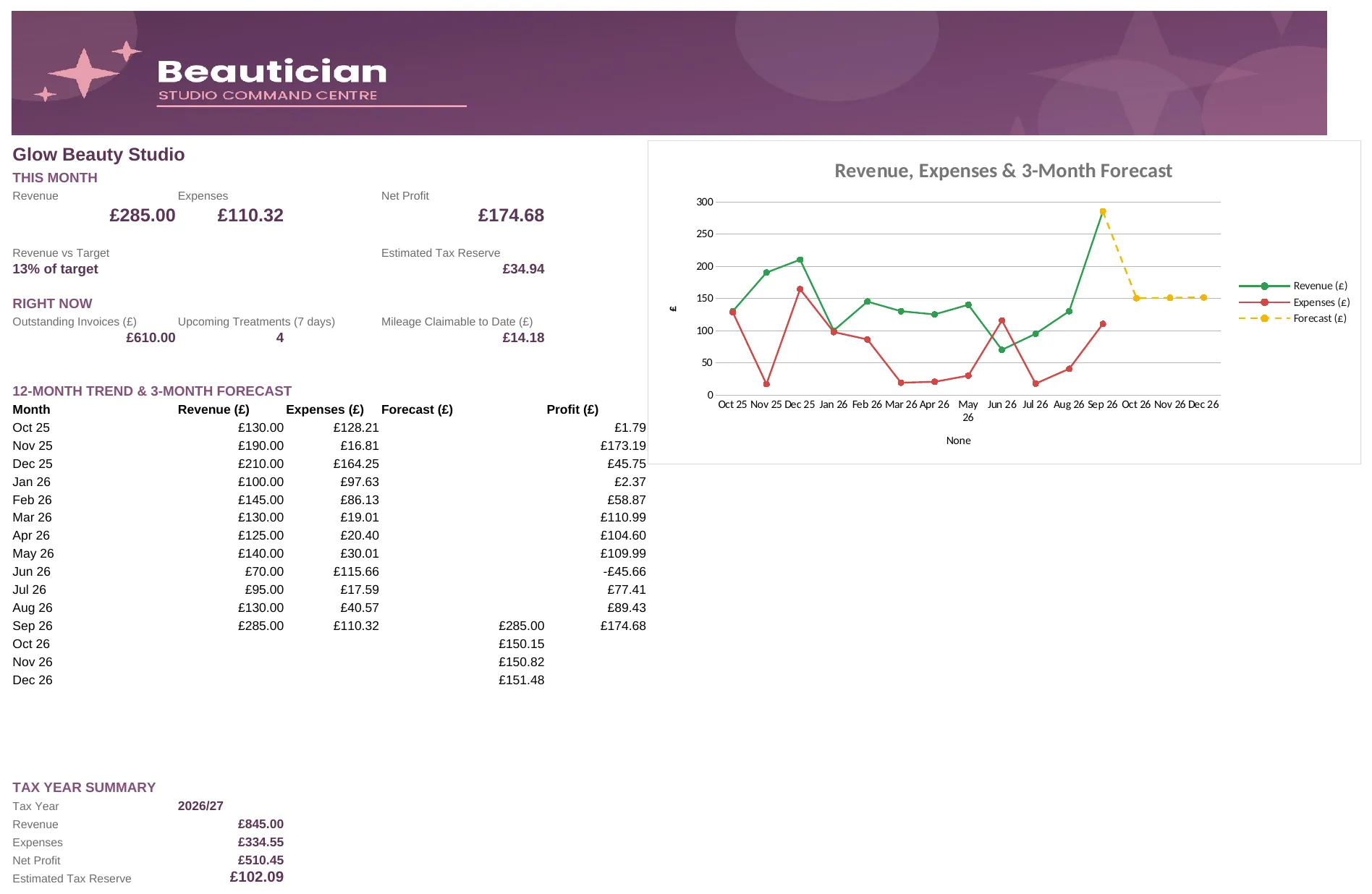
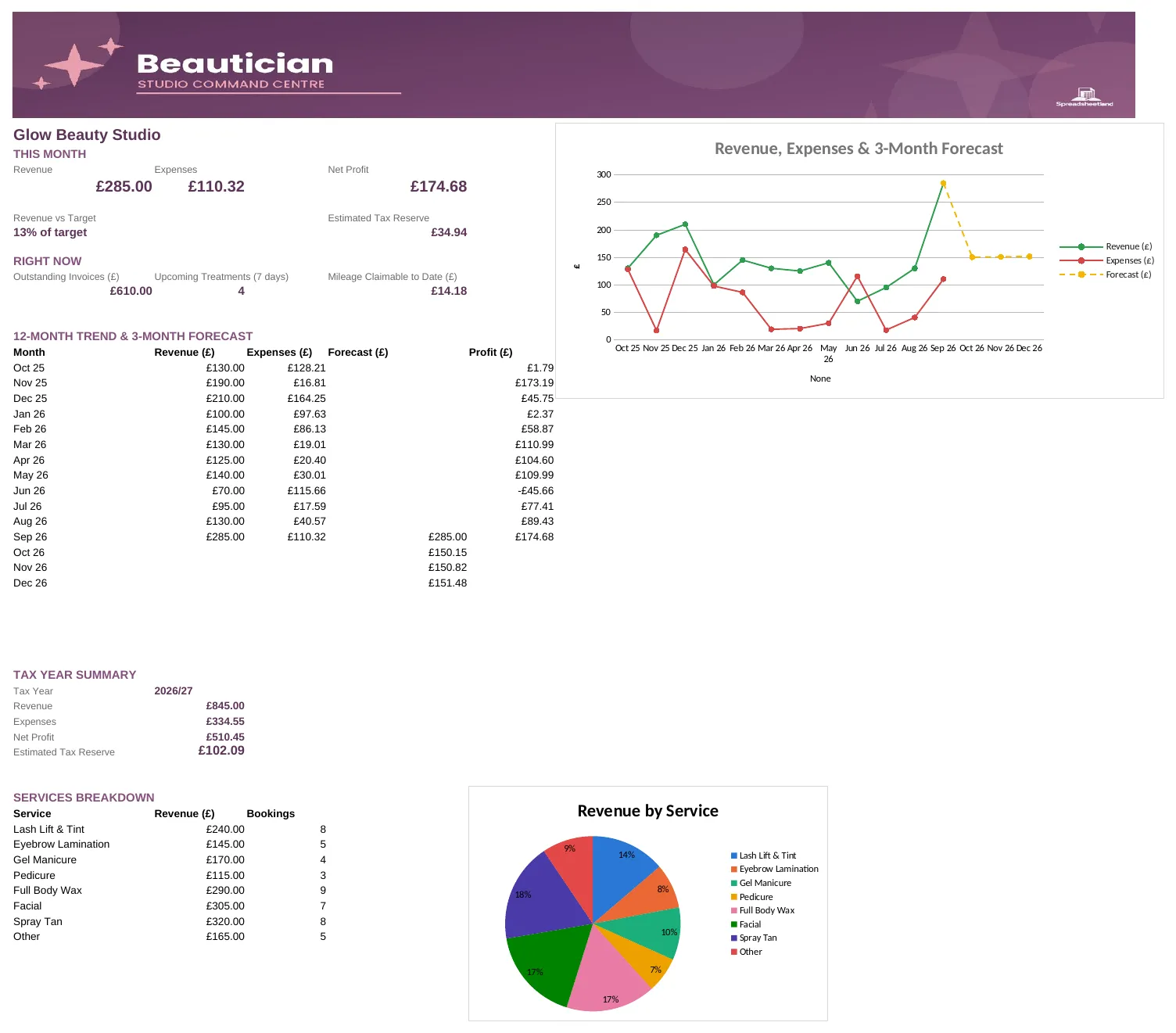
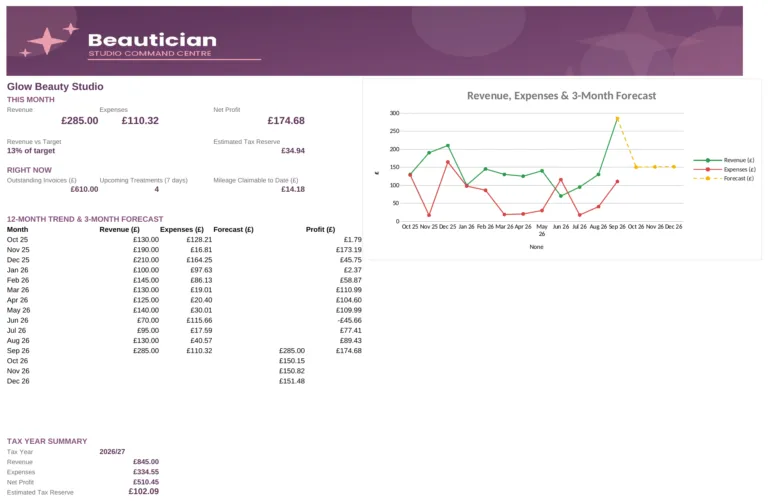
Beautician business dashboard with revenue, expenses and profit

The dashboard

Know where your business stands, between clients.

This month’s revenue, expenses and profit, money owed and upcoming treatments at a glance.

Tabs in one file11Bookings to tax summary
Workflow stages5Booked to Completed
Monthly fees£0One payment, yours to keep
Formulas to write0Just fill in the cells

What’s inside

Eleven tabs, one file. Click through them.

Dashboard

This month’s revenue, expenses and profit at a glance, plus outstanding invoices, upcoming treatments and mileage.

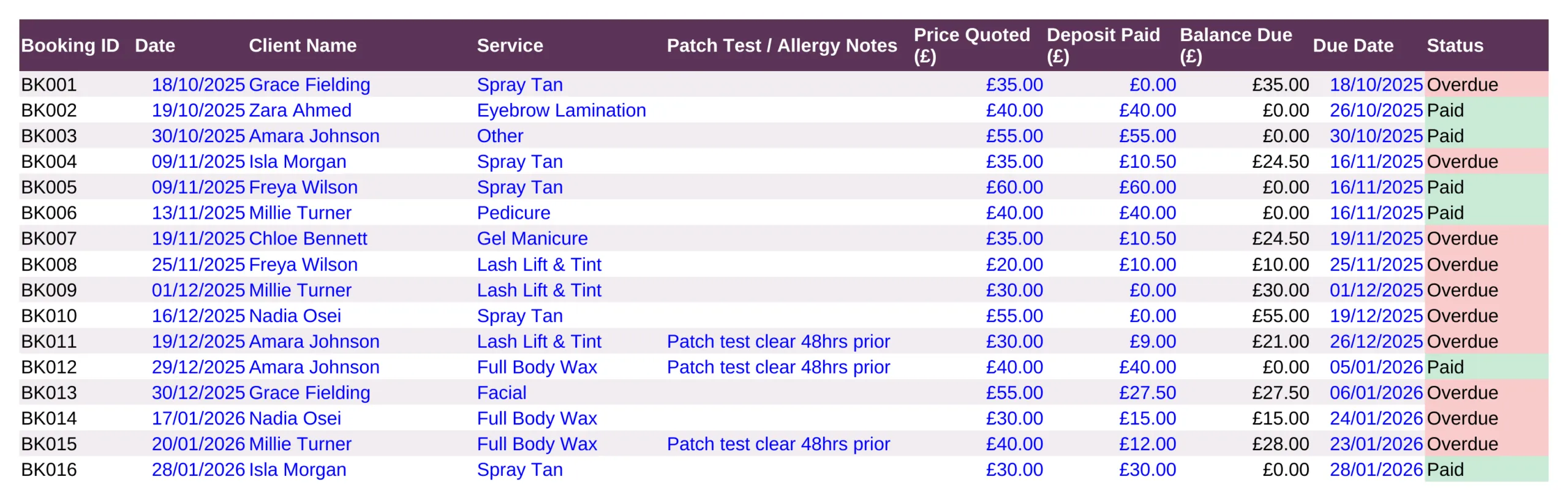
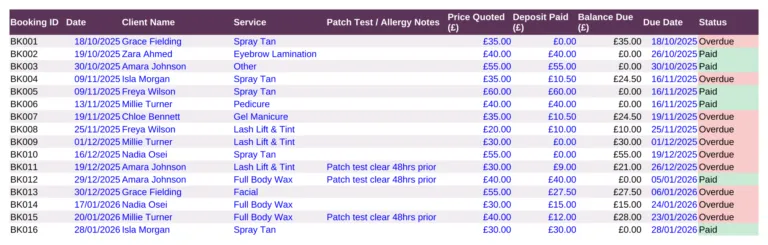
Bookings tab with patch-test notes and balances

Bookings

Every treatment and note in one place.

  • Client, service and patch-test or allergy notes
  • Deposit taken and balance due worked out
  • Payment status on every booking
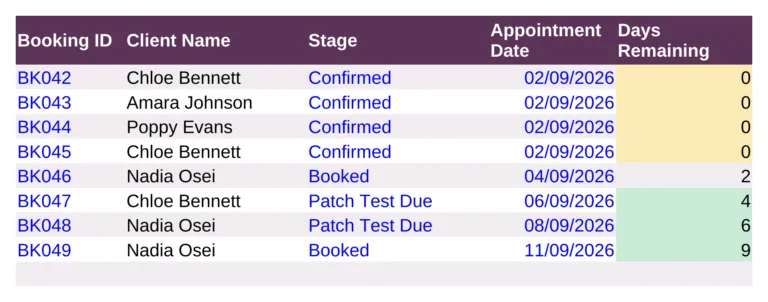
Workflow board from Booked to Completed

Workflow

Patch tests never slip through.

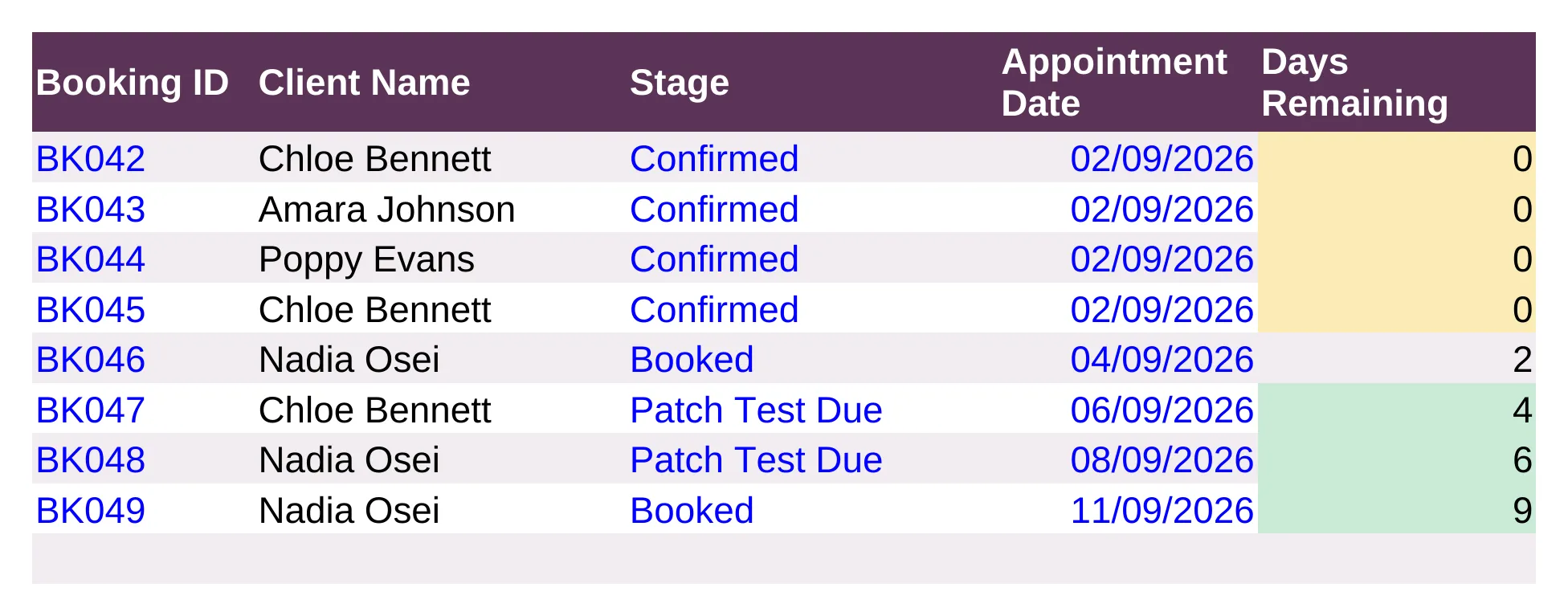
  • Booked, Patch Test Due, Confirmed, In Treatment, Completed
  • See what needs doing next at a glance
  • Fed straight from your bookings

Before and after

From guessing to knowing.

Without it

  • Notes on sticky notes
  • Balances chased from memory
  • Income checked in the bank app
  • Receipts in a drawer
  • Tax worked out in January

With the Command Centre

  • Notes kept with every booking
  • Balances worked out for you
  • Profit on the dashboard
  • Expenses logged by category
  • A tax reserve estimated all year

What you get

Everything in one download.

The blank workbookReady for your first client
A filled-in exampleSee it all working before you add your own
Start Here guideBuilt into the workbook, one step per tab
Letterhead invoicesFill themselves in and save as a PDF
Works everywhereExcel, Google Sheets or LibreOffice, Mac or PC
Help if you’re stuckMessage me any time and I’ll help you set up

Up and running in an evening

Four steps.

  1. Buy and downloadThe link arrives straight away
  2. Open itIn Excel, or upload it to Google Sheets
  3. Add your detailsFollow the Start Here tab
  4. Start using itEverything else updates itself

Made for

  • Self-employed beauty therapists in the UK
  • Home studios, salon rooms and mobile therapists
  • Anyone who’d rather not pay monthly for booking software

Not for

  • Online booking for clients
  • Filing your tax return
  • Large salons with lots of staff

A record-keeping spreadsheet, not accounting, tax or legal advice. It isn’t Making Tax Digital software.

Before you buy

Questions

Do I need Microsoft Excel?

No. It works in Microsoft Excel, or free in Google Sheets.

Is it a subscription?

No. It is a one-off payment and the file is yours to keep. There are no monthly fees.

I'm not good with spreadsheets. Is this for me?

Yes. You just type into the input cells and the totals, charts and dashboard update themselves. There are no formulas to write, and the instructions in the file walk you through it.

Can I see it before I buy?

Yes. Look through the screenshots above. Your download also includes a second copy filled in with example data, so you can see exactly how it works before adding your own.

Is it Making Tax Digital (MTD) software?

No. It is a record-keeping spreadsheet that keeps your figures organised. If Making Tax Digital for Income Tax applies to you, you will need MTD-compatible software to submit your returns to HMRC.

Does it work on a Mac, iPad or phone?

Yes on a Mac: use Excel for Mac, or open it free in Google Sheets in your web browser. On an iPad or phone you can open it in the free Excel or Google Sheets app to check and update it, but a computer is easier for setting it up.

Can I get a refund?

Because it is an instant digital download, I can’t offer a refund once the file has been downloaded. If the file is faulty and I can’t fix it, you were charged twice, or you received the wrong product, I will put it right or refund you. See the Refund Policy. This doesn’t affect your statutory rights.

How do I get my file?

It is an instant digital download. You will get a download link straight after checkout, and by email.

What if I get stuck?

Message me any time and I will help you get set up.

Ready when you are

More time with clients. Less time on admin.

£29.99 once. Download it tonight, log tomorrow’s first client.

Buy now, instant download

More spreadsheets for hair, beauty & nails →

Full product details, tabs list and notes

Description

What’s in your download

  • Your blank spreadsheet – ready for your own details (Excel and Google Sheets)
  • A filled-in DEMO copy – the same sheet with sample data, so you can see every tab working
  • A full PDF user guide – set-up, every tab explained, a simple routine, the HMRC and UK rules that apply, troubleshooting and FAQs

Stop being your own bookkeeper. This is the problem solver: one spreadsheet that runs the entire business side of your beauty studio or mobile round, so you save hours of time every month.

Sound Familiar?

  • Double-booked a treatment because the diary wasn’t in one place
  • Forgotten to chase a balance until weeks after it was due
  • No idea what you actually earned last month until you dig through your bank app
  • Patch-test dates and allergy notes scattered across sticky notes
  • A phone full of client numbers you can never find fast enough

None of that is a “you” problem, it’s a missing system problem. This template fixes it.

One Beautician Business Spreadsheet for Everything

The Beautician Studio Command Centre puts treatments, clients, invoicing, expenses, mileage and tax all into one spreadsheet that does the maths for you. No formulas to write, no accounting background needed, just fill in the coloured cells.

Bonus: See It in Action

Your download includes a second file too – a fully filled-in example with sample treatments, clients and an invoice already entered, so you can see exactly how everything looks and works before you add your own data.

What’s Inside the Beautician Business Spreadsheet

  • Dashboard — this month’s revenue, expenses and profit at a glance, plus outstanding invoices, upcoming treatments, and mileage claimable to date.
  • Bookings — log every treatment with client name, service, patch-test/allergy notes, price, deposit and automatic balance due and payment status (Paid / Outstanding / Overdue).
  • Invoice — a proper letterhead invoice that fills itself in from a single Booking ID, ready to save as a PDF and send.
  • Invoice Log — a running record of every invoice sent, so you always know what’s outstanding.
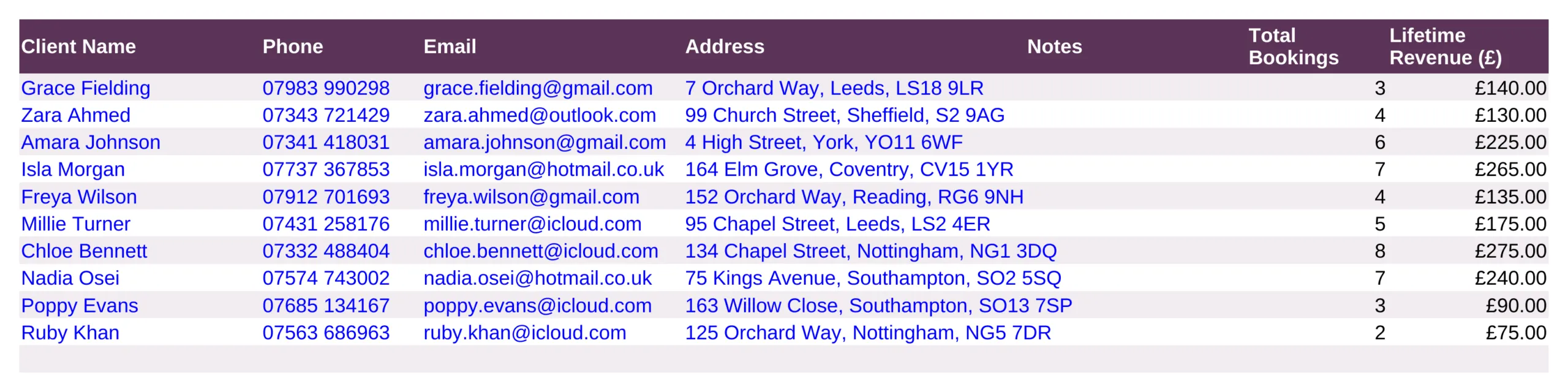
  • Clients — a simple client CRM with phone, email, notes, total bookings and lifetime revenue per client.
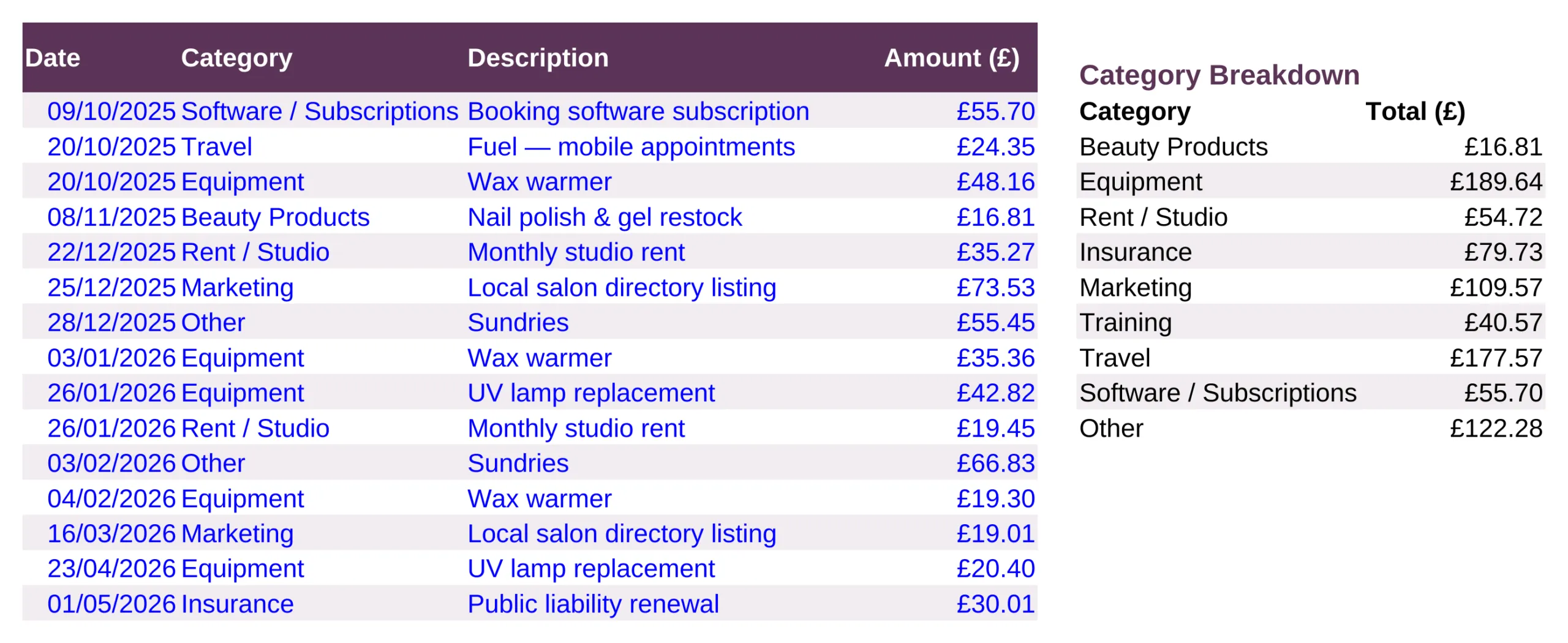
  • Expenses — log outgoings by category (beauty products, equipment, studio rent, insurance, training, marketing and more) with an automatic breakdown.
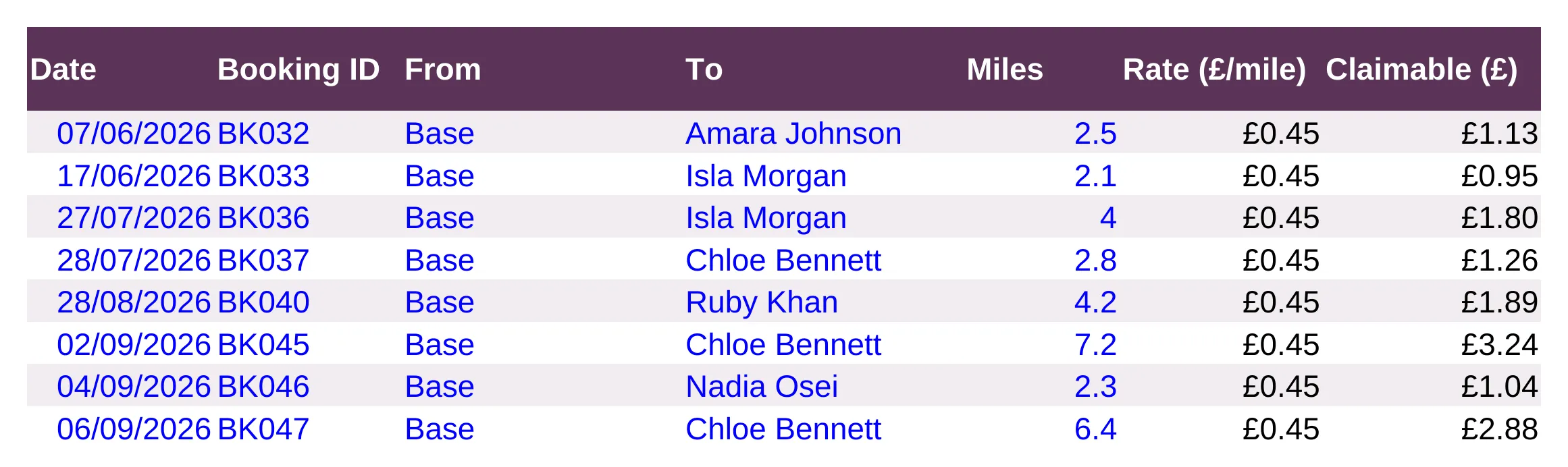
  • Mileage — log mobile visits and claim mileage automatically at your own rate per mile.
  • Workflow — a job-tracker board with stages from Booked through Patch Test Due, Confirmed, In Treatment and Completed.
  • 12-month trend & 3-month forecast chart of revenue, expenses and profit.
  • UK Tax Year Summary — revenue, expenses, net profit and an estimated tax reserve, calculated automatically.
  • Start Here guide — a plain-English walkthrough of every tab, built into the workbook.

Every number flows automatically from your Bookings and Expenses tabs – enter a job once, and the Dashboard, invoice, tax summary and charts all update themselves. No macros, no add-ons, no subscription.

Format

Instant digital download – works in Microsoft Excel, Google Sheets and LibreOffice, on Mac, PC, Chromebook or tablet. Nothing to install.

How It Works

  1. Purchase and download the file
  2. Open it in Excel or upload it to Google Sheets
  3. Follow the Start Here tab to add your business details
  4. Start logging treatments – everything else updates itself

Please Note

This is a digital product – no physical item will be shipped or posted. For personal/business use only, please don’t resell or share the file.

Questions before you buy? Message me any time, happy to help!

Beautician Business Spreadsheet FAQ

Do I need Microsoft Excel?

No. It works in Microsoft Excel, or free in Google Sheets.

Is it a subscription?

No. It is a one-off payment and the file is yours to keep. There are no monthly fees.

I’m not good with spreadsheets. Is this for me?

Yes. You just type into the input cells and the totals, charts and dashboard update themselves. There are no formulas to write, and the instructions in the file walk you through it.

Can I see it before I buy?

Yes. Look through the screenshots above. Your download also includes a second copy filled in with example data, so you can see exactly how it works before adding your own.

Is it Making Tax Digital (MTD) software?

No. It is a record-keeping spreadsheet that keeps your figures organised. If Making Tax Digital for Income Tax applies to you, you will need MTD-compatible software to submit your returns to HMRC.

Does it work on a Mac, iPad or phone?

Yes on a Mac: use Excel for Mac, or open it free in Google Sheets in your web browser. On an iPad or phone you can open it in the free Excel or Google Sheets app to check and update it, but a computer is easier for setting it up.

Can I get a refund?

Because it is an instant digital download, I can’t offer a refund once the file has been downloaded. If the file is faulty and I can’t fix it, you were charged twice, or you received the wrong product, I will put it right or refund you. See the Refund Policy. This doesn’t affect your statutory rights.

How do I get my file?

It is an instant digital download. You will get a download link straight after checkout, and by email.

What if I get stuck?

Message me any time and I will help you get set up.

Reviews

There are no reviews yet.

Only logged in customers who have purchased this product may leave a review.