

Description
Sound familiar?
- You know you’re getting faster – but by how much?
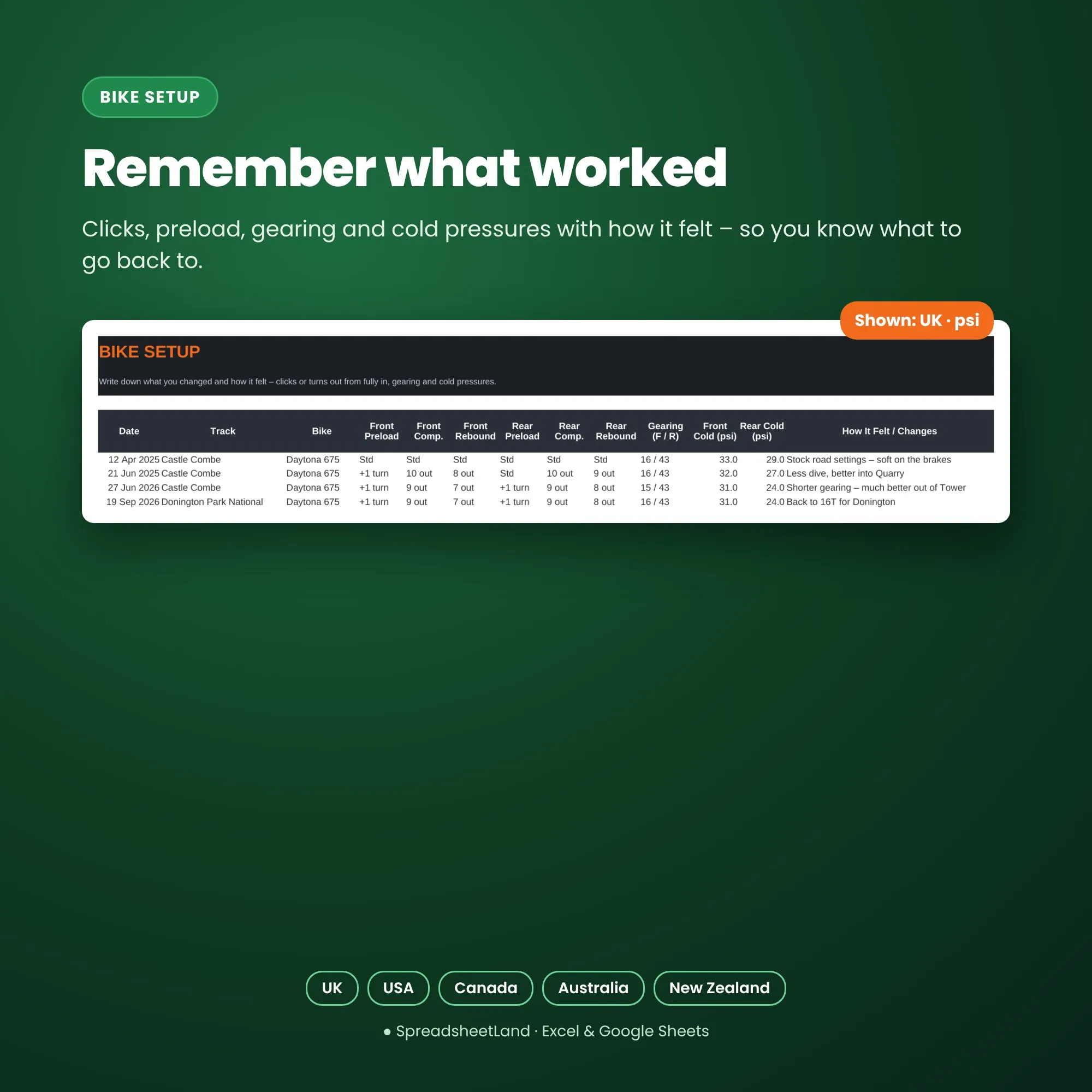
- What were the clickers set to last time you were at this circuit?
- Track days cost more than you’d like to admit.
What the Track Day Tracker does
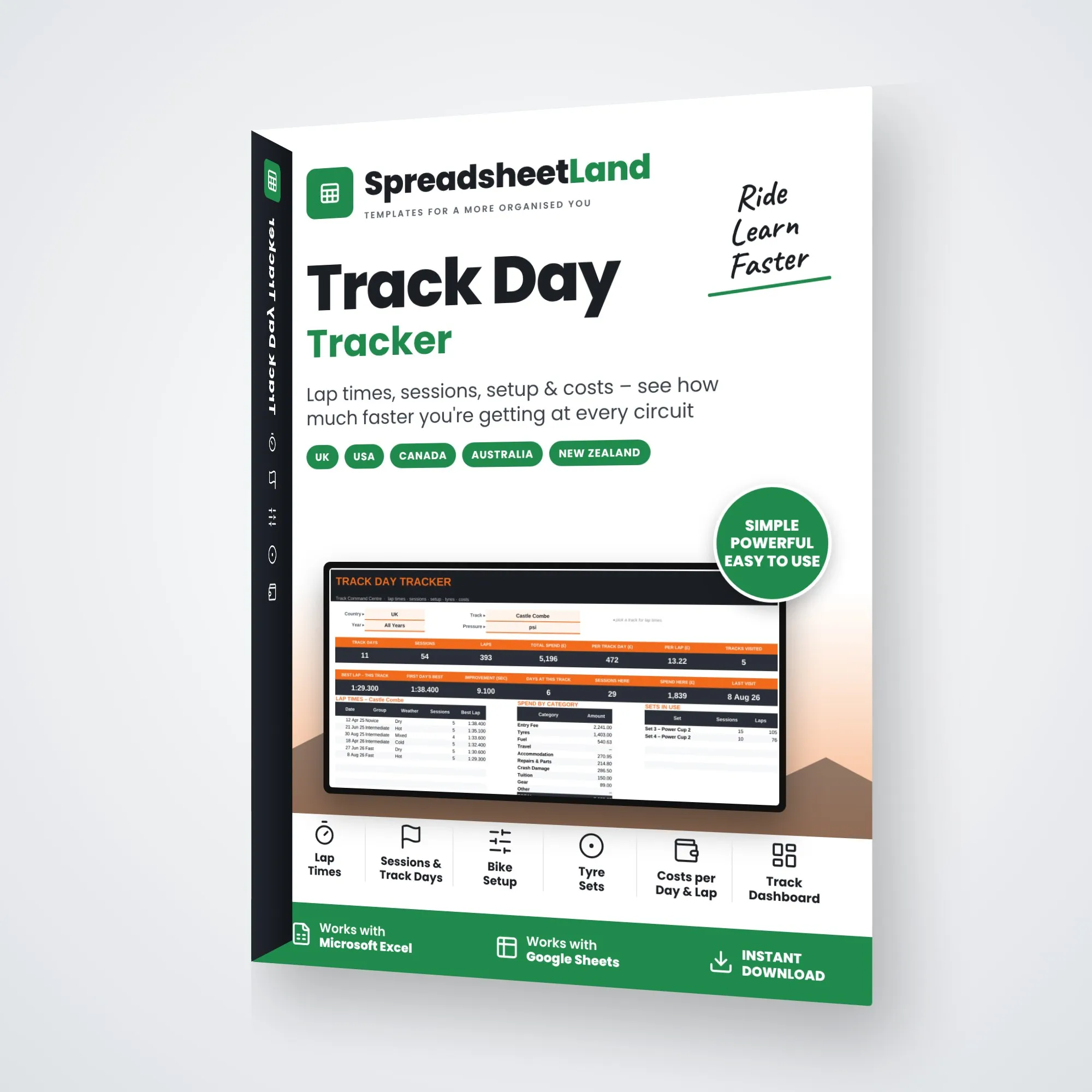
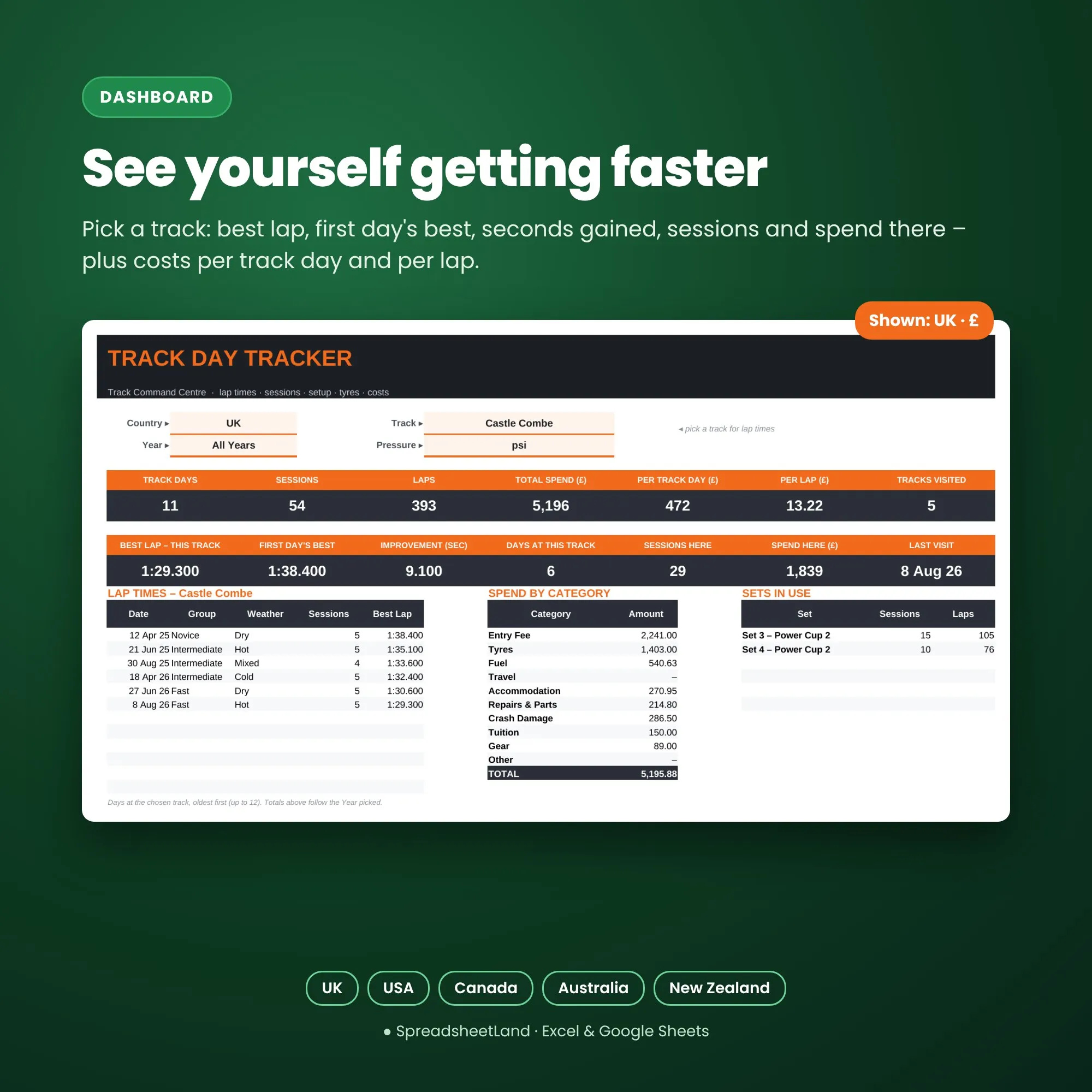
Log the day and each session and the Dashboard shows your progress: pick a track for your best lap, first day’s best, seconds gained, sessions and spend there – plus track days, laps, total spend, cost per track day and cost per lap for the year.
What’s inside
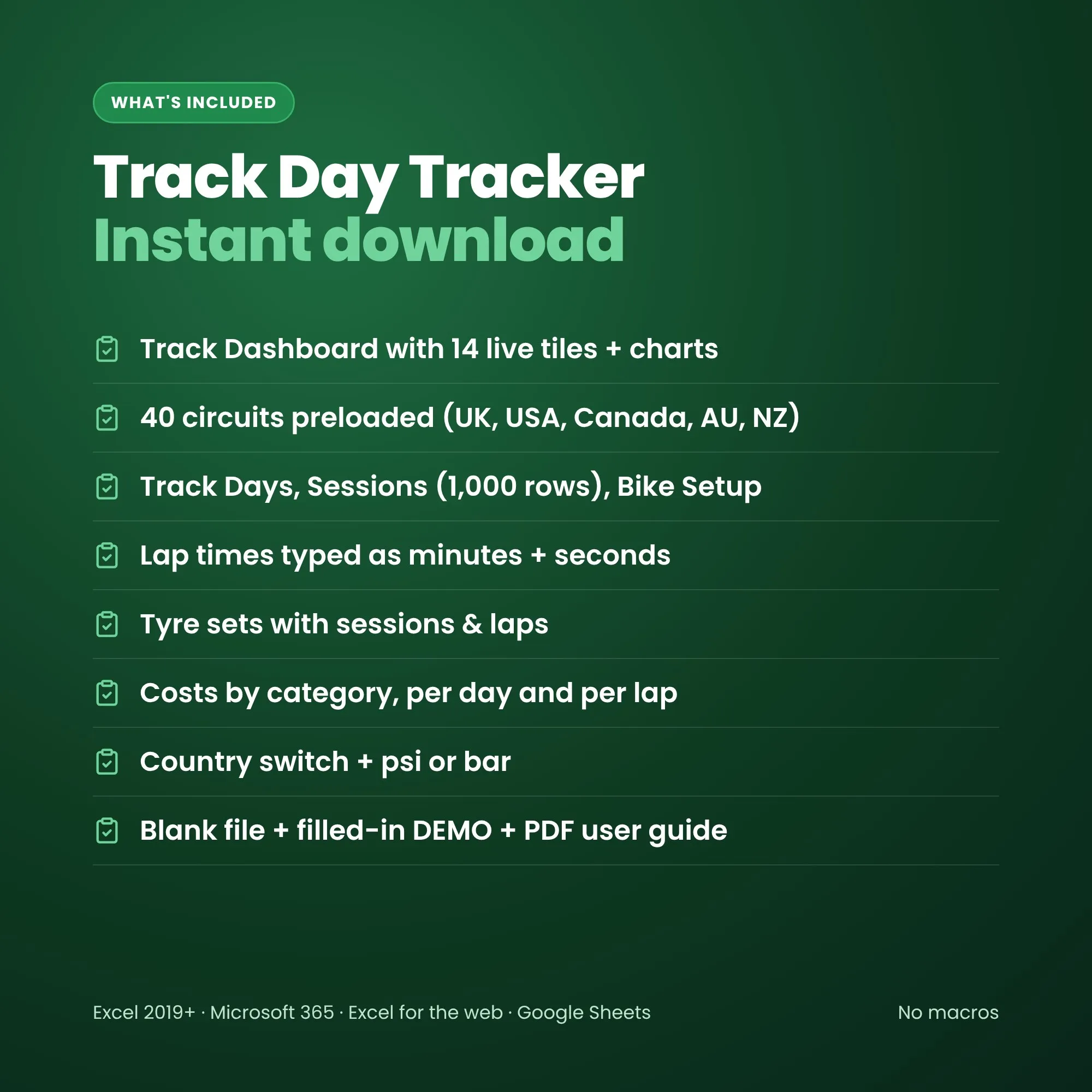
- Track Dashboard – 14 live tiles, lap times at the chosen circuit, spend by category, tyre sets in use and charts
- Tracks – 40 circuits across the UK, USA, Canada, Australia and NZ – add your own
- Track Days – organiser, group, weather and entry fee; sessions, laps and best lap fill in
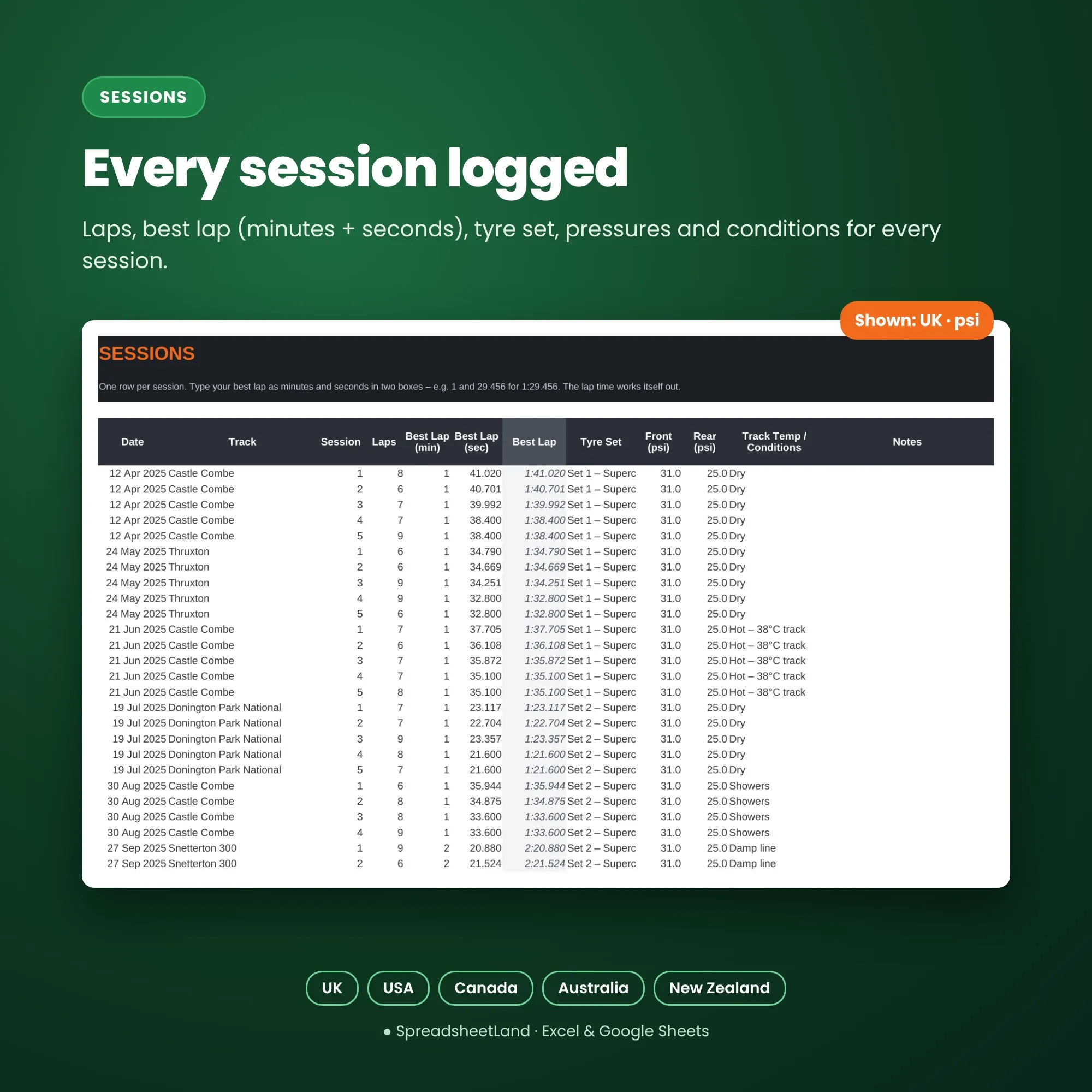
- Sessions – best lap typed as minutes + seconds, tyre set, pressures and conditions (1,000 rows)
- Bike Setup – clicks, preload, gearing, cold pressures and how it felt
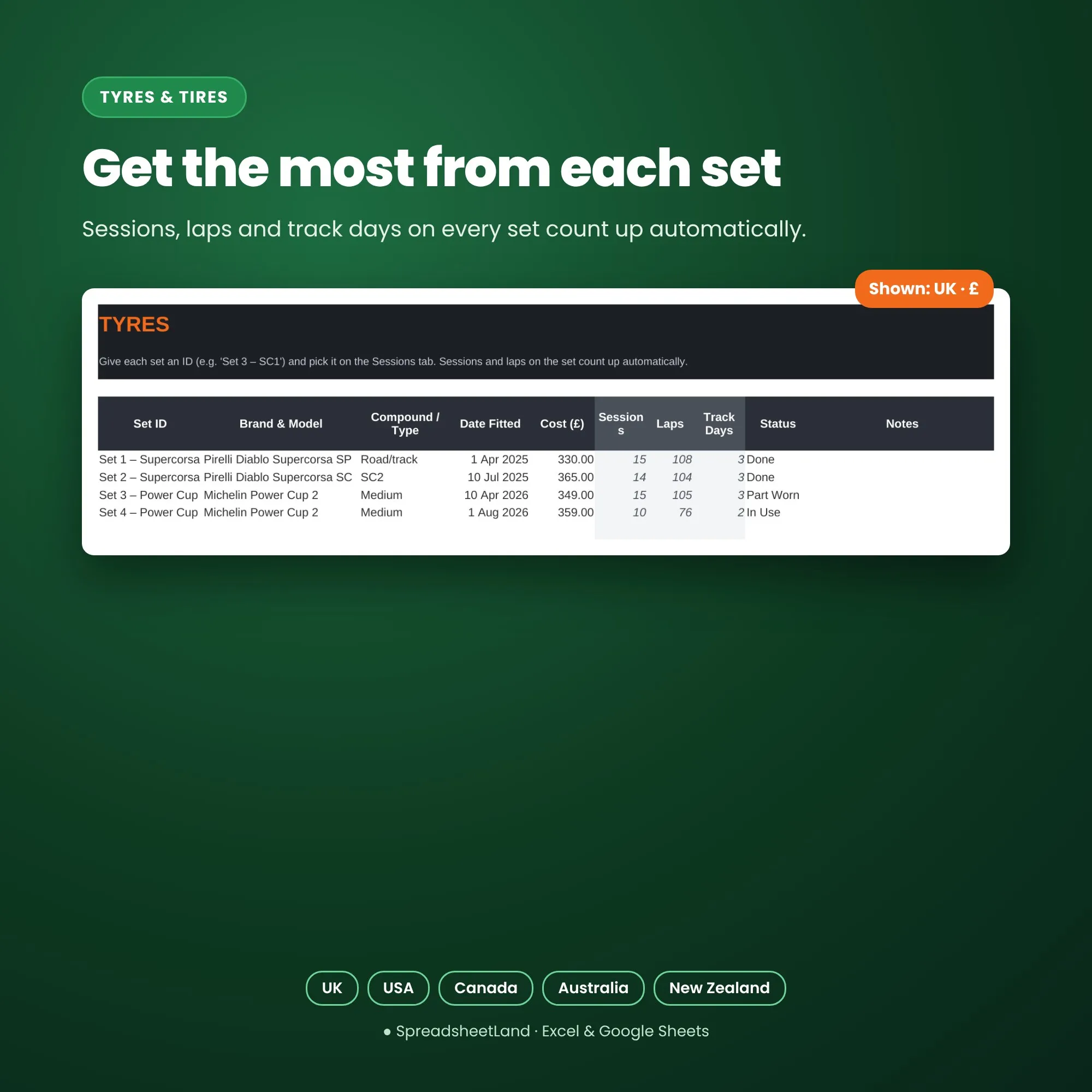
- Tyres & Tires – sessions, laps and track days on each set
- Costs – entry, tyres, fuel, travel, hotels, repairs, crash damage and tuition
Made for your country
Pick UK, USA, Canada, Australia or New Zealand on the Dashboard and the sheet switches to match: spellings (Tyres / Tires, Colour / Color), the £ or $ in headings. Switch any time – your totals stay the same.
Format
- Your blank spreadsheet (.xlsx, international edition for the UK, USA, Canada, Australia and New Zealand), ready for your track days
- A filled-in DEMO copy with a season and a half on a Daytona 675 at five UK circuits, so you can see every tab working before you start
- A PDF user guide: set-up, every tab explained, tips and answers to common questions
- Works in Microsoft Excel 2019 or newer, Microsoft 365, Excel for the web and Google Sheets
- No macros, nothing to install, no subscription
- White cells are for you to fill in; grey cells work themselves out. Anything typed as text by mistake turns pink so nothing is silently missed
How it works
- Buy and download the files straight away.
- Open the spreadsheet in Excel, or upload it to Google Sheets.
- Look through the DEMO and the PDF guide, pick your country on the Dashboard, then log your next track day.
Please note
This is a digital product – nothing will be posted. You’ll get a download link straight after checkout and by email.
Track Day Tracker FAQ
How do I type a lap time?
Minutes in one box and seconds in the next – 1 and 29.456 for 1:29.456. It works out the rest.
Does it work for cars?
Yes – it’s built for bikes, but car track days work the same way.
My circuit isn’t listed.
Add it at the bottom of the Tracks tab and it appears in every dropdown.
Do I need Microsoft Excel?
No. It works in Excel 2019 or newer, Microsoft 365, the free Excel for the web, and Google Sheets.
Is it a subscription?
No – you pay once and the file is yours to keep.
I’m not good with spreadsheets. Is this for me?
Yes. You only type in the white cells – everything else works itself out – and the DEMO and PDF guide show you exactly what to do.
Does it work on a Mac, iPad or phone?
Yes on a Mac (Excel or Google Sheets). On an iPad or phone it works in the Google Sheets or Excel app, though a bigger screen is easier for setting up.
How do I get my file?
Straight after checkout you’ll see download links, and they’re emailed to you too.
What if I get stuck?
Email hello@spreadsheetland.com – we’re happy to help.

Reviews
There are no reviews yet.