









Description
Sound familiar?
- Receipts for tyres, services and insurance everywhere, and no idea what the bike really costs to run.
- The MOT, registration, rego or insurance renewal sneaks up on you.
- You can’t remember when the oil, chain or brake fluid was last done.
What the Motorcycle Logbook does
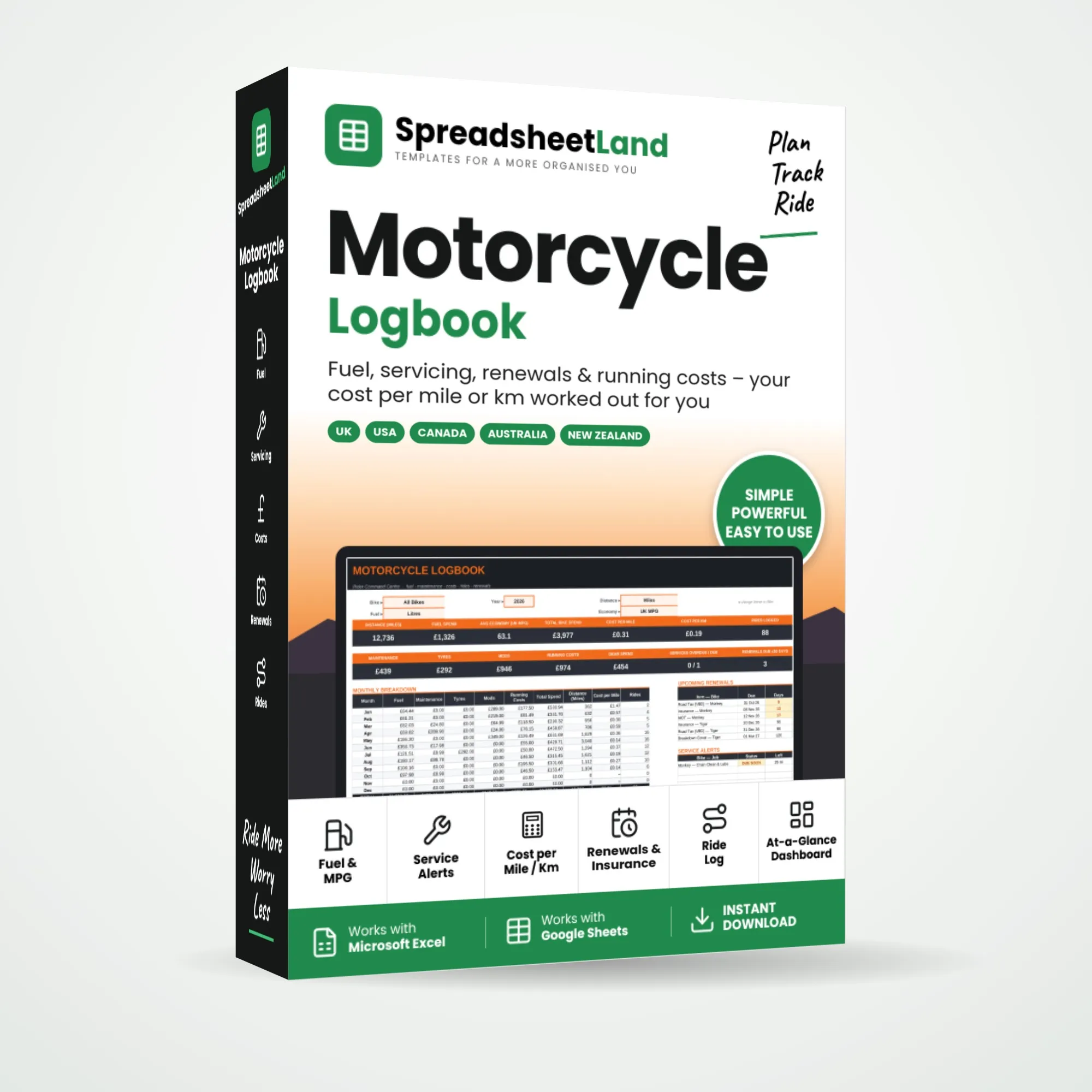
Log your fill-ups, servicing and bills as you go. The logbook works out your distance, MPG and spending, then shows your cost per mile and per km for every bike, with reminders for services, insurance and your local renewals – MOT and road tax in the UK, registration and inspection in the USA and Canada, rego and CTP in Australia, rego and WoF in New Zealand.
What’s inside
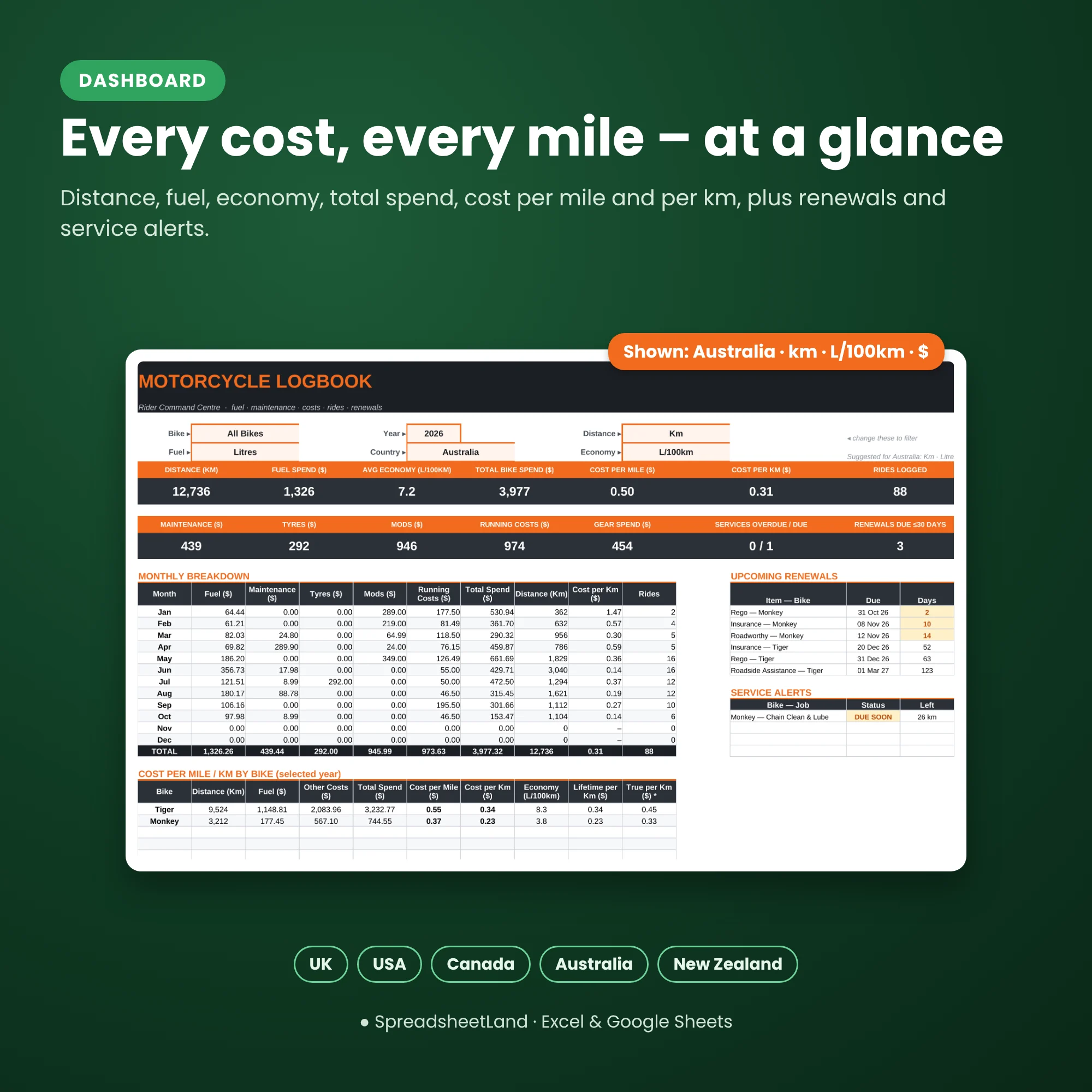
- Dashboard – distance, fuel spend, MPG, total spend, cost per mile and per km, a monthly breakdown, charts, upcoming renewals and service alerts
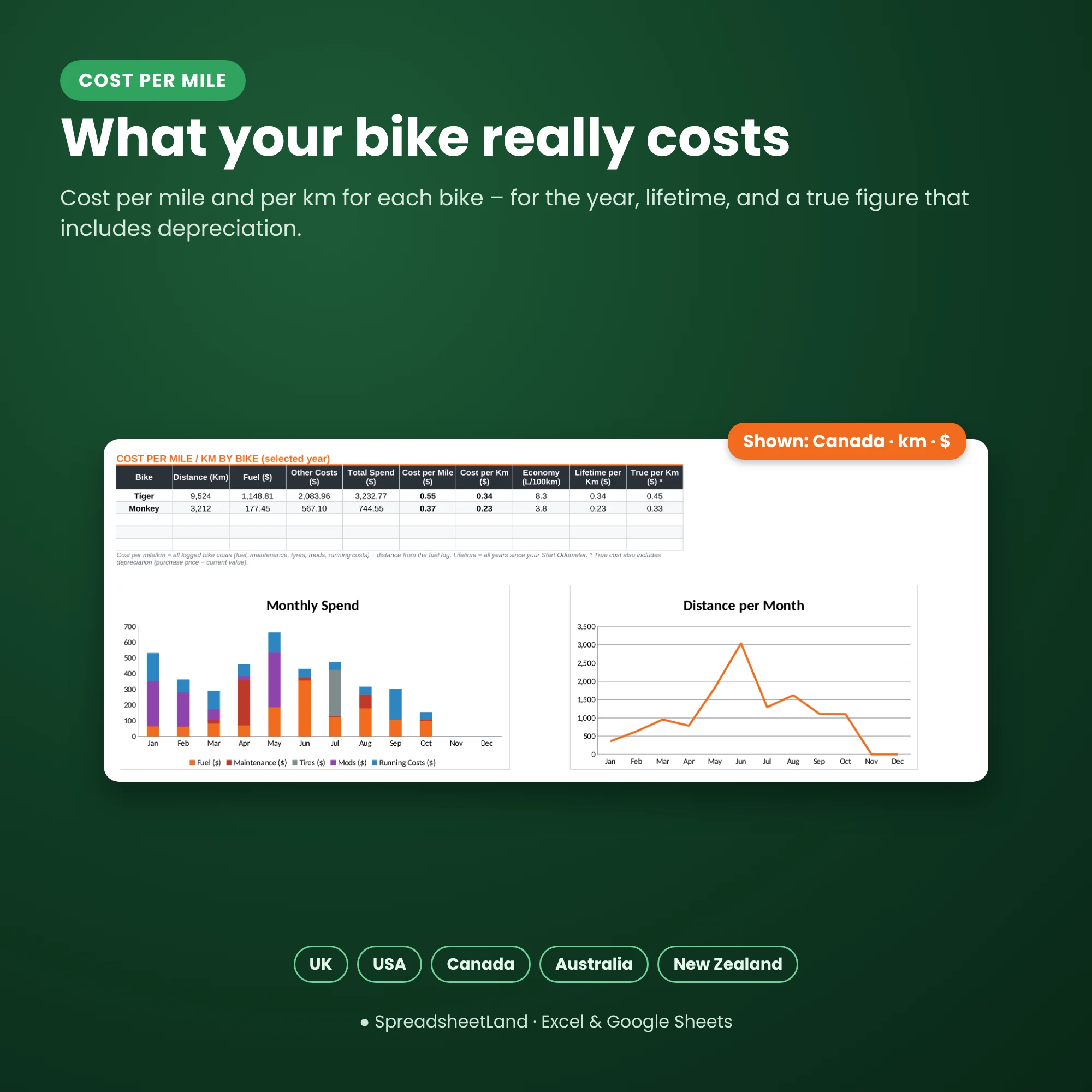
- Garage – up to 5 bikes, each with lifetime running costs, depreciation and a true cost per mile
- Fuel – every fill-up, with distance and economy worked out for you (even after a part-fill)
- Maintenance – a full service history with parts and labour
- Service Schedule – intervals by miles or months, flagged OK, DUE SOON or OVERDUE
- Tyres & Tires – fitted dates, cost and distance covered
- Running Costs – insurance, registration or road tax, MOT or inspection, roadside cover, parking and more
- Mods – upgrades and accessories
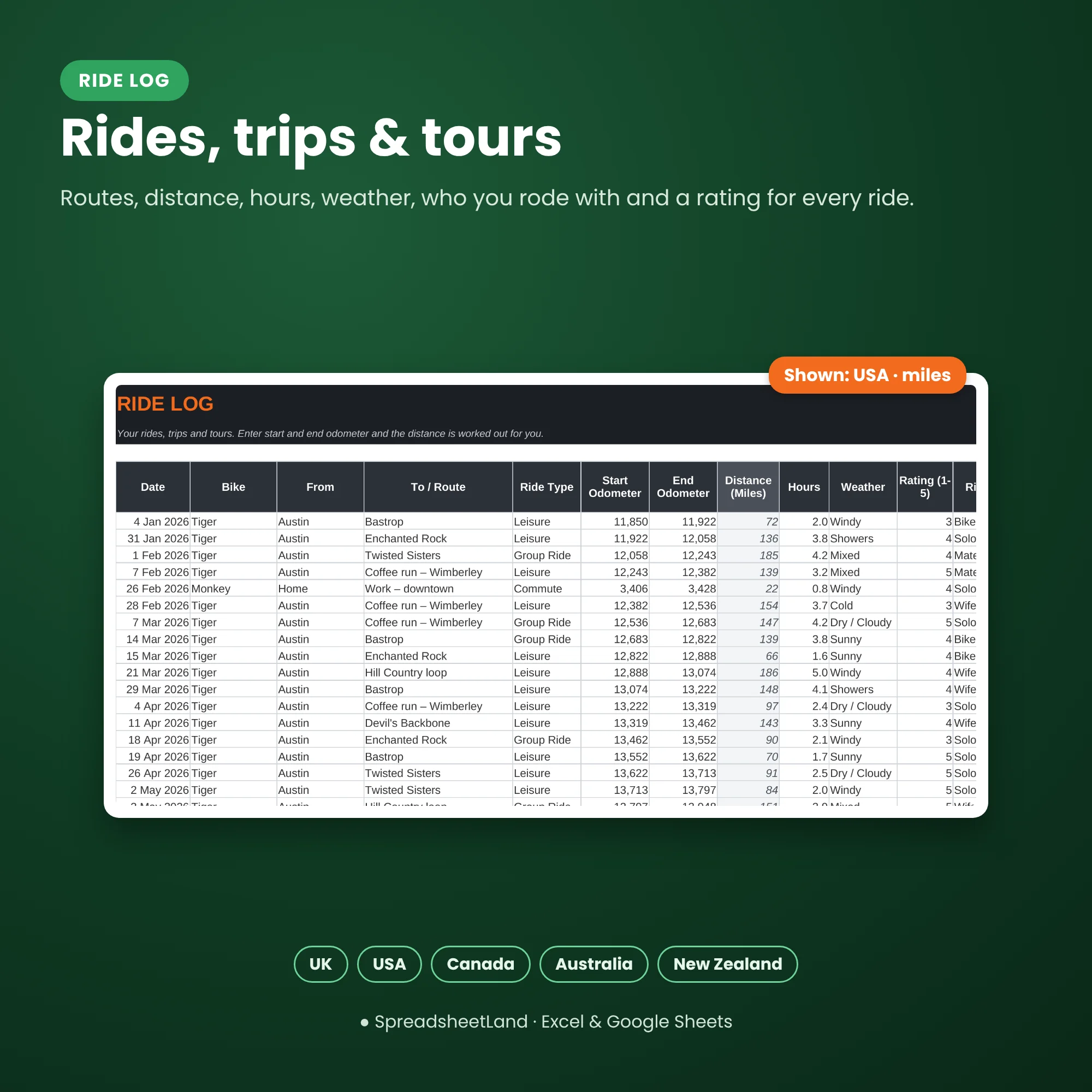
- Ride Log – rides, trips and tours
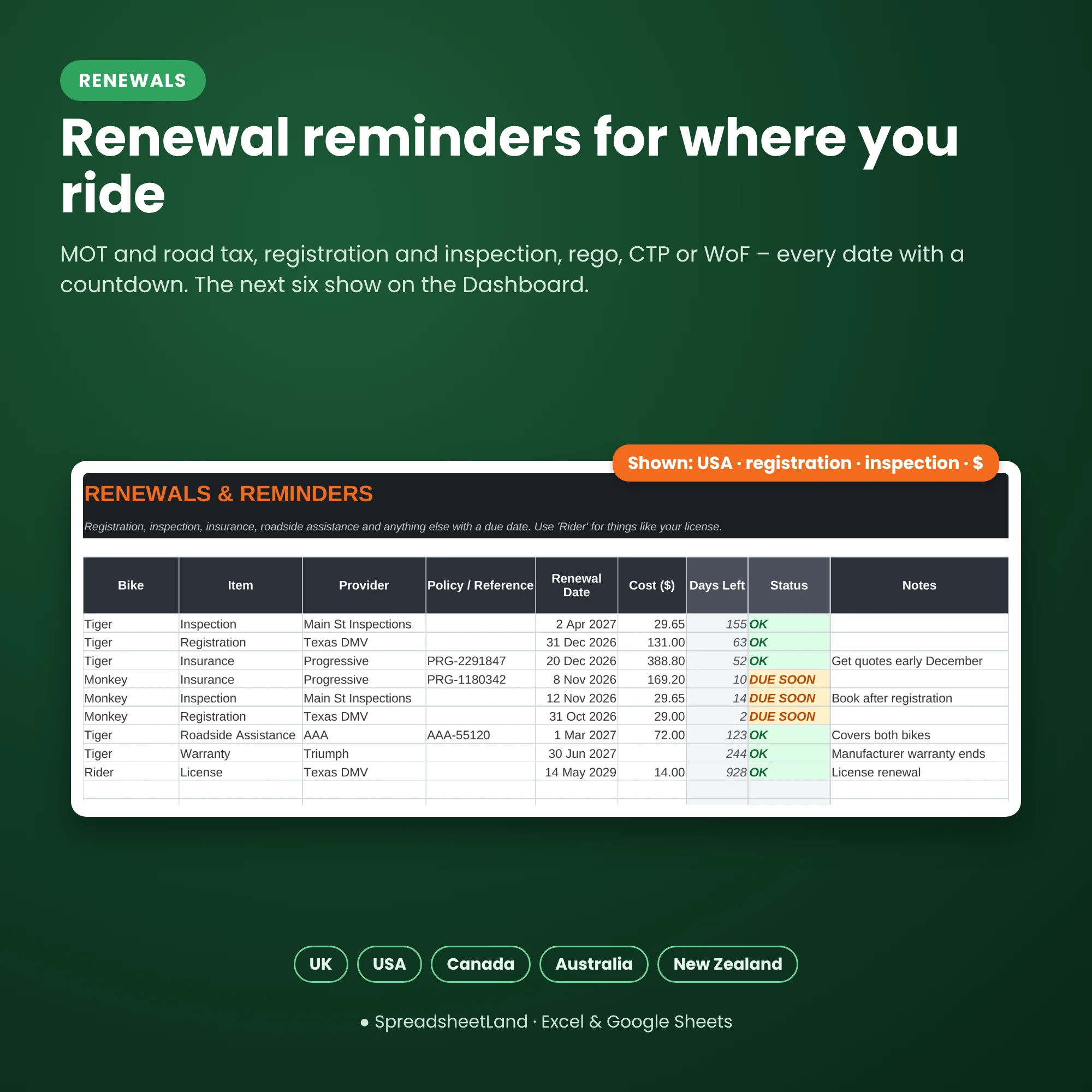
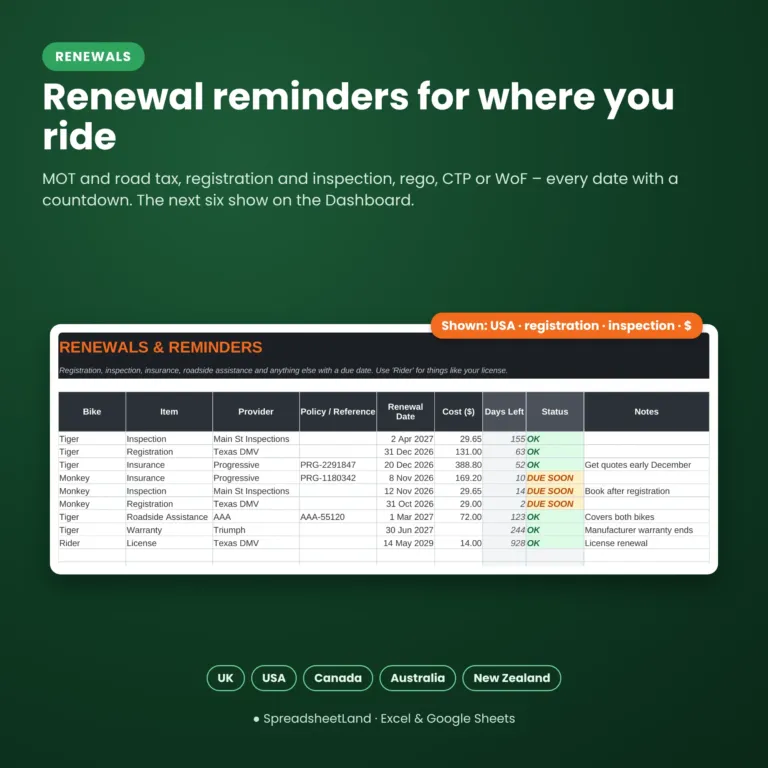
- Renewals – MOT, tax, registration, inspection, rego, WoF, insurance, licence and warranty dates with countdowns
- Gear – helmets and kit with replace-by dates
- How To Use – quick instructions inside the file
Made for your country
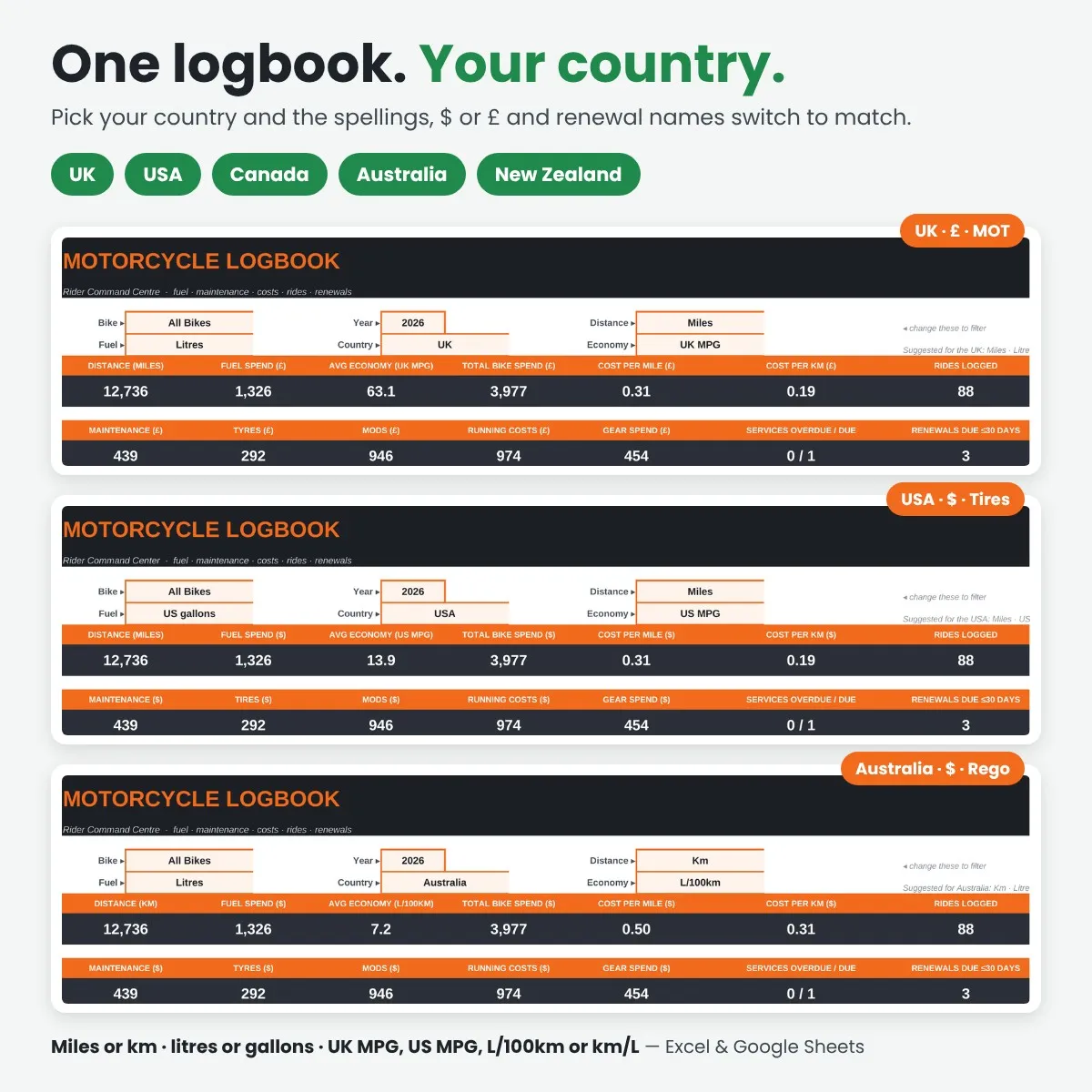
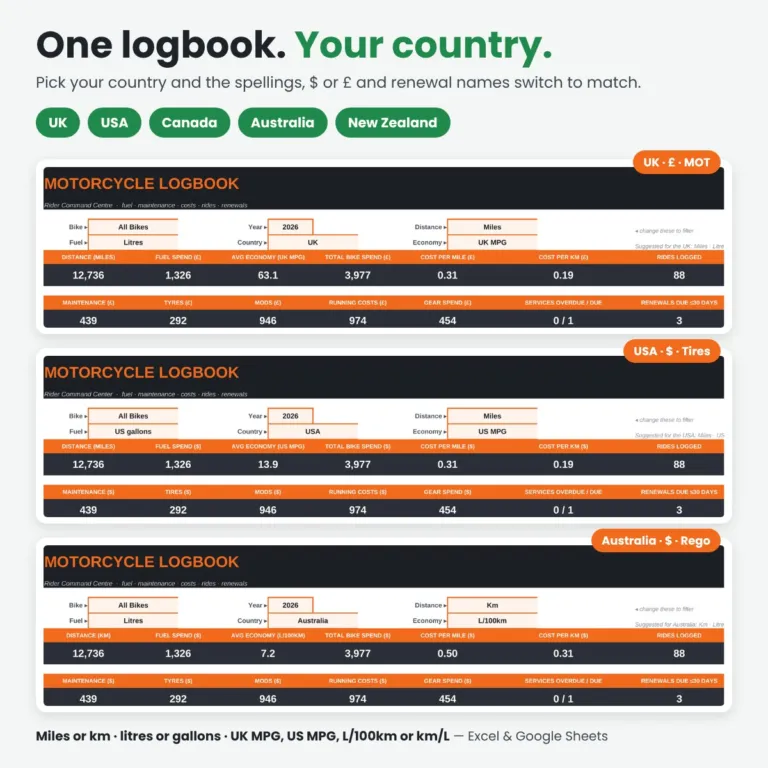
Just select your country on the Dashboard – UK, USA, Canada, Australia or New Zealand. The spellings (tyres or tires, colour or color, litres or liters), the currency symbol in the headings (£ or $) and the renewal names (MOT, registration, inspection, rego, CTP, WoF) all change to match. Change it any time – your numbers stay exactly the same.
Your units, your way
- Distance in miles or km
- Fuel in litres, UK gallons or US gallons
- Economy as UK MPG, US MPG, L/100km or km/L
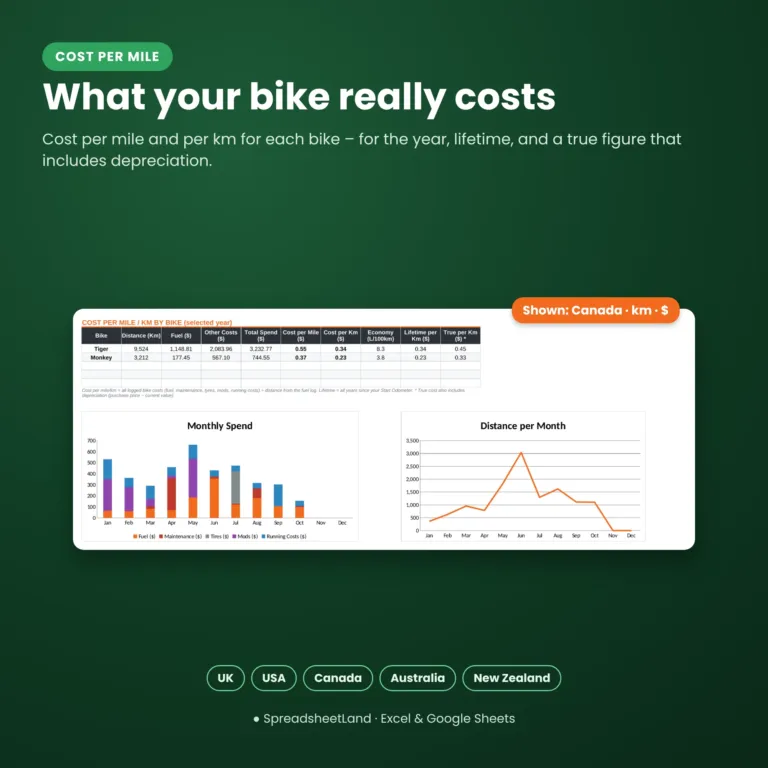
- Cost per mile and cost per km are always shown
Format
- Your blank spreadsheet (.xlsx, international edition for the UK, USA, Canada, Australia and New Zealand), ready for your bikes
- A filled-in DEMO copy with two example bikes, so you can see every tab working before you start
- A full PDF user guide: set-up, every tab explained, a simple routine, rules worth knowing in the UK, USA, Canada, Australia and New Zealand and answers to common questions
- Works in Microsoft Excel 2019 or newer, Microsoft 365, Excel for the web and Google Sheets
- No macros, nothing to install, no subscription
- White cells are for you to fill in; grey cells work themselves out
How it works
- Buy and download the file straight away.
- Open it in Excel, or upload it to Google Sheets.
- Look through the DEMO and the PDF guide, then add your bike to the Garage and log your next fill-up.
Please note
This is a digital product — nothing will be posted. It is a record-keeping template, not legal, insurance or mechanical advice. Always follow your bike’s service manual. For your own use only — please don’t resell or share the file.
Questions before you buy? Message me any time — happy to help!
Motorcycle Logbook FAQ
How does it work out cost per mile?
It adds up everything you log for a bike – fuel, maintenance, tyres, mods and running costs such as insurance, tax and MOT – and divides by the distance from your fuel log. You see it for the year, for the bike’s lifetime, and as a “true” figure that includes depreciation.
How is MPG worked out?
Brim the tank and mark the fill-up as full. At the next full fill it divides the distance by all the fuel put in since the last full tank, including any part-fills, so the figure stays accurate.
Can I track more than one bike?
Yes, up to five bikes in one file, each with its own costs and cost per mile. You can filter the dashboard by bike.
Can I use it for a car or van?
Yes. Add it on the Garage tab and everything works the same.
Does it remind me about the MOT, tax and insurance?
Yes. Add the dates on the Renewals tab. Each shows a countdown, turns DUE SOON 30 days before, and the next six show on the dashboard.
Do I need Microsoft Excel?
No. It works free in Google Sheets or Excel for the web. If you use desktop Excel, you need Excel 2019 or newer, or Microsoft 365.
Is it a subscription?
No. It is a one-off payment and the file is yours to keep. There are no monthly fees.
I’m not good with spreadsheets. Is this for me?
Yes. You type into the white cells and pick from drop-downs; everything else works itself out. There are no formulas to write, and the PDF guide walks you through it.
Can I see it before I buy?
Yes. Look through the screenshots above. Your download includes a filled-in DEMO copy and a full PDF guide as well as the blank spreadsheet, so you can see exactly how it works before adding your own.
Does it work on a Mac, iPad or phone?
Yes on a Mac: use Excel for Mac, or open it free in Google Sheets in your web browser. On an iPad or phone you can open it in the free Excel or Google Sheets app – handy for logging fuel at the pump – but a computer is easier for setting it up.
Can I get a refund?
Because it is an instant digital download, I can’t offer a refund once the file has been downloaded. If the file is faulty and I can’t fix it, you were charged twice, or you received the wrong product, I will put it right or refund you. See the Refund Policy. This doesn’t affect your statutory rights.
How do I get my file?
It is an instant digital download. You will get a download link straight after checkout, and by email.
What if I get stuck?
Message me any time and I will help you get set up.

Reviews
There are no reviews yet.