


Description
Sound familiar?
- Boxes of parts, a pile of receipts and no idea what the build has really cost.
- What’s next – and what are you still waiting on?
- Would you actually make anything if you sold it?
What the Restoration & Project Tracker does
Break the project into jobs, log parts and time as you go, and the Dashboard shows budget, spend, % of budget, hours, jobs done, parts on order, profit if sold, spend by area and your next ten jobs.
What’s inside
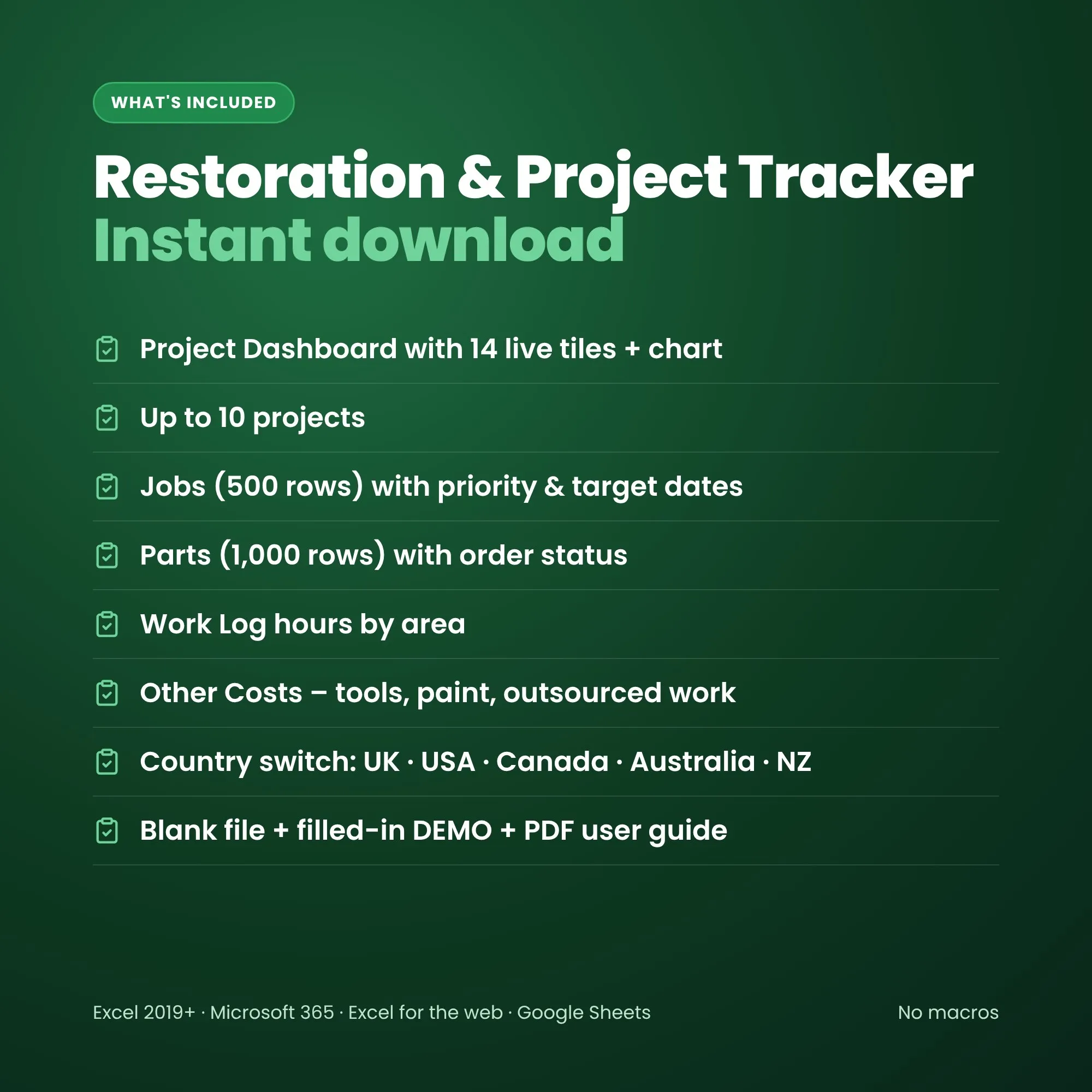
- Project Dashboard – 14 live tiles, spend and hours by area, next jobs and all your projects
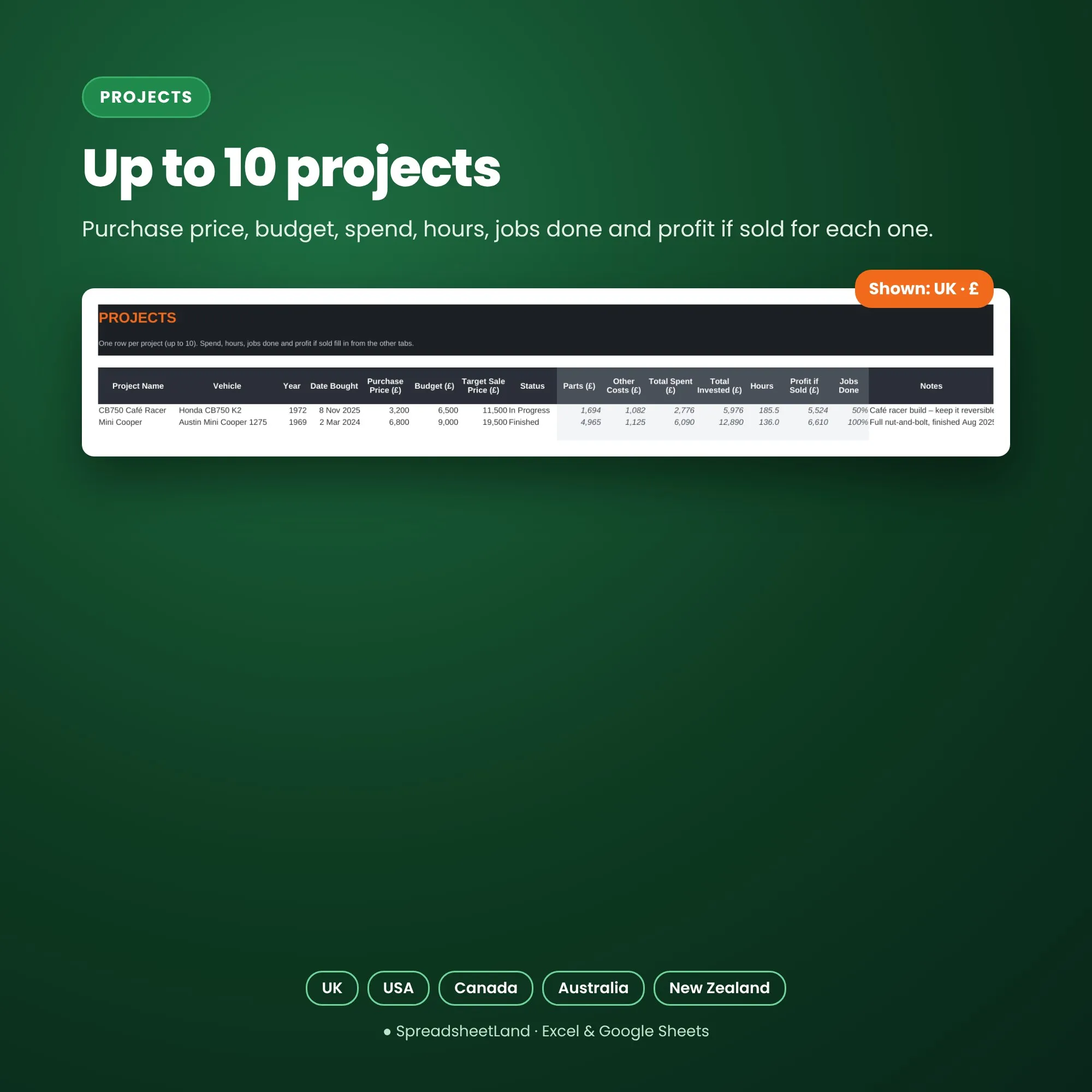
- Projects – up to 10, with purchase price, budget, target sale price and profit if sold
- Jobs – by area, with priority and target dates; overdue jobs turn red (500 rows)
- Parts – supplier, part number, qty and cost – ordered, received, fitted or returned (1,000 rows)
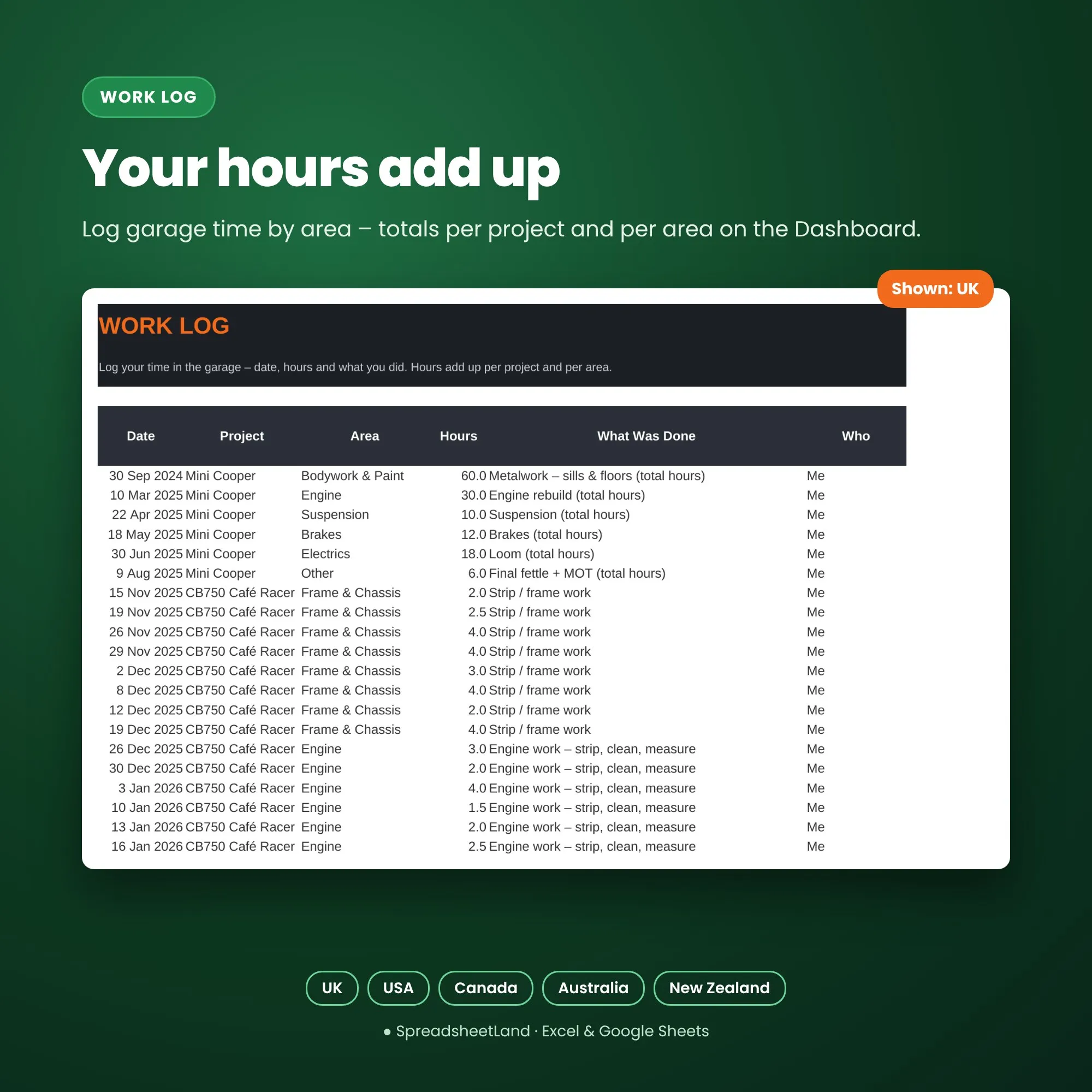
- Work Log – your hours by area
- Other Costs – tools, paint, outsourced work, inspections, registration, transport and storage
Made for your country
Pick UK, USA, Canada, Australia or New Zealand on the Dashboard and the sheet switches to match: spellings (Tyres / Tires, Colour / Color), the £ or $ in headings and the cost lists (MOT, inspection, roadworthy, WoF; DVLA, title & registration, rego). Switch any time – your totals stay the same.
Format
- Your blank spreadsheet (.xlsx, international edition for the UK, USA, Canada, Australia and New Zealand), ready for your projects
- A filled-in DEMO copy with a CB750 café racer in progress and a finished classic Mini, so you can see every tab working before you start
- A PDF user guide: set-up, every tab explained, tips and answers to common questions
- Works in Microsoft Excel 2019 or newer, Microsoft 365, Excel for the web and Google Sheets
- No macros, nothing to install, no subscription
- White cells are for you to fill in; grey cells work themselves out. Anything typed as text by mistake turns pink so nothing is silently missed
How it works
- Buy and download the files straight away.
- Open the spreadsheet in Excel, or upload it to Google Sheets.
- Look through the DEMO and the PDF guide, pick your country on the Dashboard, then add your project and list the first jobs.
Please note
This is a digital product – nothing will be posted. You’ll get a download link straight after checkout and by email.
Restoration & Project Tracker FAQ
Does it work for cars and bikes?
Yes – any vehicle project, from a café racer to a classic car or a camper conversion.
Does profit include my time?
No – profit if sold is target price minus everything you’ve spent. Your hours are shown separately.
Can I run more than one project?
Yes – up to ten.
Do I need Microsoft Excel?
No. It works in Excel 2019 or newer, Microsoft 365, the free Excel for the web, and Google Sheets.
Is it a subscription?
No – you pay once and the file is yours to keep.
I’m not good with spreadsheets. Is this for me?
Yes. You only type in the white cells – everything else works itself out – and the DEMO and PDF guide show you exactly what to do.
Does it work on a Mac, iPad or phone?
Yes on a Mac (Excel or Google Sheets). On an iPad or phone it works in the Google Sheets or Excel app, though a bigger screen is easier for setting up.
How do I get my file?
Straight after checkout you’ll see download links, and they’re emailed to you too.
What if I get stuck?
Email hello@spreadsheetland.com – we’re happy to help.

Reviews
There are no reviews yet.