Mileage & Expenses Log

Original price was: £12.99.Current price is: £9.99.

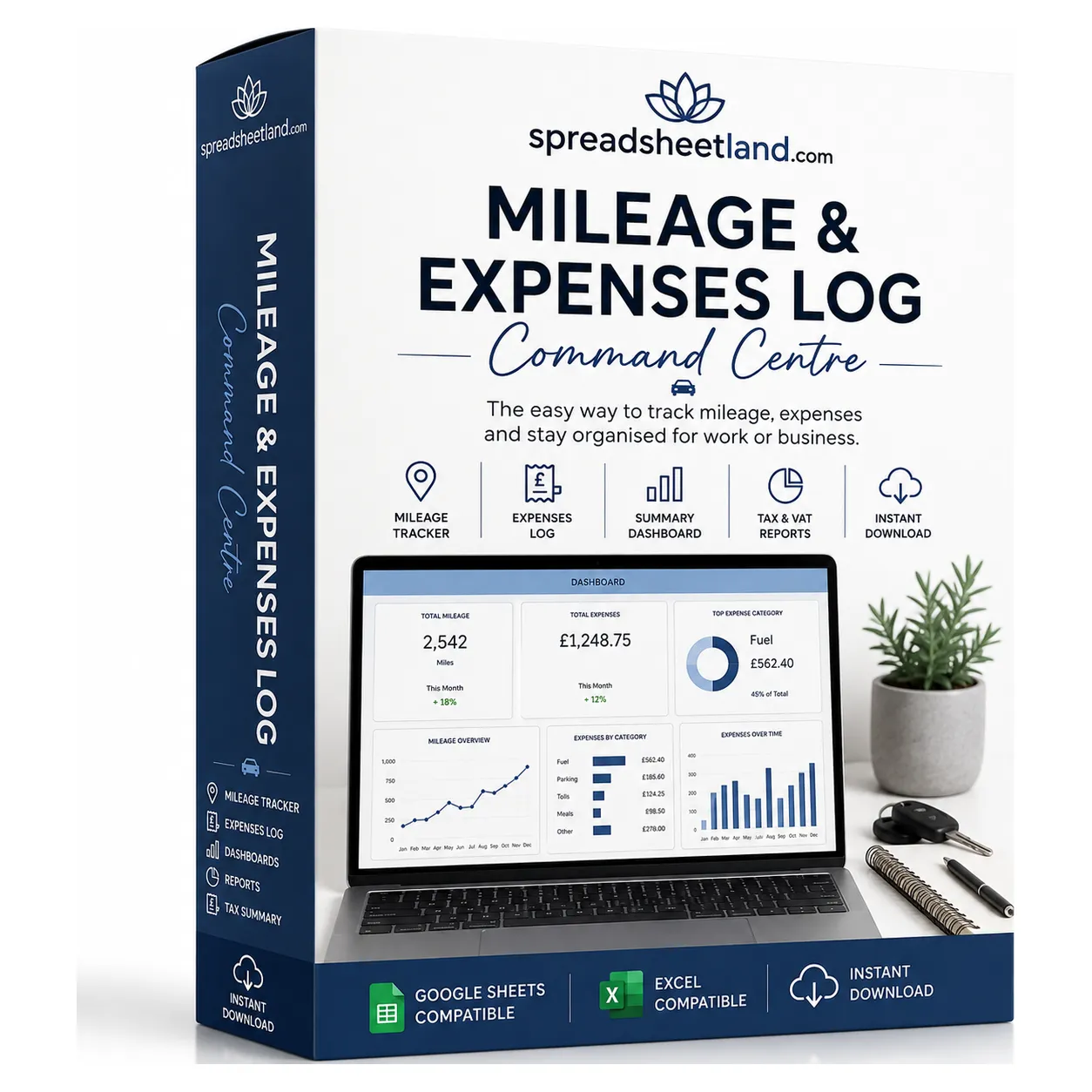
Record up to 100 business journeys and 100 expenses with automatic mileage claims, evidence tracking and a professional dashboard. Includes seven display currencies, expense categories and helpful dropdowns in a macro-free Excel workbook.

Digital download, available immediately. By buying, including with Google Pay or Amazon Pay, you agree to immediate access and that your 14-day right to cancel ends once your download is available. See our Terms and Refund Policy.

Sole tradersTradespeopleMobile workersCarersSales repsDelivery driversConsultantsEmployees claiming backLandlordsFreelancers
Instant downloadLink straight after checkout and by email
Built for Microsoft ExcelAlso opens in Google Sheets. No macros
Start Here guide built inPlain-English steps for every tab
Secure checkoutCard, Apple Pay and Google Pay

Sound familiar?

Every business mile is money back. Most people never claim them all.

  • Trips written on the back of receipts, or not at all
  • A mileage claim guessed at the end of the year
  • Fuel and parking receipts lost in the car
  • No idea which expenses still need a receipt
  • Adding it all up on a calculator, twice

That’s not a you problem. It’s a missing-system problem.

Why people love it

Log a trip. The claim works itself out.

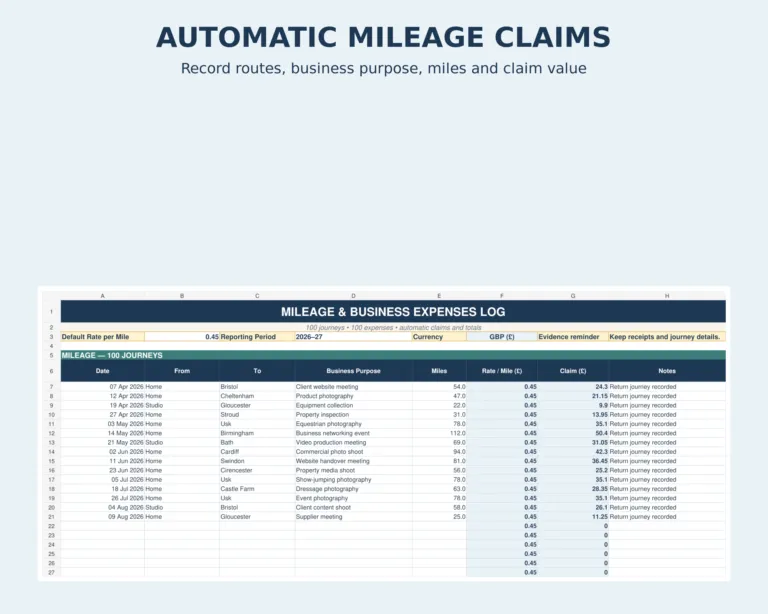
  • 100 journey rows with date, where, why and miles
  • Your rate per mile, set once or per journey
  • Claims worked out for each trip and in total
  • 100 expense rows across 12 categories
  • A missing-receipt count, so nothing slips
  • Seven currencies to choose from

Why it’s worth it

Unlogged miles are money left behind.

Example: 2,400 business miles a year at 45p a mile.

£1,080Claim on 2,400 miles at 45p
100Journey rows
12Expense categories
£324

A year lost by forgetting three 20-mile trips a month

vs
£9.99

The log, once, to keep

Log the trips you forget and it pays for itself many times over. Buy now, instant download

How it fits together

Log it once. The totals update themselves.

  1. JourneysDate, where, why and miles
  2. RateYour rate per mile, once or per trip
  3. ExpensesSupplier, category and receipt
  4. ReceiptsMissing-receipt count
  5. DashboardClaim and expenses at a glance
Business mileage log with claim worked out

The log

Every trip, and what it’s worth.

Log the journey and the claim is worked out at your rate per mile.

Journey rows100Date, purpose, miles
Expense rows10012 categories
Currencies7Pick yours
Monthly fees£0One payment, yours to keep

What’s inside

Everything in one file. Click through it.

Dashboard

Your mileage claim, expenses and missing receipts at a glance, with an expense-category chart.

Expenses with receipt status and currency selector

Expenses

Know which costs still need a receipt.

  • 12 expense categories
  • Receipt and payment-method dropdowns
  • A missing-receipt count on the dashboard

Before and after

From guessing to knowing.

Without it

  • Trips on the back of receipts
  • A claim guessed at year end
  • Receipts lost in the car
  • Totals added up twice

With the log

  • Every trip logged
  • The claim worked out for you
  • Missing receipts counted
  • Totals on the dashboard

What you get

Everything in one download.

The mileage and expenses logReady for your first trip
Instructions tabPlain-English steps
Seven currenciesPick yours from a list
No macrosA clean, safe .xlsx file
Built for ExcelWindows or Mac. Also opens in Google Sheets
Help if you’re stuckMessage me any time

Set up in five minutes

Four steps.

  1. Buy and downloadThe link arrives straight away
  2. Set your rateAnd your currency
  3. Log your tripsDate, where, why and miles
  4. Check the dashboardYour claim, worked out

Made for

  • Self-employed people claiming business mileage
  • Employees claiming mileage back from work
  • Anyone who wants receipts and trips in one place

Not for

  • GPS tracking of your journeys
  • Filing your tax return
  • Fleet management

A record-keeping spreadsheet, not tax advice. Check the mileage rate that applies to you.

Before you buy

Questions

Do I need Microsoft Excel?

It is built for Microsoft Excel (.xlsx). Excel on Windows or Mac is recommended so every feature works as designed.

Is it a subscription?

No. It is a one-off payment and the file is yours to keep. There are no monthly fees.

I'm not good with spreadsheets. Is this for me?

Yes. You just type into the input cells and the totals, charts and dashboard update themselves. There are no formulas to write, and the instructions in the file walk you through it.

Can I see it before I buy?

Yes. The screenshots above show the main tabs, and you are welcome to message me with any questions first.

Is it Making Tax Digital (MTD) software?

No. It is a record-keeping spreadsheet that keeps your figures organised. If Making Tax Digital for Income Tax applies to you, you will need MTD-compatible software to submit your returns to HMRC.

Does it work on a Mac, iPad or phone?

Yes on a Mac with Excel for Mac. On an iPad or phone you can open it in the free Excel app to check and update it, but Excel on a computer is best so every feature works as designed.

Can I get a refund?

Because it is an instant digital download, I can’t offer a refund once the file has been downloaded. If the file is faulty and I can’t fix it, you were charged twice, or you received the wrong product, I will put it right or refund you. See the Refund Policy. This doesn’t affect your statutory rights.

How do I get my file?

It is an instant digital download. You will get a download link straight after checkout, and by email.

What if I get stuck?

Message me any time and I will help you get set up.

Ready when you are

Claim every mile you’re owed.

£9.99 once. Download it now and log today’s trip.

Buy now, instant download

More self-employed essentials →

Full product details, tabs list and notes

Description

What’s in your download

  • Your blank spreadsheet – ready for your own details (Excel and Google Sheets)
  • A full PDF user guide – set-up, every tab explained, a simple routine, the HMRC and UK rules that apply, troubleshooting and FAQs

Keep business journeys, mileage claims and everyday expenses organised in one professional spreadsheet.

This premium Mileage & Expenses Log is designed for sole traders, freelancers, photographers, landlords, small businesses and anyone who needs a clear record of business travel and costs. Enter each journey and expense, then let the workbook calculate mileage claims, category totals and the combined grand total automatically.

What’s Inside the Mileage Log Spreadsheet

  • Clean macro-free Microsoft Excel .xlsx workbook
  • Automatic Mileage & Expenses Dashboard
  • 100 business-journey rows
  • 100 business-expense rows
  • Default and individual mileage-rate fields
  • Automatic claim calculations
  • 12 expense categories
  • Receipt and payment-method dropdowns
  • Missing-receipt count
  • Expense-category chart
  • Seven-currency display selector
  • Comprehensive Instructions tab

Currency Options

GBP (£), USD ($), EUR (€), AUD (A$), CAD (C$), NZD (NZ$) and JPY (¥).

Changing currency changes the displayed symbol only. It does not convert amounts or apply exchange rates. Enter ordinary numbers without typing currency symbols.

Compatibility

Designed for Microsoft Excel as a normal macro-free .xlsx file. It can also be uploaded to Google Sheets. Core formulas and dropdowns are compatible, although chart styling and conditional currency number formatting may appear slightly different after import.

How It Works

  1. Choose your display currency.
  2. Enter the reporting period and applicable mileage rate.
  3. Record business journeys, mileage and purpose.
  4. Add other expenses, suppliers and receipt status.
  5. Review the automatic dashboard and totals.

Please Note

This is a digital spreadsheet download. No physical item will be posted. Spreadsheet software is required. Mileage rates, evidence requirements and allowable expenses differ by country, date and circumstances. This template is an organisational tool and is not tax, accounting or legal advice.

How to Claim Business Mileage

If you use your own car or van for work, you can usually claim a set amount for every business mile instead of working out your real fuel and running costs. HMRC publishes approved mileage rates, and many employers pay a rate per mile too. The key is a clear record of every business journey.

  • Log every trip – date, where you went, why, and the miles.
  • Set your rate per mile – enter your default rate once, or a different rate for individual journeys.
  • Let the sheet do the maths – your claim is worked out automatically for each journey and in total.
  • Keep receipts with your expenses – the missing-receipt count shows which costs still need paperwork.

Always check HMRC’s current approved mileage rates before you claim, as rates and rules can change.

Who This Mileage Log Spreadsheet Is For

Sole traders, freelancers, photographers, tradespeople, landlords and employees who claim mileage from their employer. If you drive for work and want an easy record you can hand to your accountant or your manager, this is it.

Mileage Log Spreadsheet FAQ

Do I need Microsoft Excel?

It is built for Microsoft Excel (.xlsx). Excel on Windows or Mac is recommended so every feature works as designed.

Is it a subscription?

No. It is a one-off payment and the file is yours to keep. There are no monthly fees.

I’m not good with spreadsheets. Is this for me?

Yes. You just type into the input cells and the totals, charts and dashboard update themselves. There are no formulas to write, and the instructions in the file walk you through it.

Can I see it before I buy?

Yes. The screenshots above show the main tabs, and you are welcome to message me with any questions first.

Is it Making Tax Digital (MTD) software?

No. It is a record-keeping spreadsheet that keeps your figures organised. If Making Tax Digital for Income Tax applies to you, you will need MTD-compatible software to submit your returns to HMRC.

Does it work on a Mac, iPad or phone?

Yes on a Mac with Excel for Mac. On an iPad or phone you can open it in the free Excel app to check and update it, but Excel on a computer is best so every feature works as designed.

Can I get a refund?

Because it is an instant digital download, I can’t offer a refund once the file has been downloaded. If the file is faulty and I can’t fix it, you were charged twice, or you received the wrong product, I will put it right or refund you. See the Refund Policy. This doesn’t affect your statutory rights.

How do I get my file?

It is an instant digital download. You will get a download link straight after checkout, and by email.

What if I get stuck?

Message me any time and I will help you get set up.

Reviews

There are no reviews yet.

Only logged in customers who have purchased this product may leave a review.