




Description
Sound familiar?
- You’re seeing people on different days over Christmas and can’t remember whose presents are wrapped.
- You’ve bought three things for one person and nothing for another.
- January’s bank statement is a nasty surprise.
What the Christmas Gift Budget does
Add everyone you’re buying for, set what you want to spend on each person, then add one row per present. Move each present along with a single dropdown – To buy → Bought → Wrapped → Given – and the sheet works out what you’ve spent, what’s left, who’s over budget and what still needs doing for every person.
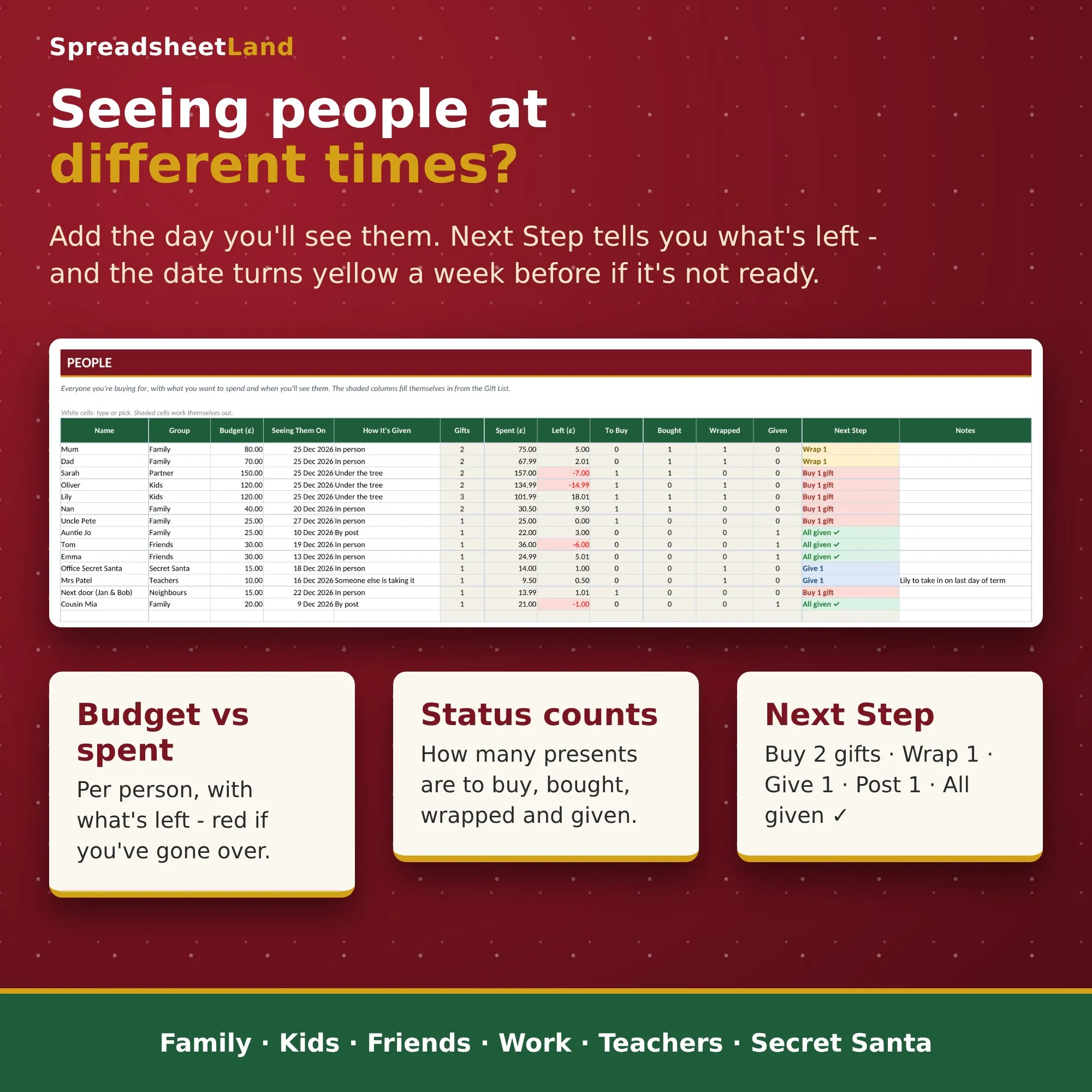
Put in the day you’ll see each person and the Dashboard shows who’s coming up next and whether their presents are ready. A week before, the date turns yellow if anything’s still to buy or wrap.
What’s inside
- Dashboard – total budget, spent so far, left to spend (or over budget), days to Christmas, presents to buy, wrap and give, a progress bar, who you’re seeing next, budget by group and a budget vs spent chart
- Gift List – one row per present: who it’s for, the gift, where from, order or tracking number, cost and status
- People – budget per person, the day you’ll see them and how it’s given (in person, by post, under the tree…). Gifts, spent, left and a Next Step (Buy 2 gifts, Wrap 1, Give 1, Post 1, All given ✓) fill in for you
- How To Use – a quick guide built into the file
Made for real Christmases
- Groups for Family, Partner, Kids, Friends, Work, Neighbours, Teachers and Secret Santa
- Pick your country – UK, USA, Canada, Australia or New Zealand – for £ or $
- Room for 100 people and 300 presents
- Filter the Gift List to just “Wrapped” before you head out
- Clear it and use it again next year – the Christmas countdown moves on by itself
What you get
- Christmas Gift Budget – blank workbook (v1.0)
- A filled-in example file so you can see how it works
- A full PDF user guide
Works in
Microsoft Excel (2019 or newer, Microsoft 365, Excel for the web) and Google Sheets. No macros, no add-ons, no subscription – a one-off download that’s yours to keep.
Questions
Do I need Excel? No – it works free in Google Sheets.
Can I use it every year? Yes. Clear the white cells and start again.
What if I get stuck? Email hello@spreadsheetland.com and we’ll help.

Reviews
There are no reviews yet.