
To do restaurant inventory, count everything you have on hand at the same time each week (or each period), shelf by shelf, in the same unit you buy it in. Then multiply each count by its current unit cost and add it all up. That total is your ending inventory, which is what you need to work out your real food cost, set par levels and spot waste. Here’s how to set up a count sheet, run the count quickly, and turn the numbers into decisions.
Why restaurant inventory matters
- Food cost. You can’t calculate cost of goods sold (COGS) without a beginning and ending inventory. Purchases alone don’t tell you what you used.
- Ordering. Counts plus par levels tell you exactly what to order, so you stop running out of some things and over-buying others.
- Waste and shrinkage. When actual usage is higher than your recipes say it should be, the difference is waste, over-portioning or theft.
- Cash. Stock sitting on shelves is money you’ve already spent.
How often to take inventory
Count at least once a month to match your profit and loss statement. Weekly counts are better for food and beverage because problems show up while you can still fix them. Many kitchens also do quick daily counts of a handful of high-cost items, such as proteins, seafood and top-shelf liquor.
Get this guide as a free PDF
Keep it, print it, read it offline. We’ll email it to you with a personal 10% discount code for any spreadsheet.
Whatever you choose, keep the timing consistent: the same day and time, ideally after close or before the first delivery, with no deliveries arriving during the count.
Step 1: Set up your count sheet in shelf order
The biggest time saver is a count sheet that matches the physical layout of your storage, not an alphabetical list. Walk your storage areas in order and list items as they sit on the shelves:
- Walk-in cooler (shelf by shelf, left to right)
- Freezer
- Reach-ins and line refrigeration
- Dry storage
- Bar, beer cooler and liquor storage
- Paper goods and to-go packaging
Build the sheet once and reuse it every count, whether that’s a clipboard printout or the Inventory tab in our Restaurant Spreadsheet US Edition. For each item, record the count unit (case, each, lb, bottle) and the unit cost from your latest invoice. Count in the unit you buy in where you can. It makes valuation and ordering much simpler.
Step 2: Count, shelf to sheet
- Work in pairs. One person counts and calls out, and the other writes. It’s faster and catches mistakes.
- Count partial units as decimals. Half a case of romaine is 0.5. For bulk items, weigh them. For open liquor bottles, estimate to the nearest tenth.
- Decide how to handle prepped food. Either count prepped items (sauces, portioned proteins) at their ingredient cost, or leave them out. Just do the same every time.
- Don’t skip the line. Product in reach-ins and on the line is still inventory.
- Use the count to clean up. Rotate stock first in, first out (FIFO) as you go, and pull anything that’s out of date.
Food safety point: most local health codes are based on the FDA Food Code. Under the Food Code, ready-to-eat, temperature-controlled foods held for more than 24 hours must be date marked, and are normally good for no more than 7 days at 41°F or below. Anything past its date should be thrown out and logged as waste, not counted. Check your local health department’s rules.
Step 3: Extend and total the values
For each line, multiply the quantity by the unit cost:
| Item | Count | Unit | Unit cost | Value |
|---|---|---|---|---|
| Chicken thighs, boneless | 34 | lb | $3.10 | $105.40 |
| Ground beef 80/20 | 1.5 | 10 lb case | $52.00 | $78.00 |
| Romaine hearts | 0.5 | case | $38.00 | $19.00 |
| Fryer oil | 3 | 35 lb jug | $41.50 | $124.50 |
| Total (sample) | $326.90 |
Value stock at your latest purchase price, or using whatever method your accountant uses for your books. Use the same method every period so your numbers can be compared.
Step 4: Use the count to calculate food cost
COGS = beginning inventory + purchases − ending inventory
Example week:
- Beginning food inventory (last week’s count): $8,450
- Food purchases this week: $6,120
- Ending food inventory (this week’s count): $8,190
- Food COGS: $8,450 + $6,120 − $8,190 = $6,380
- Food sales (before sales tax): $19,600
- Food cost %: $6,380 ÷ $19,600 = 32.6%
Add your labor cost to COGS and you have your prime cost. That’s covered in our guide to restaurant prime cost and labor cost percentage.
Step 5: Set par levels and order to them
A par level is the amount of an item you want on hand right after a delivery, enough to last until the next one, plus a safety buffer.
Par = average daily usage × days until next delivery + safety stock
Example: you use about 18 lb of chicken thighs a day, deliveries come twice a week (so up to 4 days apart), and you want one day’s safety stock:
- Par = 18 × 4 + 18 = 90 lb
- On hand at the count: 34 lb
- Order: 90 − 34 = 56 lb
Round orders to how the item comes. If thighs come in 40 lb cases, 56 lb means one case and a top-up, or two cases if you have the freezer space. Review par levels every month or two, and after any menu change or seasonal shift in trade.
Step 6: Look for variances
Once you have a few weeks of counts, compare what you should have used (items sold × recipe quantities) with what you did use (from your counts and purchases). Start with your five or ten most expensive items. A consistent gap on one item usually points to portioning, waste or a recipe card that doesn’t match what the line actually does.
An easy way to keep on top of it
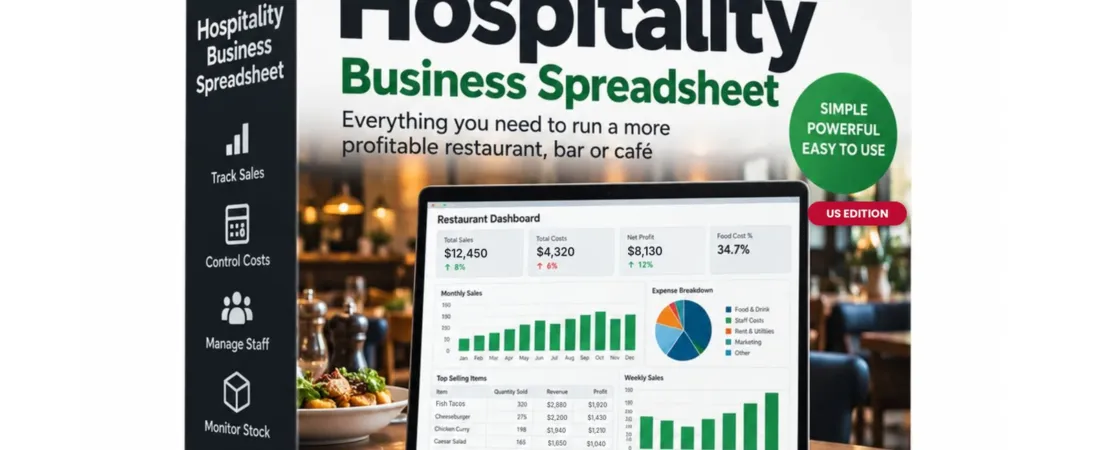
The Restaurant Spreadsheet US Edition is an Excel and Google Sheets workbook for American restaurants. It keeps your inventory, purchases and menu costs in one file.
- Inventory: par levels and on-hand counts, with low items flagged “Reorder” automatically and your inventory value calculated.
- Suppliers: contacts, account numbers and total spend per supplier, calculated from your expenses.
- Expenses: 2,000 rows with restaurant categories such as food & drink purchases, with category totals that update instantly.
- Menu & Recipe Costing: cost and menu price for each item, with profit $, margin % and a Healthy/Review flag against your target.
See the Restaurant Spreadsheet US Edition →
Restaurant inventory FAQs
How often should a restaurant do inventory?
At least monthly, and weekly if you can. Weekly counts let you calculate food cost every week and catch problems quickly. Count high-value items such as proteins and liquor more often.
What is a par level in a restaurant?
It’s the amount of an item you want on hand to last until your next delivery, plus a small safety buffer. You order the difference between par and what you counted.
What is the best time to take inventory?
After close or before the first delivery of the day, when nothing is moving. Pick one time and stick to it so each count covers the same period.
Should you count prepped food in inventory?
You can either count it at ingredient cost or leave it out. Consistency matters more than the choice. If you count it one week and skip it the next, your food cost will swing for no real reason.
This guide is general information, not financial, tax or food safety advice. Figures are examples only. Food safety rules are set by your state and local health department, and inventory valuation for taxes should be checked with your accountant.
Get this guide as a free PDF
Keep it, print it, read it offline. We’ll email it to you with a personal 10% discount code for any spreadsheet.