US EDITION – Subcontractor Tracker — W-9, COI & Lien Waiver Tracking · 1099-NEC Totals Spreadsheet

£24.99

Build your contractor bundle

Tick the US contractor sheets you want. The discount is worked out here and added in your cart automatically.

Any 3 – 15% offAny 5 – 25% off
  • £24.99
  • £29.99
  • £24.99
  • £19.99
  • £19.99
  • £19.99

Keep every sub’s paperwork in date and your 1099 totals ready. W-9s, insurance certificates, licenses and lien waivers tracked, with payment totals per sub for the year. Works in Excel & Google Sheets. No macros, no subscription. Instant download: blank sheet, filled-in example and a full PDF guide.

Digital download, available immediately. By buying, including with Google Pay or Amazon Pay, you agree to immediate access and that your 14-day right to cancel ends once your download is available. See our Terms and Refund Policy.

Category:
PlumbersElectriciansGeneral contractorsRoofersRemodelersPaintersLandscapersHVAC techsDrywallersHandymen
Instant downloadLink straight after checkout and by email
Excel or Google SheetsMac, PC, Chromebook. No macros
Start Here guide built inPlain-English steps for every tab
Secure checkoutCard, Apple Pay and Google Pay

Sound familiar?

The COI expired. You paid them anyway.

  • A sub’s insurance certificate expires and nobody notices
  • January comes and you’re digging for 1099 totals
  • Lien waivers scattered across emails and the truck

That’s not a you problem. It’s a missing-system problem.

Why contractors love it

Paperwork in date. 1099 totals ready.

  • W-9 on file checked
  • Insurance certificates tracked
  • Lien waivers logged
  • Retainage handled
  • 1099-NEC totals per sub
  • Card payments kept out of 1099s

How it fits together

Set up each sub once. Every payment follows.

  1. SubcontractorsW-9, COI, license
  2. PaymentsEvery payment
  3. OK to pay?Paperwork checked
  4. 1099-NECCalendar-year totals
  5. SummaryFor each sub
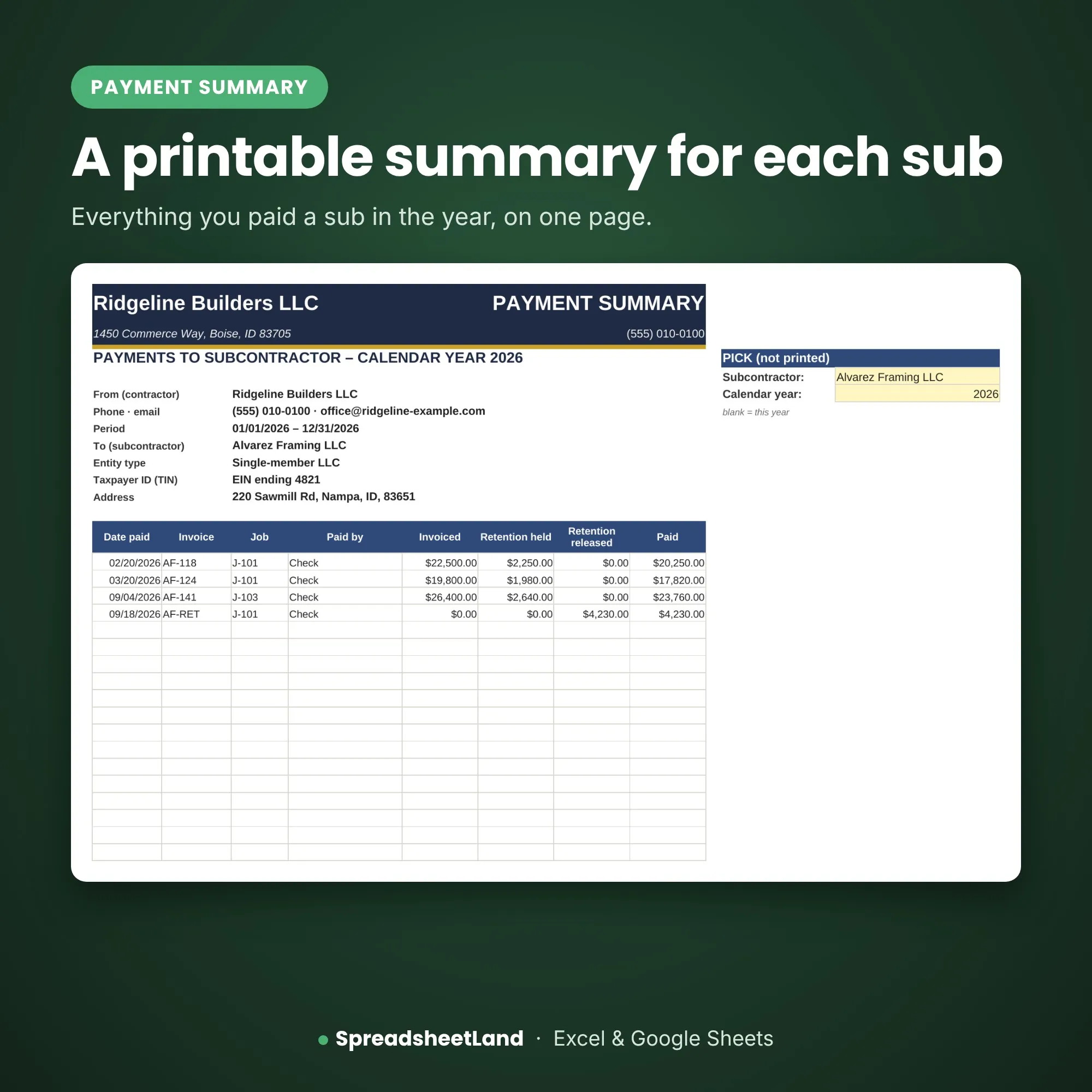
Subcontractor Tracker – the payment summary

The payment summary

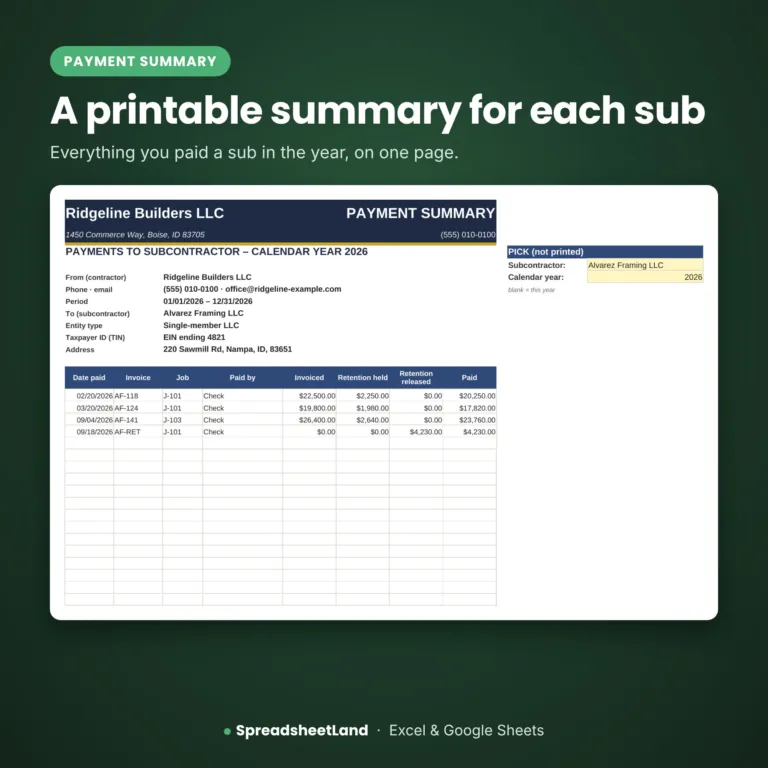
A printable summary for each sub.

Everything you paid a sub in the year.

Subs200On your list
Payments1,000Each one logged
Fees$0One payment, yours to keep
Monthly fees$0One payment, yours to keep

What’s inside

9 tabs, one file. Click through them.

Start Here

What each color means and a quick guide to every tab.

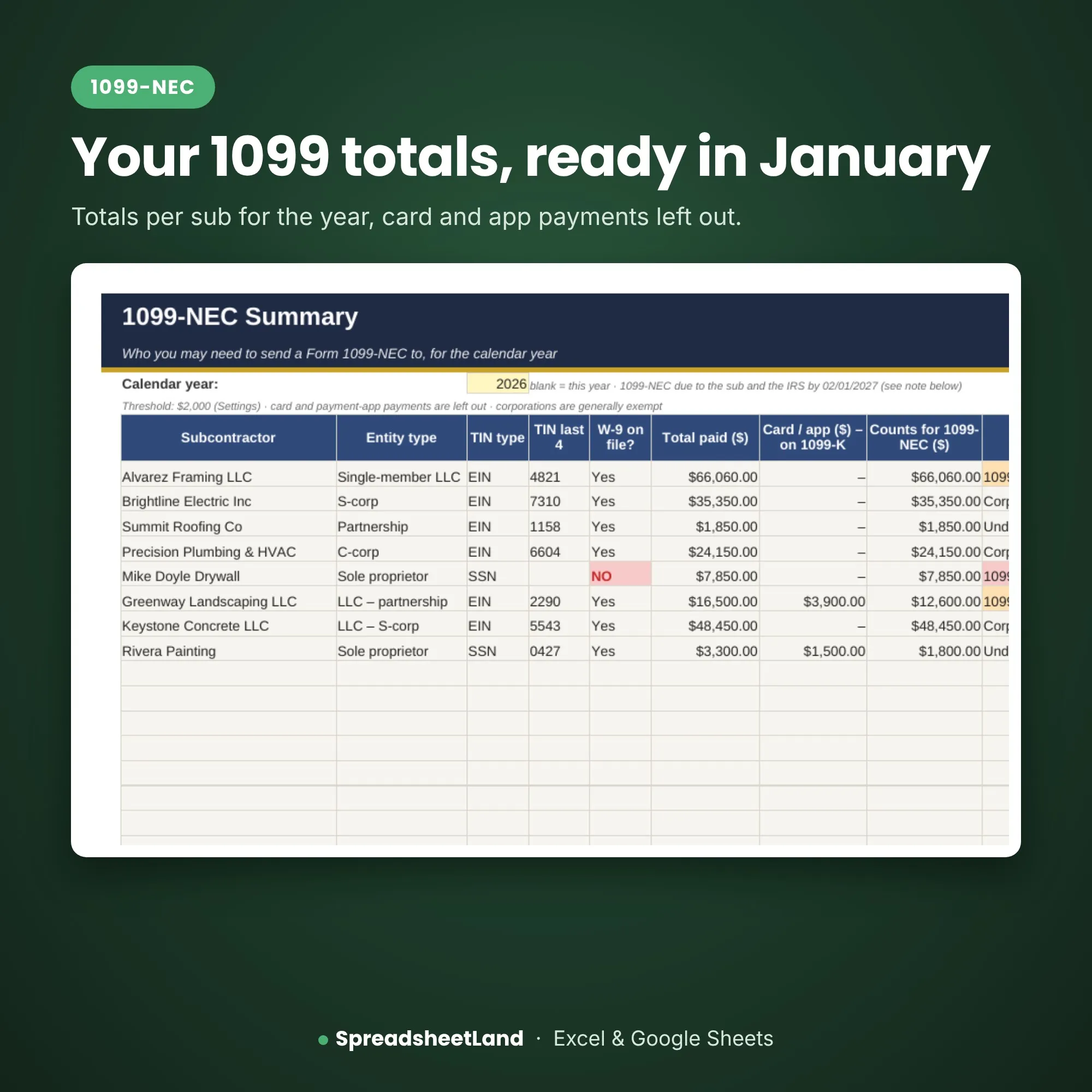
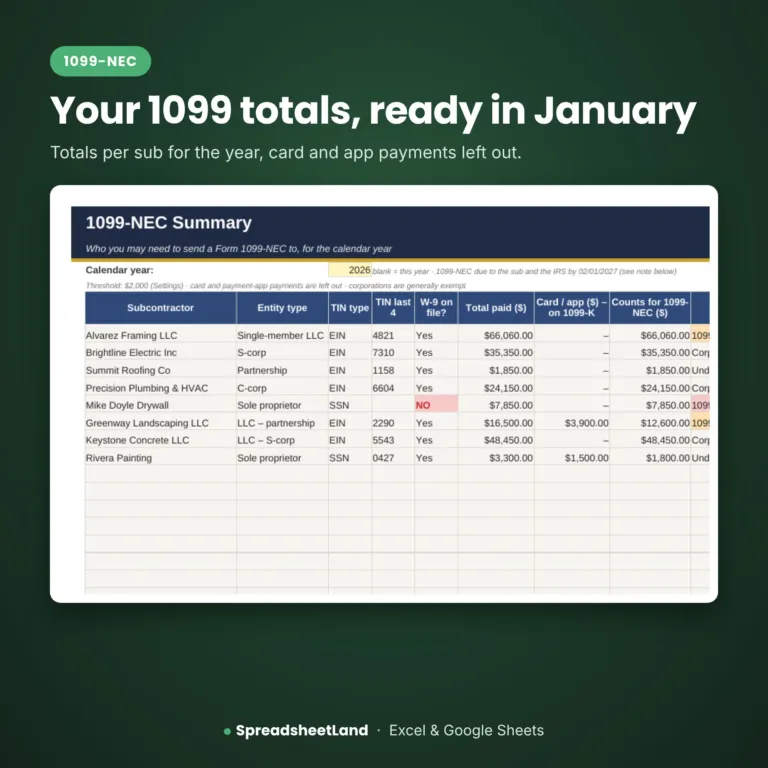
Your 1099 totals, ready in January

1099-NEC

Totals per sub, card and app payments left out.

  • Who may need a form
  • Corporations marked
  • Due date shown

Before and after

From guessing to knowing.

Without it

  • W-9s missing in January
  • Expired COIs missed
  • Lien waivers lost
  • 1099 totals dug out by hand

With the sheet

  • W-9s checked before you pay
  • Expiry warnings
  • Every waiver logged
  • 1099 totals ready

What you get

Everything in one download.

The Subcontractor TrackerReady for your business
A filled-in EXAMPLE copySee it working before you add your own
Full PDF user guideSet-up and every tab explained
Color themesPick one to match your business
Works everywhereExcel or Google Sheets, Mac or PC
Help if you’re stuckEmail me and I’ll help you set up

Up and running in an evening

Four steps.

  1. Buy and downloadThe link arrives straight away
  2. Open itIn Excel, or upload it to Google Sheets
  3. Add your detailsFollow the Start Here tab
  4. Start using itEverything else updates itself

Made for

  • US contractors and tradespeople
  • Owners who do the office work themselves
  • Anyone who’d rather not pay monthly for software

Not for

  • Large firms with their own systems
  • Anyone wanting an app or online system
  • Tax, legal or safety advice

A record-keeping spreadsheet, not tax or legal advice. It does not file anything with the IRS or decide worker status.

Before you buy

Questions

Does it file my 1099s?

No. It gives you the totals – you still file with the IRS yourself or through your accountant or software.

Why aren’t card payments counted for 1099-NEC?

Payments made by credit card or a payment app are generally reported by the payment company instead. The guide explains, with links to irs.gov.

Can it tell me if a sub should be an employee?

No. It has a check column to remind you, and points you to the IRS guidance – some states use stricter tests.

Do I need Microsoft Excel?

No. It works in Microsoft Excel, or free in Google Sheets.

Is it a subscription?

No. It is a one-off payment and the file is yours to keep. There are no monthly fees.

I’m not good with spreadsheets. Is this for me?

Yes. You type into the yellow boxes and everything else works itself out. There are no formulas to write, and the PDF guide walks you through it.

Can I see it before I buy?

Yes. Look through the screenshots above. Your download includes a filled-in EXAMPLE copy and a full PDF guide as well as the blank spreadsheet.

Does it work on a Mac, iPad or phone?

Yes on a Mac: use Excel for Mac, or open it free in Google Sheets in your web browser. On an iPad or phone you can open it in the free Excel or Google Sheets app, but a computer is easier for setting it up.

Can I get a refund?

Because it is an instant digital download, I can’t offer a refund once the file has been downloaded. If the file is faulty and I can’t fix it, you were charged twice, or you received the wrong product, I will put it right or refund you. See the Refund Policy. This doesn’t affect your statutory rights.

How do I get my file?

It is an instant digital download. You will get a download link straight after checkout, and by email.

What if I get stuck?

Email hello@spreadsheetland.com and I will help you get set up.

Ready when you are

Pay right. Stay covered.

$34.99 once. Download it now and add your subs.

Buy now, instant download

More spreadsheets for contractors →

Full product details and notes

Description

Sound familiar?

  • A sub’s insurance certificate expires and nobody notices.
  • January comes and you’re digging for 1099 totals.
  • Lien waivers scattered across emails and the truck.

What the Subcontractor Tracker does

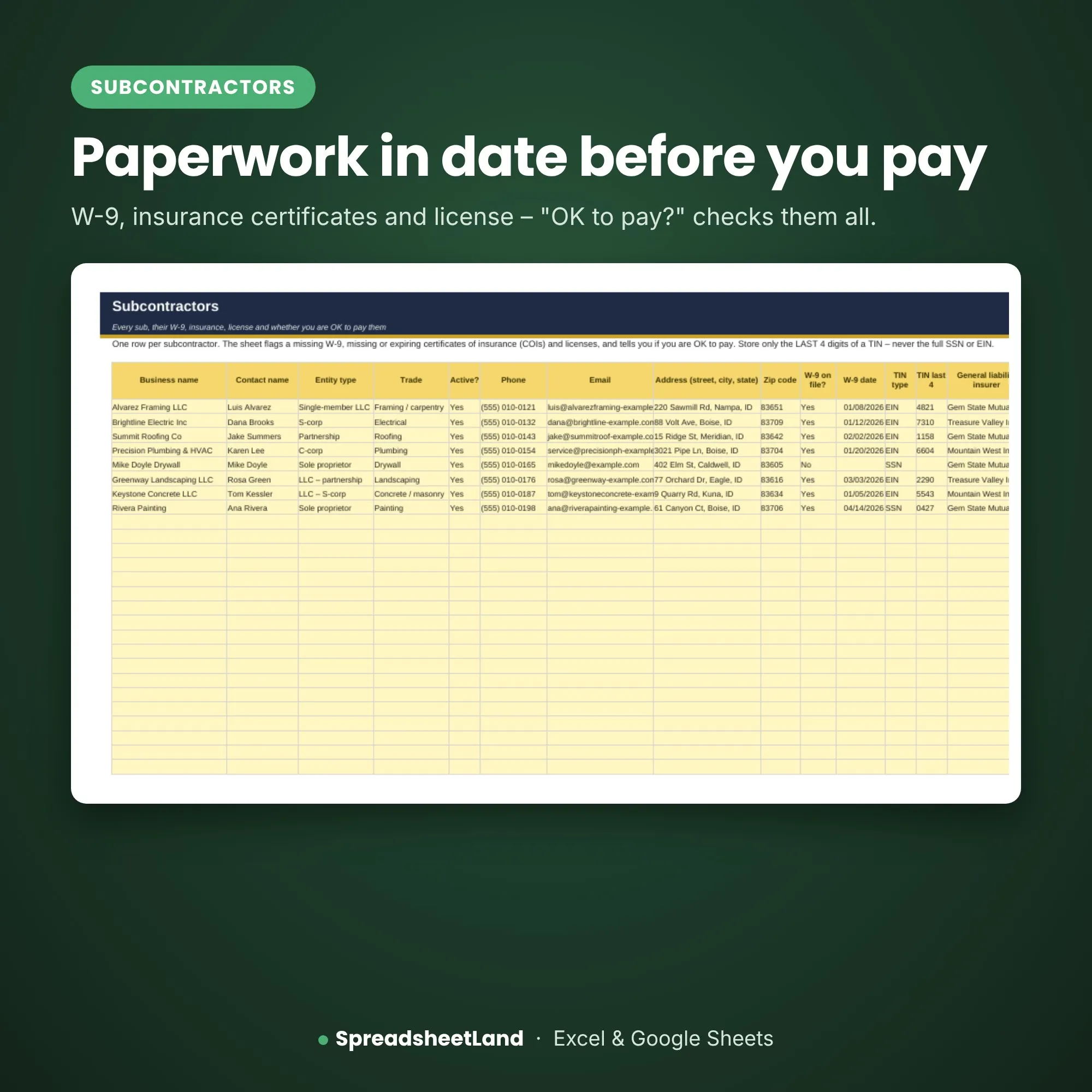
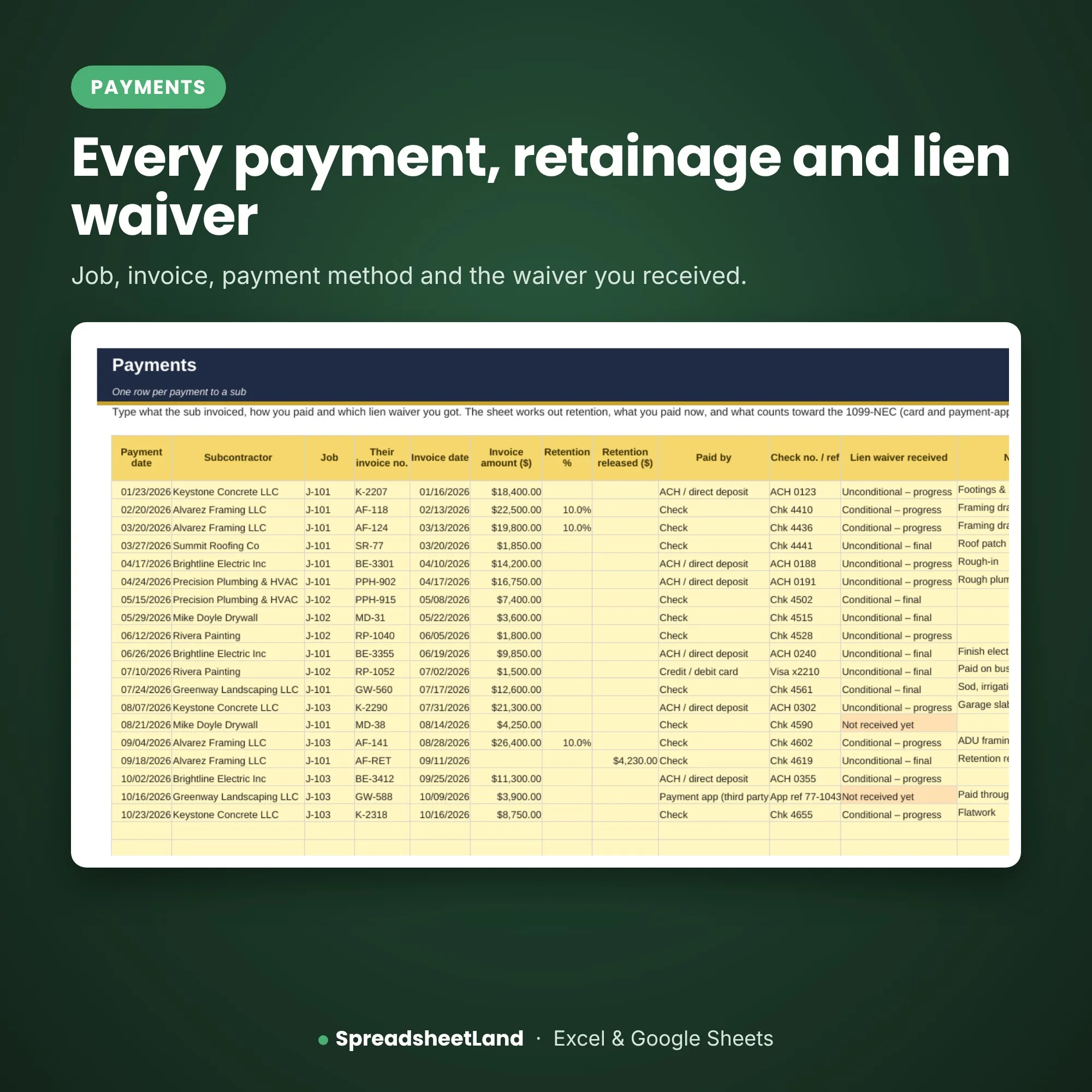
Record each subcontractor with entity type, W-9 on file, insurance certificate and license expiry dates. "OK to pay?" tells you if anything is missing or out of date. Log each payment with job, invoice number, how it was paid, retainage and lien waiver received. The 1099-NEC summary adds up what you paid each sub in the calendar year and flags who may need a form, and you can print a payment summary for each sub.

What’s inside

  • Start Here – what each color means and a quick guide to every tab
  • Dashboard – what you have paid, paperwork expiring and lien waivers missing
  • Subcontractors – entity type, W-9, insurance, license and expiry dates
  • Payments – each payment with job, method, retainage and lien waiver
  • Jobs – what each job costs you in subs
  • By Month – what you paid subs each month
  • 1099-NEC – totals per sub for the calendar year and who may need a form
  • Payment Summary – a printable summary for each sub
  • Settings – business details, warning days and the reporting threshold

Format

  • Your blank spreadsheet (.xlsx, US edition), ready for your business
  • A filled-in EXAMPLE copy, so you can see every tab working before you start
  • A full PDF user guide: set-up, every tab explained, a routine, the rules that apply and answers to common questions
  • Works in Microsoft Excel (Windows and Mac) and Google Sheets
  • No macros, nothing to install, no subscription
  • Yellow boxes are for you to fill in; the rest works itself out

Mix & match: pick any of our US contractor sheets – any 3 for 15% off, any 5 for 25% off. The discount is added in your cart.

How it works

  1. Buy and download the file straight away.
  2. Open it in Excel, or upload it to Google Sheets.
  3. Open the example copy and the PDF guide to see how it works, then fill in Settings on your blank copy and start typing your own.

Please note

This is a digital product — nothing will be posted. A record-keeping spreadsheet, not tax or legal advice. It does not file anything with the IRS or decide worker status. For use in your own business only — please don’t resell or share the file.

Questions before you buy? Email hello@spreadsheetland.com — happy to help!

Subcontractor Tracker FAQ

Does it file my 1099s?

No. It gives you the totals – you still file with the IRS yourself or through your accountant or software.

Why aren’t card payments counted for 1099-NEC?

Payments made by credit card or a payment app are generally reported by the payment company instead. The guide explains, with links to irs.gov.

Can it tell me if a sub should be an employee?

No. It has a check column to remind you, and points you to the IRS guidance – some states use stricter tests.

Do I need Microsoft Excel?

No. It works in Microsoft Excel, or free in Google Sheets.

Is it a subscription?

No. It is a one-off payment and the file is yours to keep. There are no monthly fees.

I’m not good with spreadsheets. Is this for me?

Yes. You type into the yellow boxes and everything else works itself out. There are no formulas to write, and the PDF guide walks you through it.

Can I see it before I buy?

Yes. Look through the screenshots above. Your download includes a filled-in EXAMPLE copy and a full PDF guide as well as the blank spreadsheet.

Does it work on a Mac, iPad or phone?

Yes on a Mac: use Excel for Mac, or open it free in Google Sheets in your web browser. On an iPad or phone you can open it in the free Excel or Google Sheets app, but a computer is easier for setting it up.

Can I get a refund?

Because it is an instant digital download, I can’t offer a refund once the file has been downloaded. If the file is faulty and I can’t fix it, you were charged twice, or you received the wrong product, I will put it right or refund you. See the Refund Policy. This doesn’t affect your statutory rights.

How do I get my file?

It is an instant digital download. You will get a download link straight after checkout, and by email.

What if I get stuck?

Email hello@spreadsheetland.com and I will help you get set up.

Reviews

There are no reviews yet.

Only logged in customers who have purchased this product may leave a review.