

Description
Stop being your own bookkeeper. This is the problem solver: one spreadsheet that runs the entire business side of your photography, so you save hours of time every month.
Sound Familiar?
- Double-booked a date because it wasn’t written down anywhere central
- Forgotten to chase a balance until weeks after it was due
- No idea what you actually earned last month until you dig through your bank app
- Mileage and expenses scattered across random receipts
- Tax season arrives and you’re reconstructing a year from memory
None of that is a “you” problem, it’s a missing system problem. This template fixes it.
One Photography Business Spreadsheet for Everything
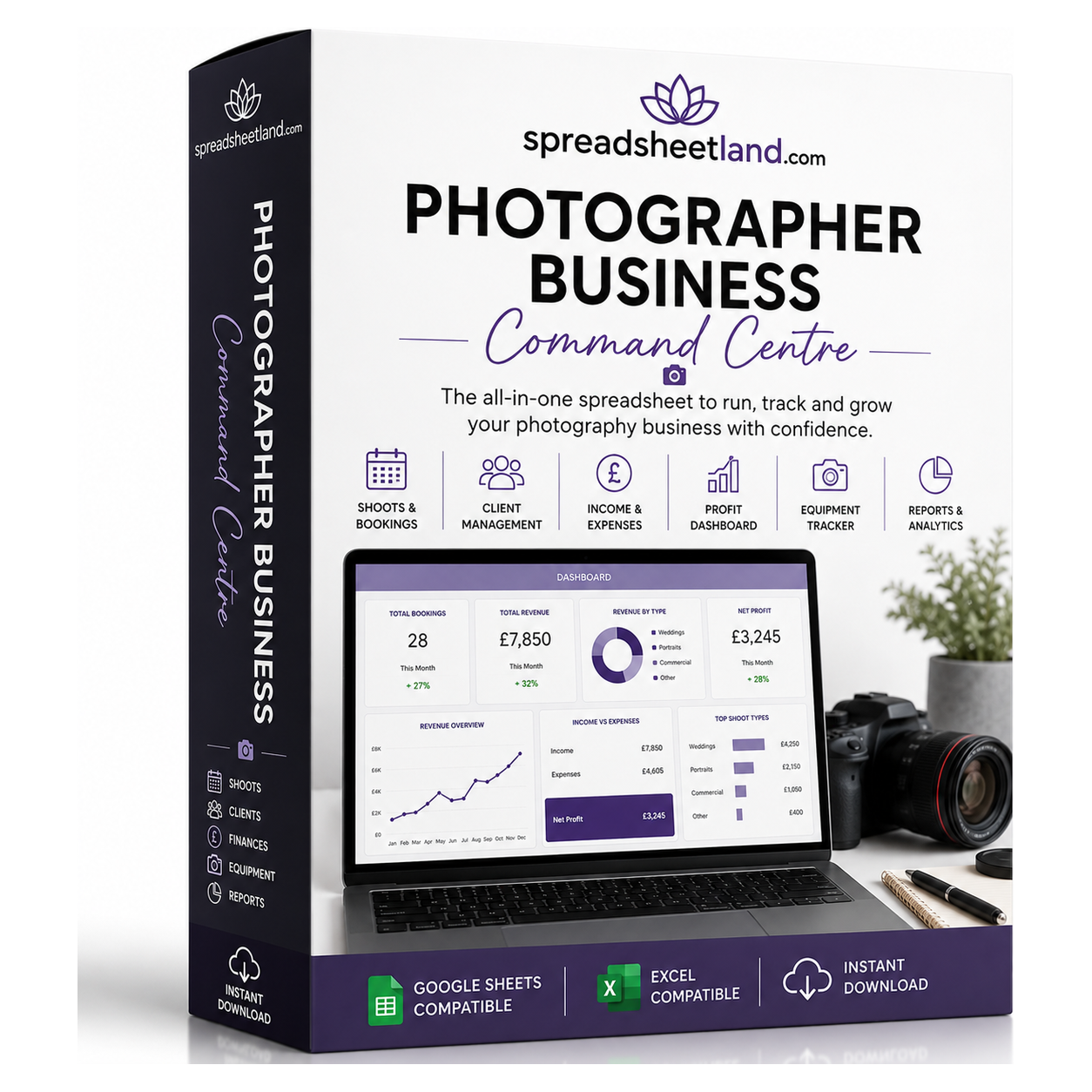
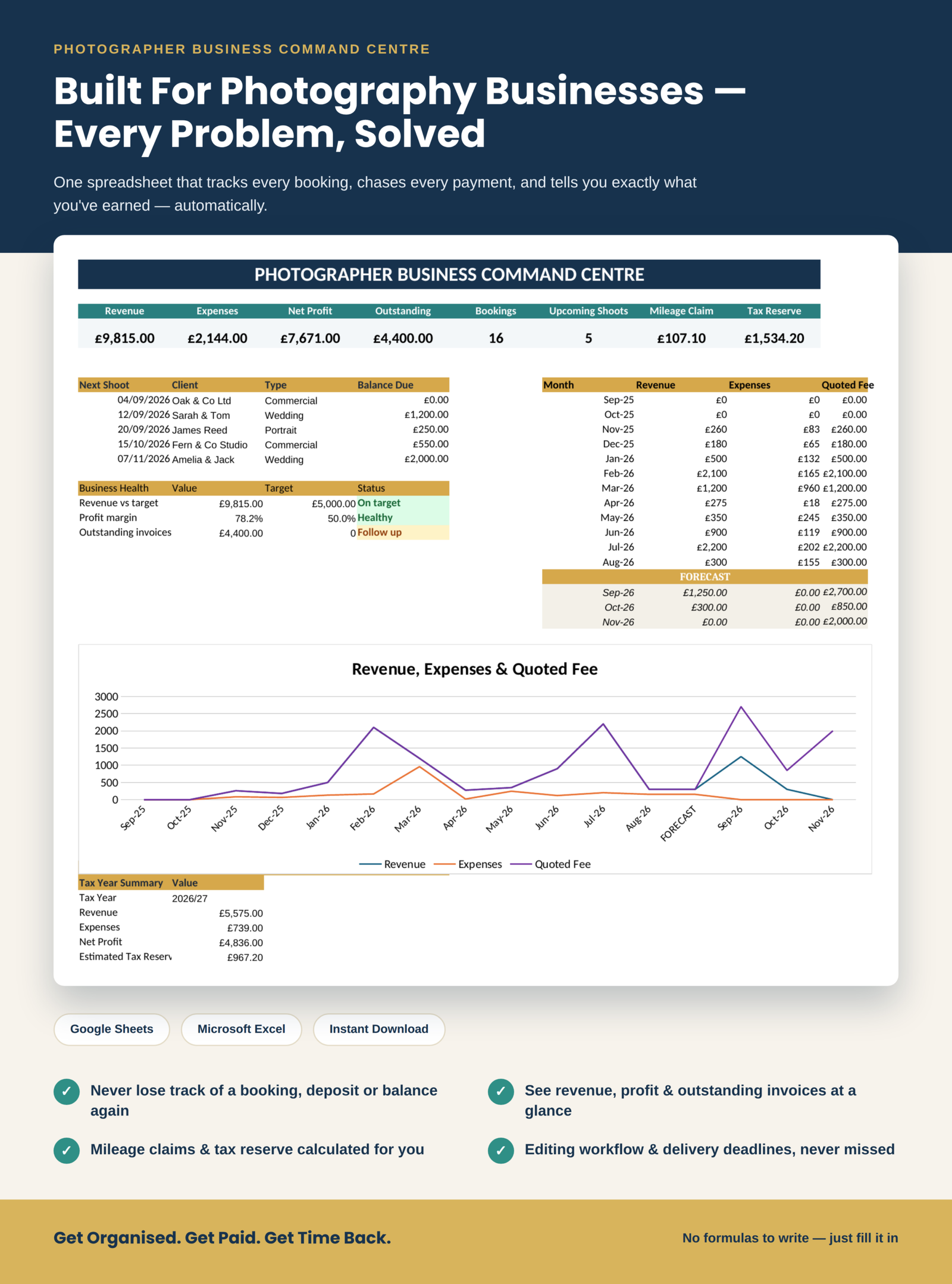
The Photographer Business Command Centre puts bookings, clients, invoicing, expenses, mileage and editing workflow into one spreadsheet that does the maths for you. No formulas to write, no accounting background needed, just fill in the coloured cells.
Bonus: See It in Action
Your download includes a second file too – a fully filled-in example with sample bookings, clients and an invoice already entered, so you can see exactly how everything looks and works before you add your own data.
What’s Inside the Photography Business Spreadsheet
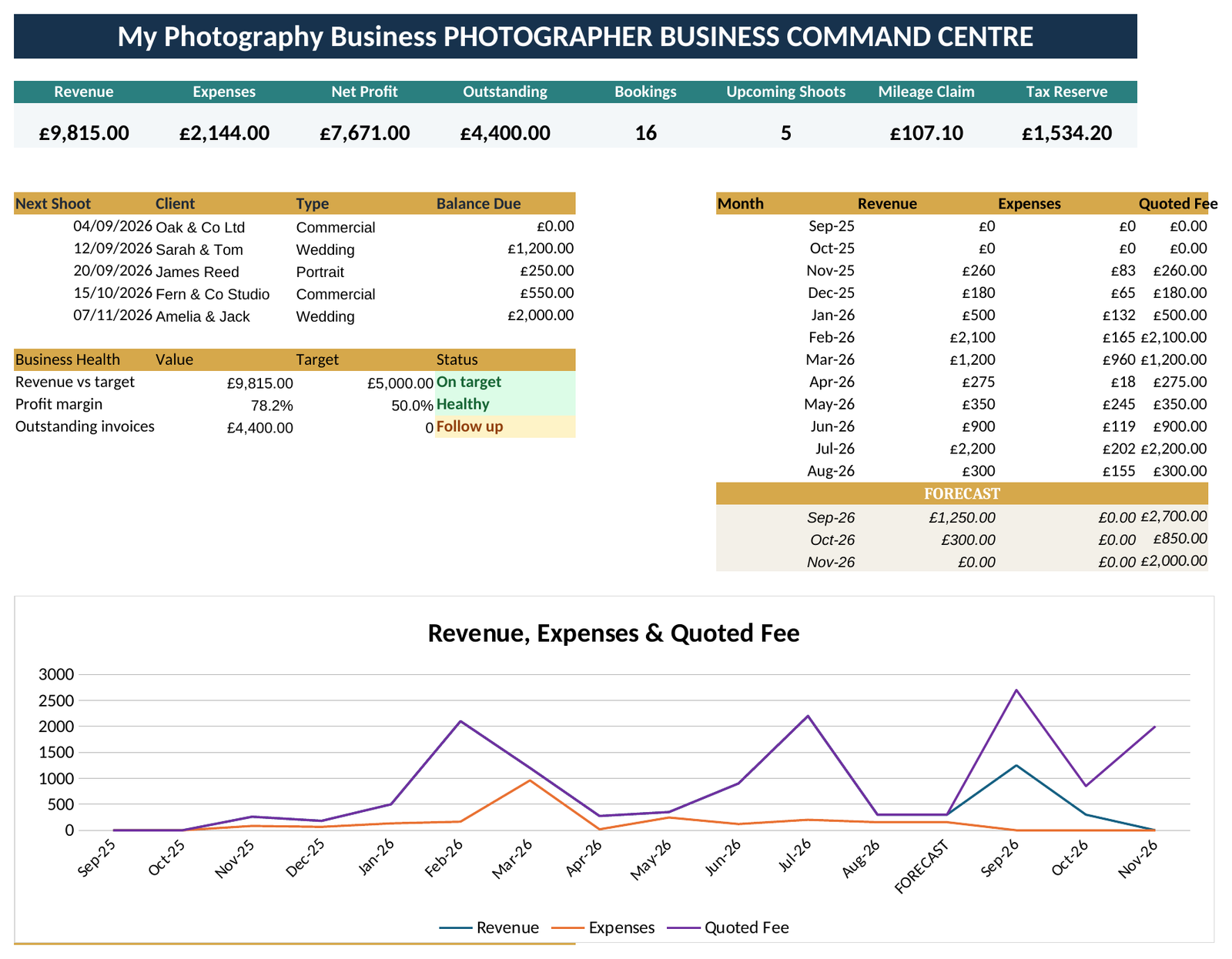
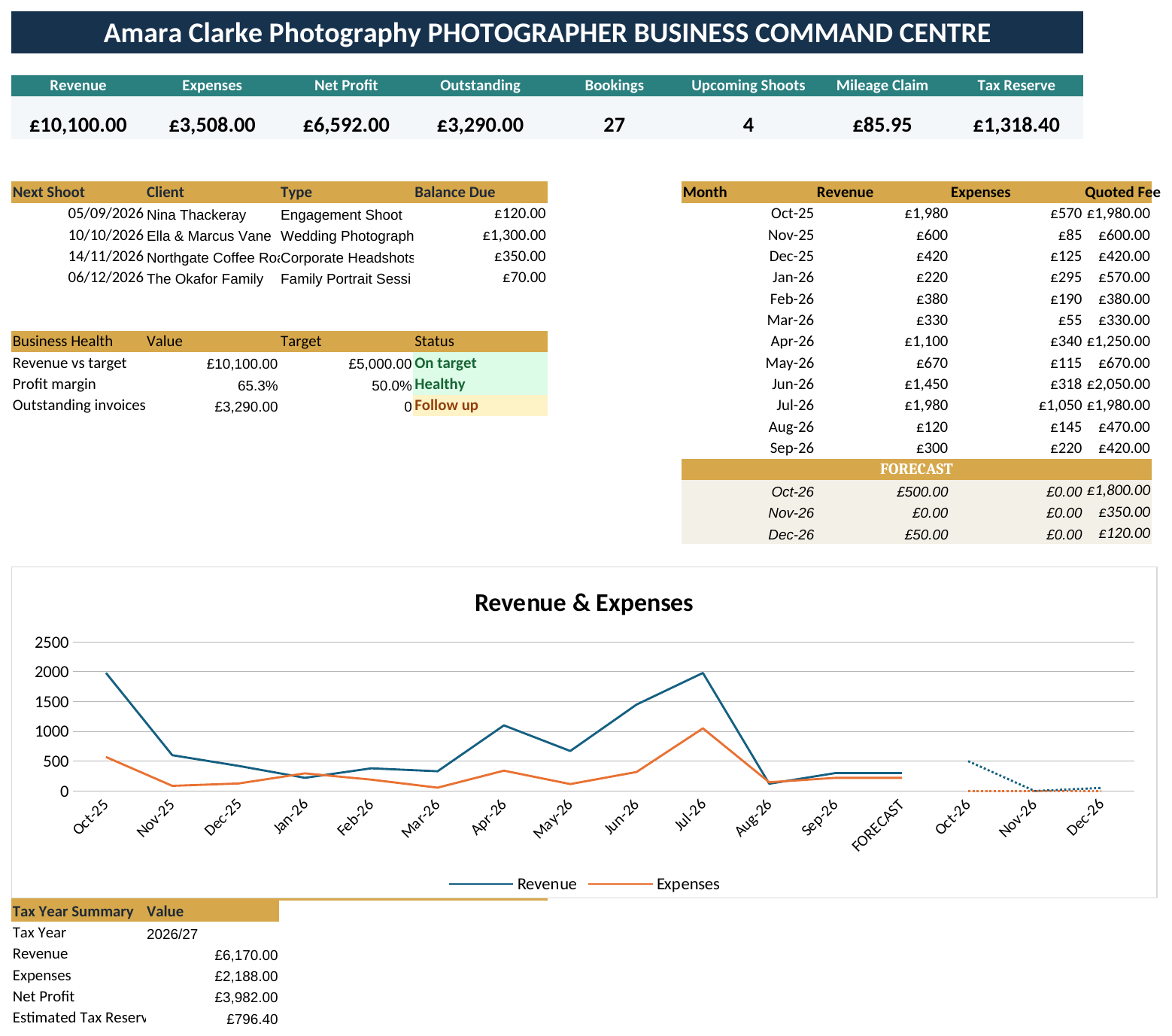
Dashboard – revenue, expenses, net profit, outstanding invoices, upcoming shoots, mileage claimable and an estimated tax reserve, plus a 12-month revenue trend with a 3-month forecast.
Bookings – every enquiry and confirmed job in one list, with balance due and payment status (Paid / Outstanding / Overdue) calculating themselves.
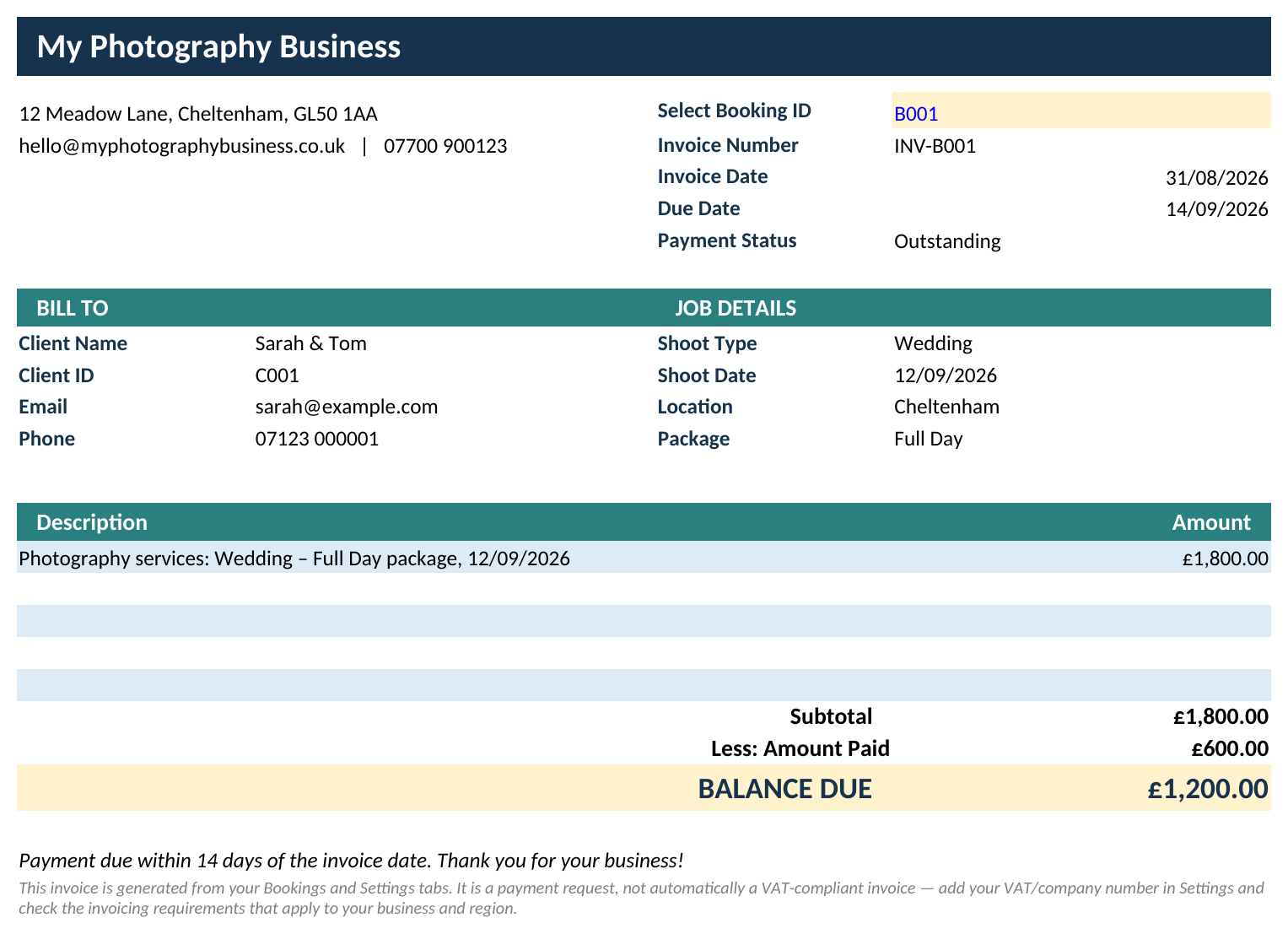
Invoice – pick a booking from the dropdown and a clean, printable invoice fills itself in automatically: client details, shoot info, amount due, balance and due date, pulled straight from your Bookings and Clients tabs. Add your business name, address, email and phone once, and every invoice uses them.
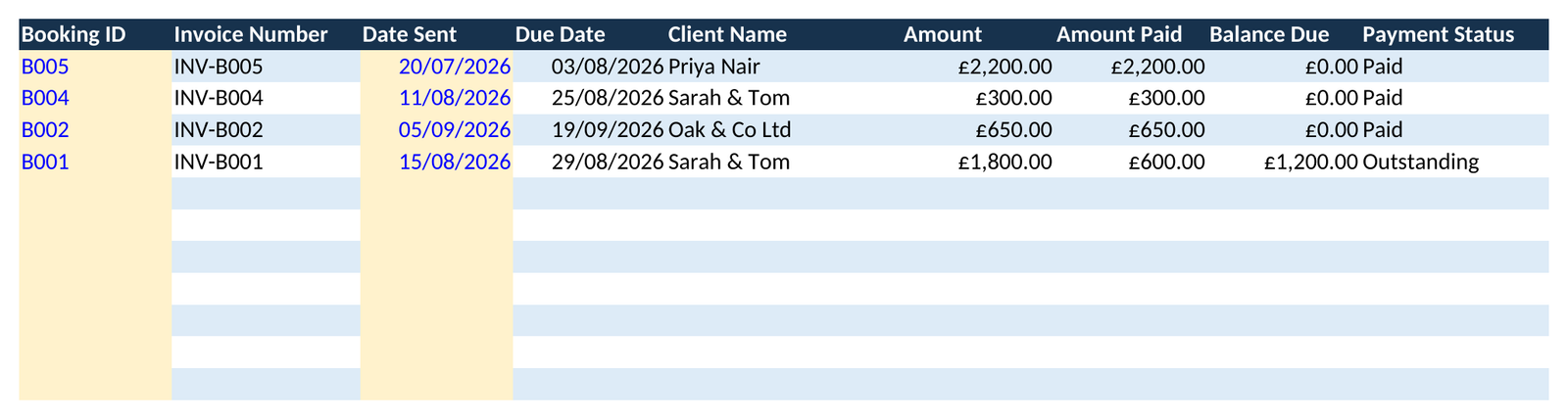
Invoice Log – a permanent record of every invoice you’ve actually sent. Pick the same Booking ID and type the date you sent it, and the invoice number, due date, client and amounts fill themselves in, so you always know what’s invoiced, paid and outstanding.
Clients – a running client list that fills itself in from your bookings, showing total bookings and lifetime revenue per client.
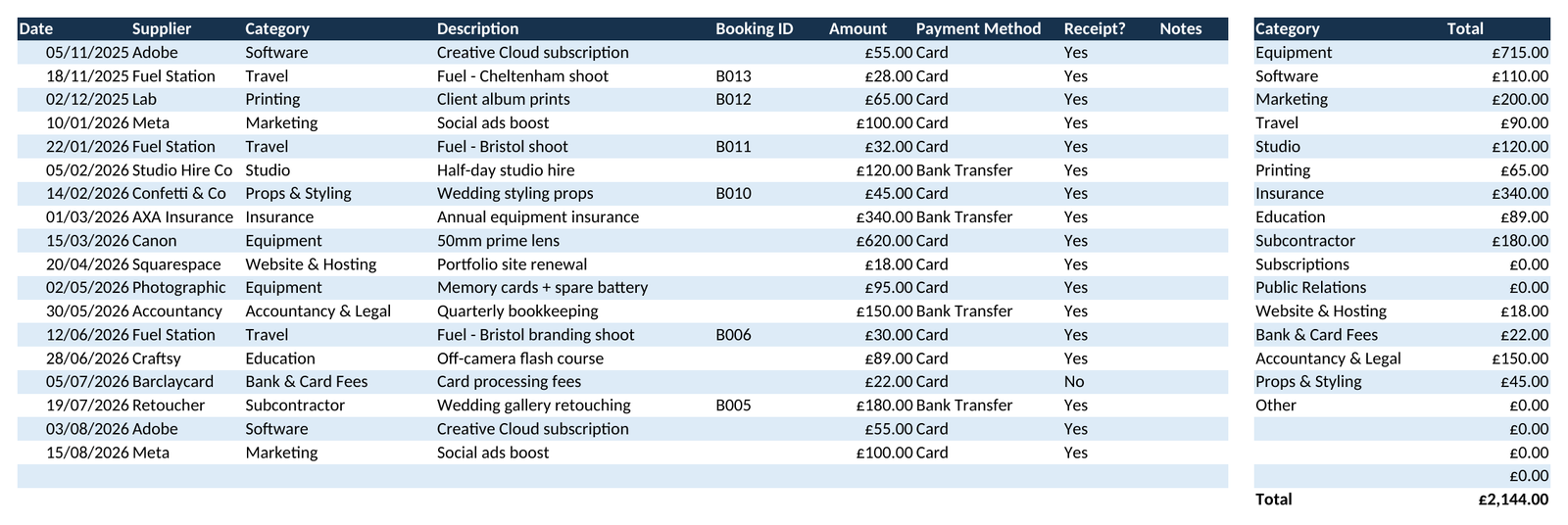
Expenses – log spend, pick a category from a dropdown, and get an automatic category breakdown ready for your accountant.
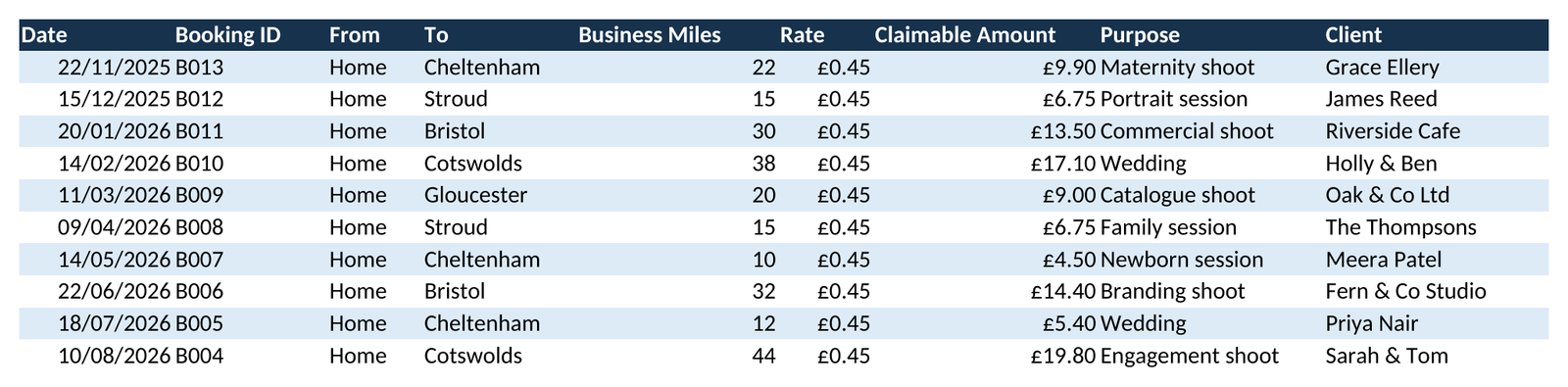
Mileage – business trips linked to bookings, with claimable mileage calculated at your rate automatically.
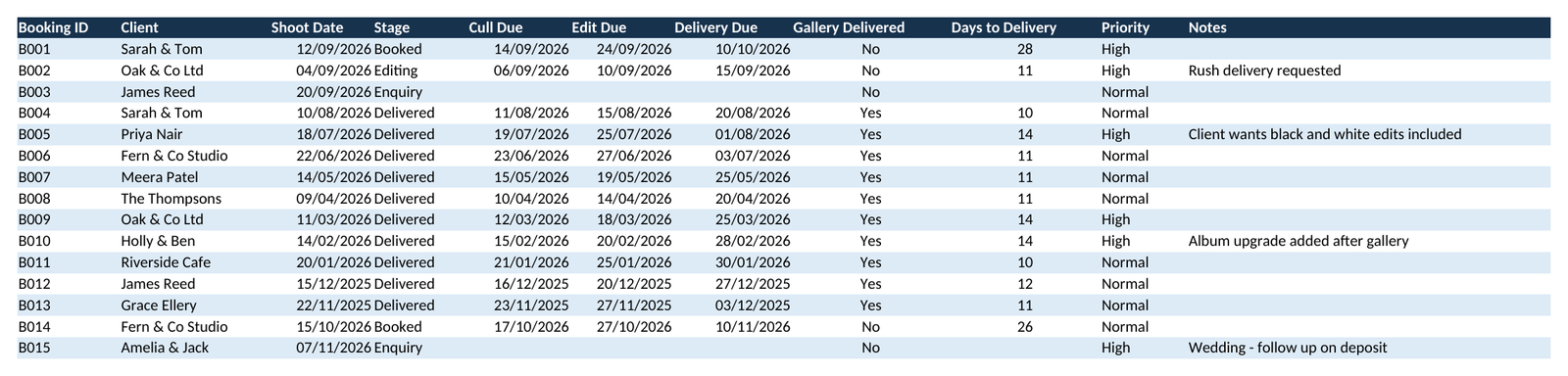
Workflow – culling, editing and delivery deadlines with days-to-delivery and priority flagged automatically.
Settings – set your business name, address, contact details, mileage rate and revenue target once and everything, including your invoices, updates to match.
Why Photographers Use It
- Never lose track of a booking, deposit or balance again
- See your real profit, not a guess
- Get paid on time, overdue balances flag themselves
- Send a proper invoice in seconds, no separate invoicing app or template needed
- Keep a permanent invoice history, never wonder what you already billed
- Mileage and tax reserve done for you
- Know what’s coming next, shoots and deadlines always visible
- Looks and feels professional, with colour-coded cells and dropdowns
Works Everywhere You Do
Built as a standard spreadsheet file so it opens cleanly in both Google Sheets and Microsoft Excel. No plug-ins, no add-ons, no desktop-only surprises.
A Couple of Honest Notes
This is a business-management template, not accounting or tax software. Please check current tax rules in your region, or ask a professional, for anything tax-specific. No spreadsheet experience needed beyond typing into cells and picking from dropdowns.
Get organised. Get paid. Get your time back.
Instant digital download – .xlsx file, compatible with Google Sheets and Microsoft Excel.
Photography Business Spreadsheet FAQ
Do I need Microsoft Excel?
No. It works in Microsoft Excel, or free in Google Sheets.
Is it a subscription?
No. It is a one-off payment and the file is yours to keep. There are no monthly fees.
I’m not good with spreadsheets. Is this for me?
Yes. You just type into the input cells and the totals, charts and dashboard update themselves. There are no formulas to write, and the instructions in the file walk you through it.
Can I see it before I buy?
Yes. Look through the screenshots above. Your download also includes a second copy filled in with example data, so you can see exactly how it works before adding your own.
Is it Making Tax Digital (MTD) software?
No. It is a record-keeping spreadsheet that keeps your figures organised. If Making Tax Digital for Income Tax applies to you, you will need MTD-compatible software to submit your returns to HMRC.
How do I get my file?
It is an instant digital download. You will get a download link straight after checkout, and by email.
What if I get stuck?
Message me any time and I will help you get set up.